Answered
Missing Buttons
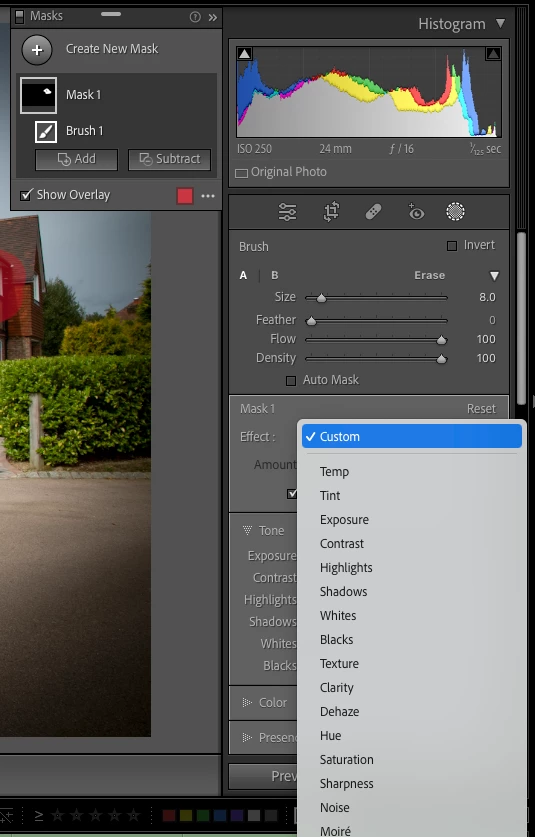
Hey guys, I am new to lightroom and seems like an missing the brush presets. I already downloaded and installed into proper folder but I dont even have the buttons below. Why am i missing these and how can I get them?


Hey guys, I am new to lightroom and seems like an missing the brush presets. I already downloaded and installed into proper folder but I dont even have the buttons below. Why am i missing these and how can I get them?
Select the Masking Tool, select the Brush, the presets will be found when clicking on the drop-down list icon next to "Effect":
Already have an account? Login
No account yet? Create an account
Enter your E-mail address. We'll send you an e-mail with instructions to reset your password.


 AdChoices