
Question
Missing Edits in Catalog export
Hi - I'm in the process of splitting one large catalog into two, basically personal and professional. There are a few personal reasons that this makes the most sense for me.
To create the new catalog I followed these steps:
- Created a Collection since the photos were in different folders
- Created a virtual copy of 1 photo with dramatic/obvious edits so I could easily confirm edits tranferred
- Clicked on the Collection and chose Export this Collection as a Catalog
- Gave the new Collection the name Test Catalog
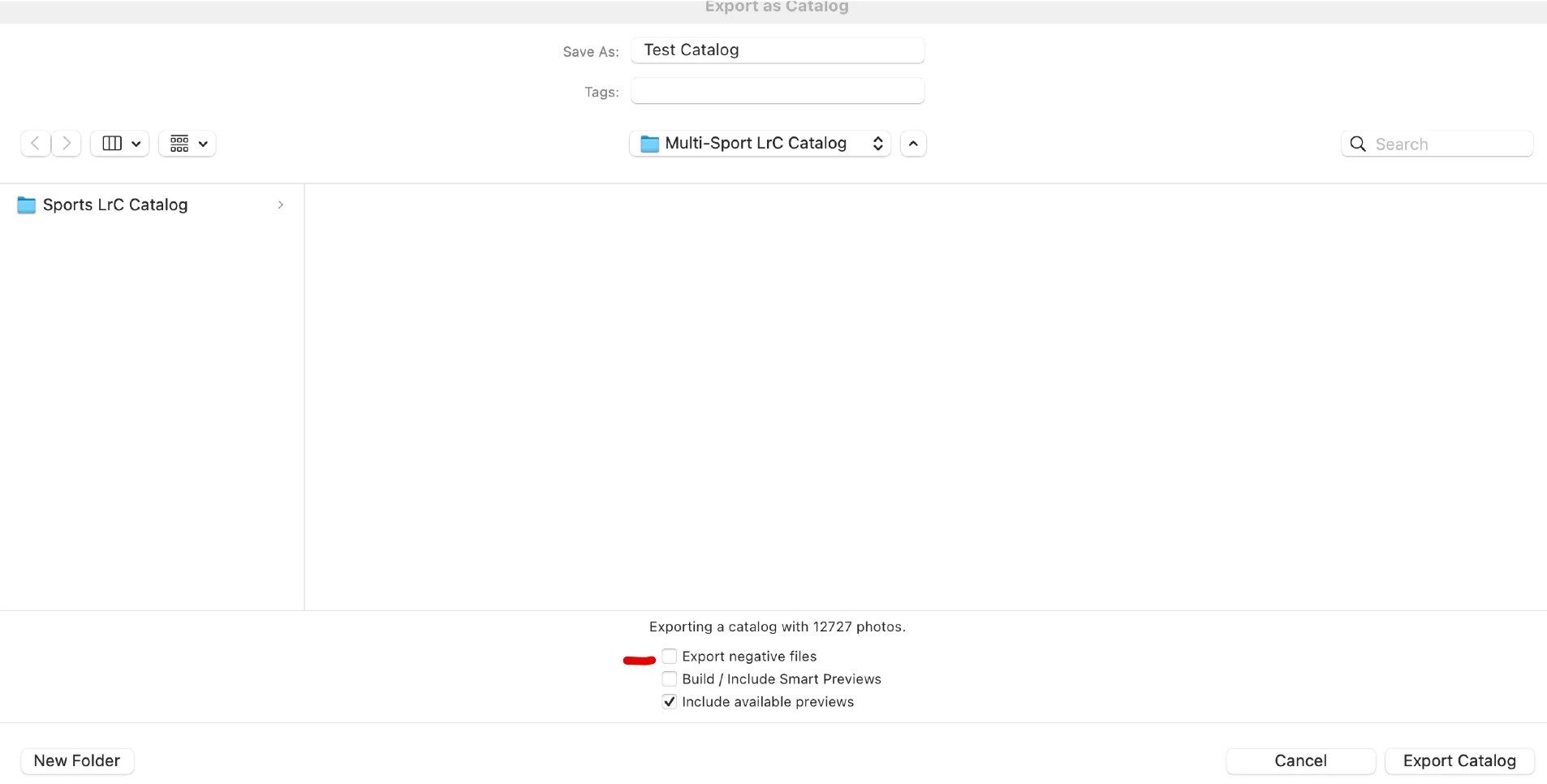
- Unchecked Export negative files so the files didn't move (I want the files to remain on the current location on my Synology NAS). See snip below
- Selected Export Catalog
Once the Export was complete I opened the Test Catalog and went to the virtual photo I had edited and there were no edits, it looked like the original. The other photos all have their Develop Settings at neutral indicating no edits.
My questions are:
- Did the edits for the virtual copy not export because it was a virtual copy?
- Why aren't the Develop settings for the other photos that I had edited showing the edits and not neutral when I open the photo in the Develop module?
I'm using an iMac with MacOS Ventura and LrC v12.01.
Thanks.
Mike
 AdChoices