Missing Images that Are Not with screen shots
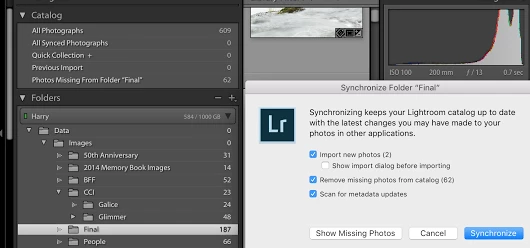
Hey all - Whenever I try to synch a folder called 'Final" in Lightroom to bring in new images I get the familiar Synchronizing dialogue box with a bonus - the option to "Remove missing photos from catalog." I also now have a Catalog item called "Photos Missing From Folder "Final" that contains only the jpegs (well, copies of the jpegs I suspect) from the Final folder. If I synch the folder the synch deletes all of the jpegs (and only the jpegs) in my Final directory and that Photos Missing From Folder "Final" item disappears.
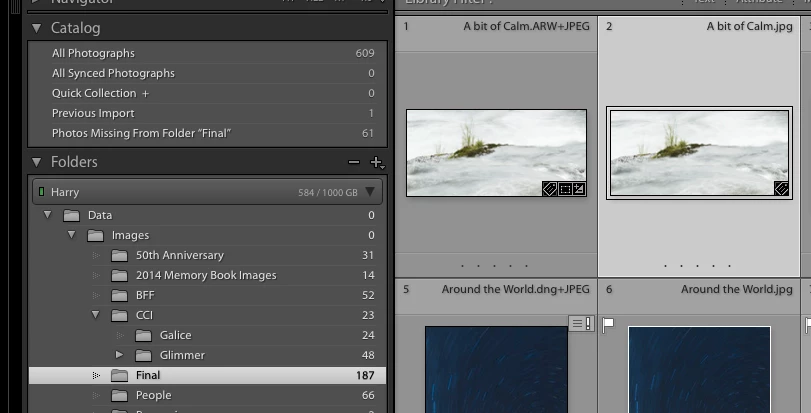
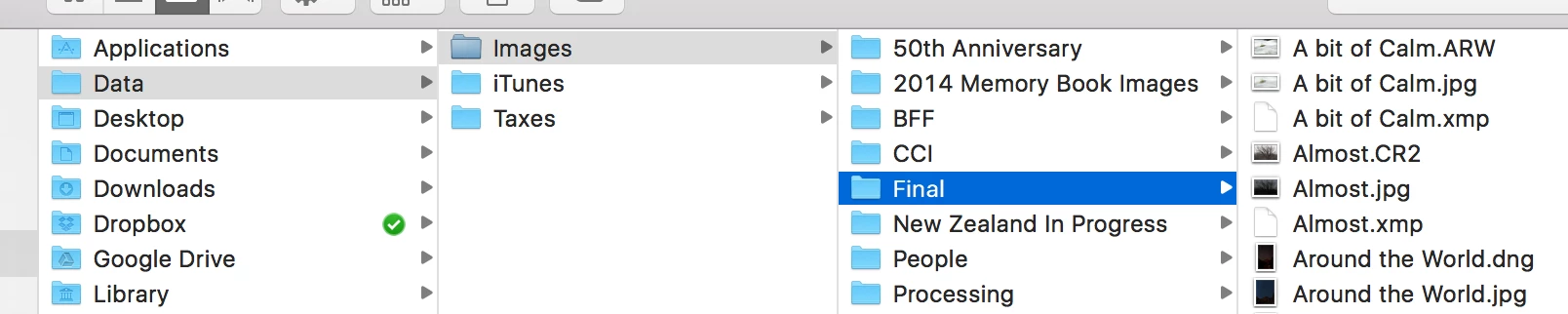
Here's the rub - the images are there the Final directory on the hard drive per Lightroom. If I right click on any of the jpegs from either the Final directory under Folders in Lightroom's Library (showing 187 images in the image below) or from this new catalog item mentioned above called "Photos Missing From Folder "Final" (showing 62 images below) Lightroom brings up the Final directory on my Mac's Finder.
I did synch without the Remove missing images which brought in the two images but I still have that really annoying and somewhat worrisome catalog item showing 62 missing images. Anyone ever seen this before? The three images below hopefully explain in pictures my dialogue above. The first showing the Synch dialogue when trying to Synch the "Final" folder, the second showing one of the jpegs in the Final folder with no indication of it being missing, and the third showing the file path on my Mac's finder.
 AdChoices