Missing Local Folder in Library of Lightroom Classic 11.0.1
I'm really sorry to trouble everyone... I think I've done something really stupid but I don't know what or how to fix it???
I save my photos from my camera to a 'YEAR' / 'MONTH-DAY' folder structure on an external HDD. As I copy them in, I import them into Lightroom Classic and tinker with them there.
Yesterday I did something and managed to, for want of a better word, disappear my ‘2021’ folder with about 3500 photos.
Image 1 shows what I currently see in the Library:
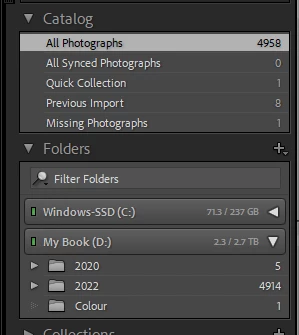
There should be a ‘2021’ folder between ‘2020’ and ‘2022’ containg the 3500+ photos.
Image 2 shows that the folder structure and all pictures are still on the external HDD as they should be:
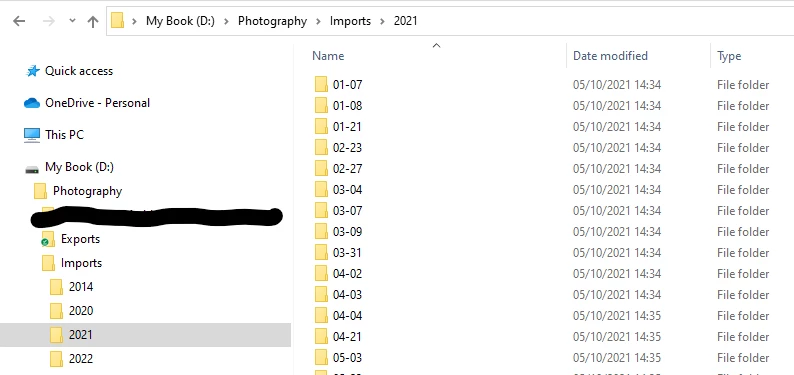
I thought I’d just restore a backup of my catalog from a few days ago… but this too does NOT show the ‘2021’ folder. In a blind panic I tried restoring multiple older backups but they too did not show the '2021'... it's like I've switch it off or something?!!
Any suggestions as to what I’ve done or how I can fix it would be greatly appreciated.
Many thanks everyone.

 AdChoices