

Missing Pop-Up for Denoise
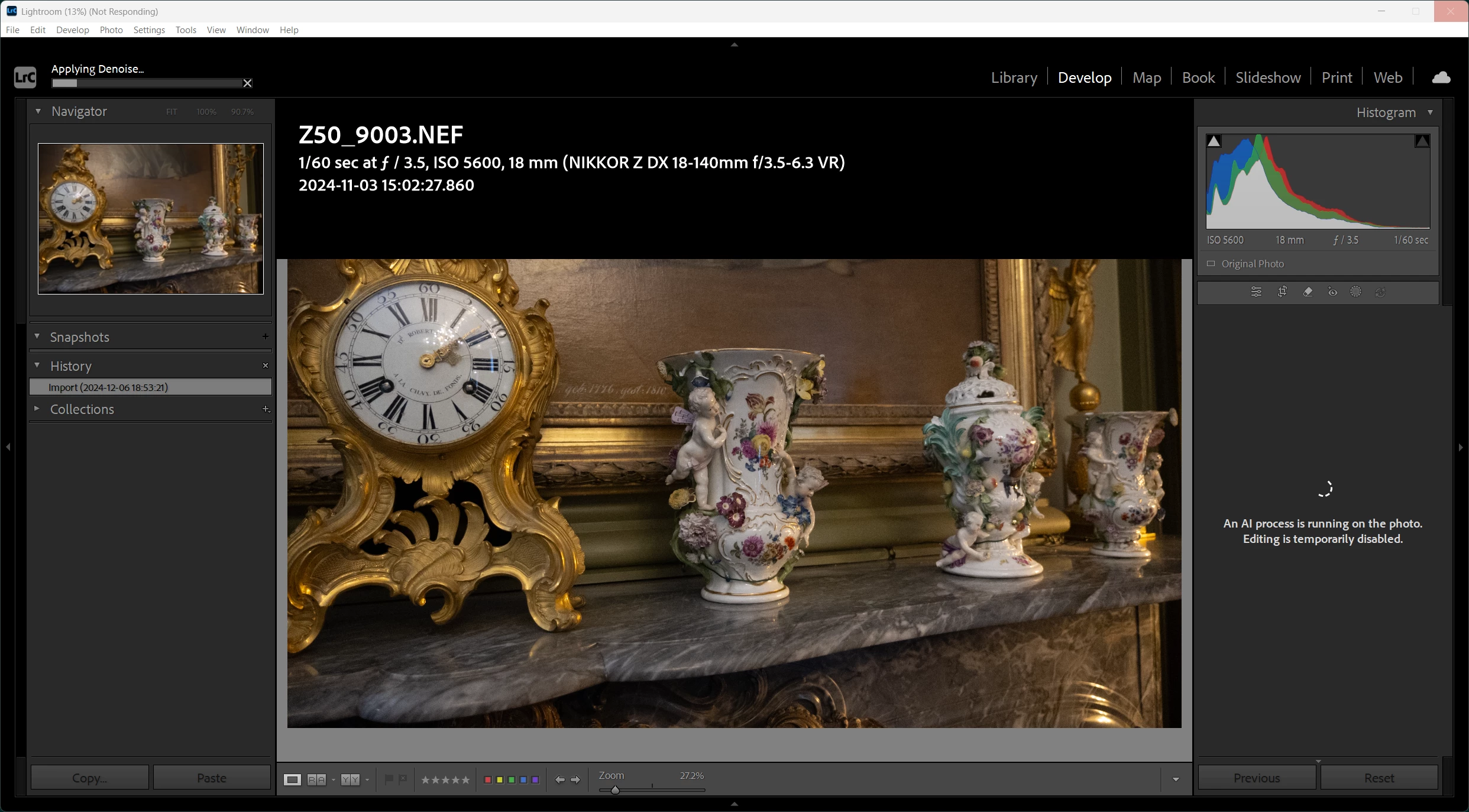
When I start Denoise, instead of pop-u showing the progress the entire right side panel is grade out and a test says : An AI process is running on the photo. Editing is temporarily disabled.” Ok, There is a problem: A popup is the standard established way of visually indicate a process i progress. The ways this new bizarre way indicates the process is confusing. Sometimes the images flickers, making an optical indication I am Done , I click on something, but there is no response to anything because the process is in progress. Please stop the foolishness. An example, a 45min running “dead process” on a 24 Mpix file: Even a sniping tool of Windows often hangs when Lightroom runs. The top apre aof the image shows a black background panel, which than disappears. and we cannot even make screens hot, because the entire windows hangs than hopelessly.
An example:


 AdChoices