Kara Brooke
Participant
April 26, 2022
Answered

Missing Presets & Need Help

  • April 26, 2022
  • 5 replies
  • 1362 views

Hey everyone, I recently updated Lightroom Classic and once again, my presets disappeared. They are the correct file format (.xmp), the "show partially hidden presets" button is checked, the "store presets in catalog" button is unchecked, I've made sure the presets are stored in the correct folder... it got to the point where I point them in multiple places just to see if it would work.


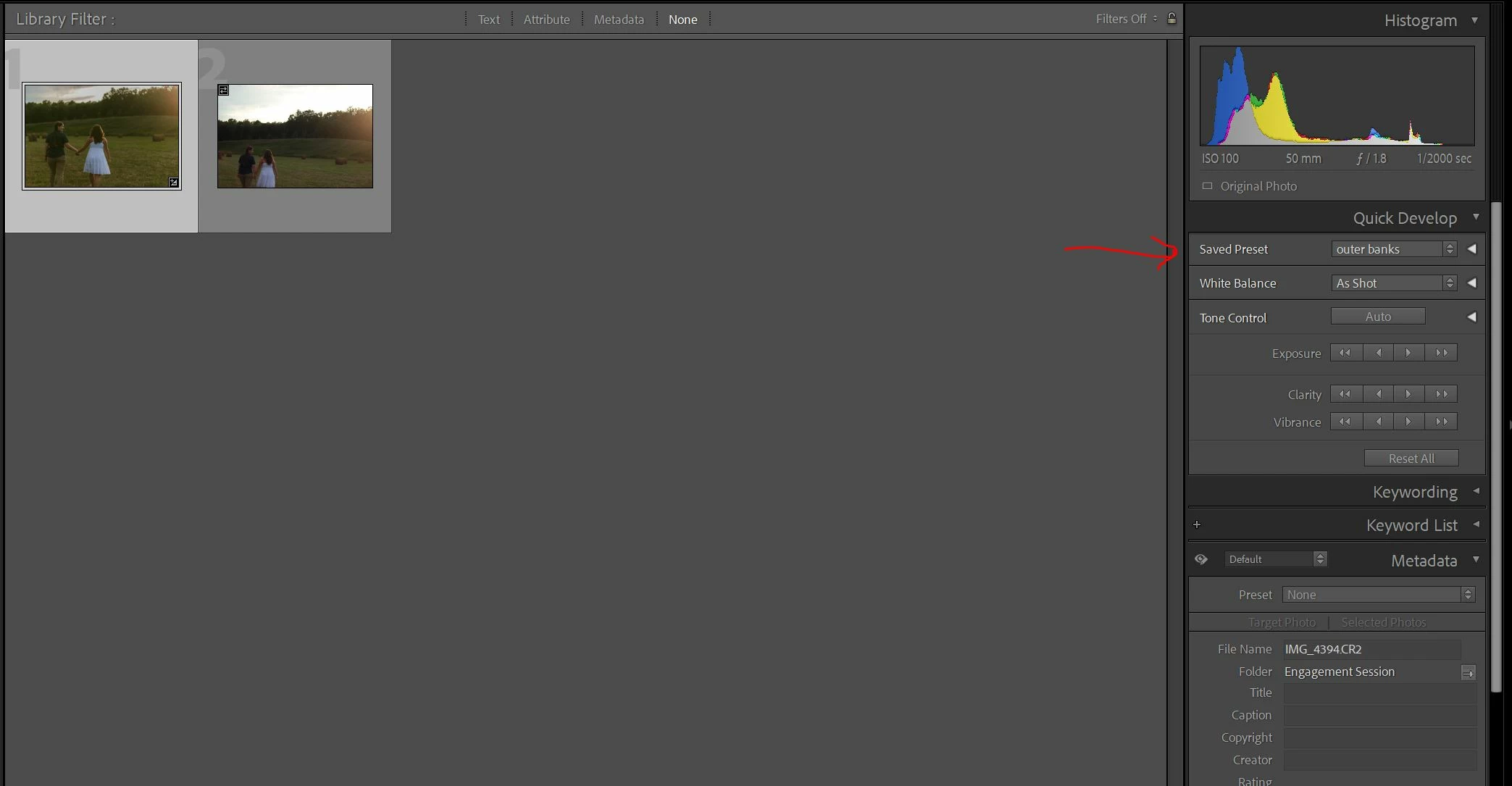
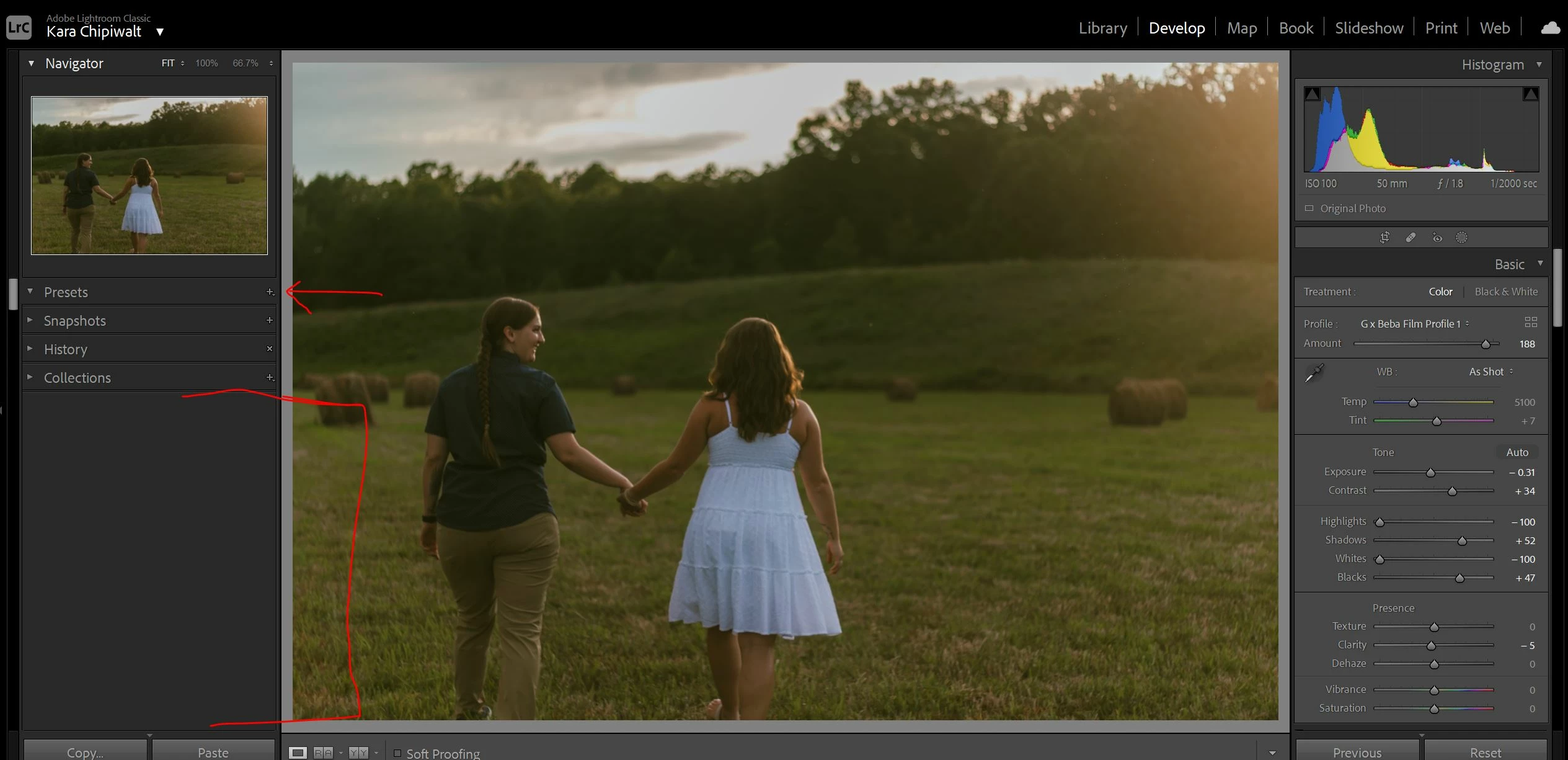
They show up in "Quick Develop," but I can't see them under "Presets." What in the world!


I have no idea what's going on. Anyone have insight? Thank you in advance!!
 

This topic has been closed for replies.
Correct answer johnrellis

These symptoms have been reported now and then over the past few years.  It's a user-interface display bug, not an issue with your presets. 


As a first step, try resetting LR's preferences:
https://www.lightroomqueen.com/articles-page/how-do-i-reset-lightrooms-preferences/


LR sometimes soils its preferences file, and resetting it can fix all sorts of wonky behavior. That article explains how to restore the old preferences if resetting doesn't help.


5 replies

johnrellis
johnrellisCorrect answer
Legend
April 27, 2022

These symptoms have been reported now and then over the past few years.  It's a user-interface display bug, not an issue with your presets. 


As a first step, try resetting LR's preferences:
https://www.lightroomqueen.com/articles-page/how-do-i-reset-lightrooms-preferences/


LR sometimes soils its preferences file, and resetting it can fix all sorts of wonky behavior. That article explains how to restore the old preferences if resetting doesn't help.


Kara Brooke
Participant
April 28, 2022

@johnrellis THANK YOU SO MUCH! That solved the issue 🙂 I appreciate your help so so much!!!

josephlavine
Community Expert
Community Expert
April 27, 2022

When you say, "and once again, my presets disappeared," how did you address the issue before?

Make sure to double-check your preferences for Presets.

-see attached-


Kara Brooke
Participant
April 27, 2022

Hi @josephlavine, when this happened before, I had to move my presets to the correct folder so Lightroom knew where to pull them from. The visibility button in my preset preferences is checked, unfortunately. I wish that was the issue 😞

DdeGannes
Community Expert
Community Expert
April 27, 2022

Deleted not relevant.

Regards, Denis: iMac 27” mid-2015, macOS 11.7.10 Big Sur; 2TB SSD, 24 GB Ram, GPU 2 GB; LrC 12.5,; Lr 6.5, PS 24.7,; ACR 15.5,; (also Laptop Win 11, ver 24H2, LrC 15.3; PS 27.0; ) Camera Oly OM-D E-M1.
Kara Brooke
Participant
April 27, 2022

Hi @GoldingD, I did a screen recording. Here is the link: loom screenshare.

GoldingD
Legend
April 27, 2022

When you click on the Disclosure Triangle connected to Presets, what is displayed? A screenshot please.