Participating Frequently
September 23, 2024
Answered

MISSING RAW FILES
  • September 23, 2024
  • 1 reply
  • 524 views

This topic has been closed for replies.
Correct answer Rikk Flohr_Photography

Hi dj_paige, Many thanks for the message. As I posted above I deleted them from the trash/recyle bins and also my external back up drive. If Lightroom is "seeing" the "previews" where are they stored? Many thanks, Mark 


https://helpx.adobe.com/lightroom-classic/kb/extract-previews-for-lost-images-lightroom.html 

1 reply

Participating Frequently
September 23, 2024

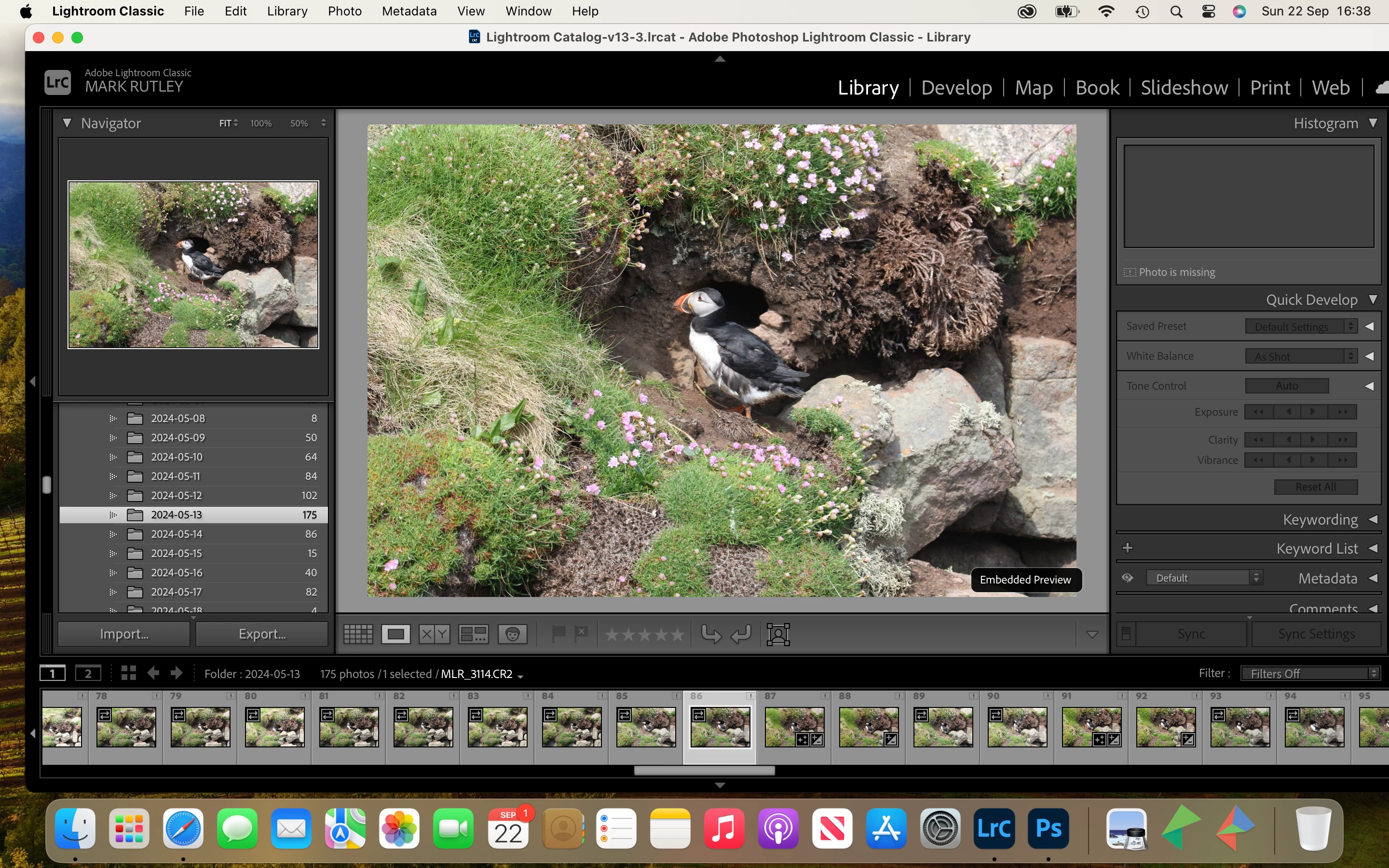
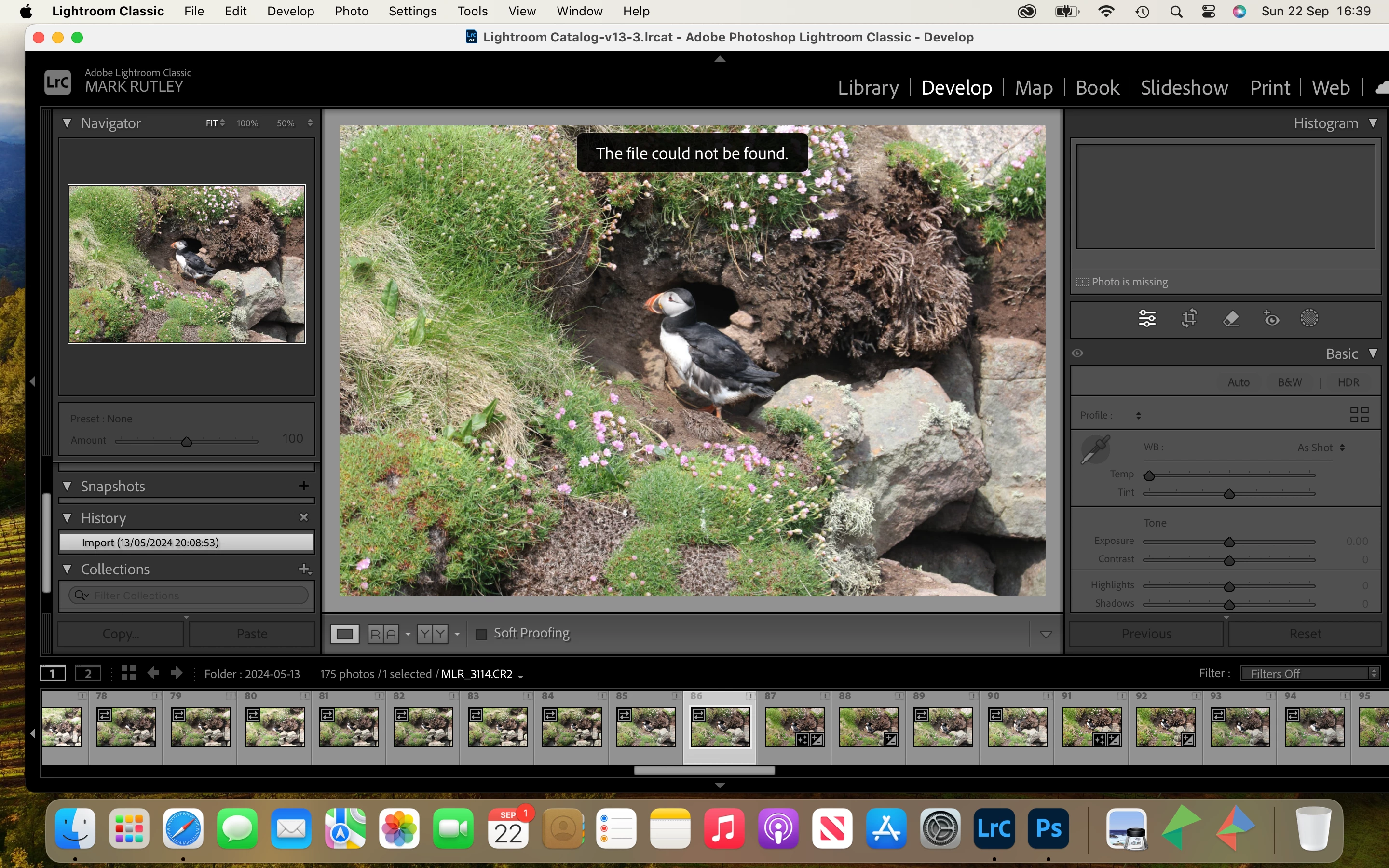
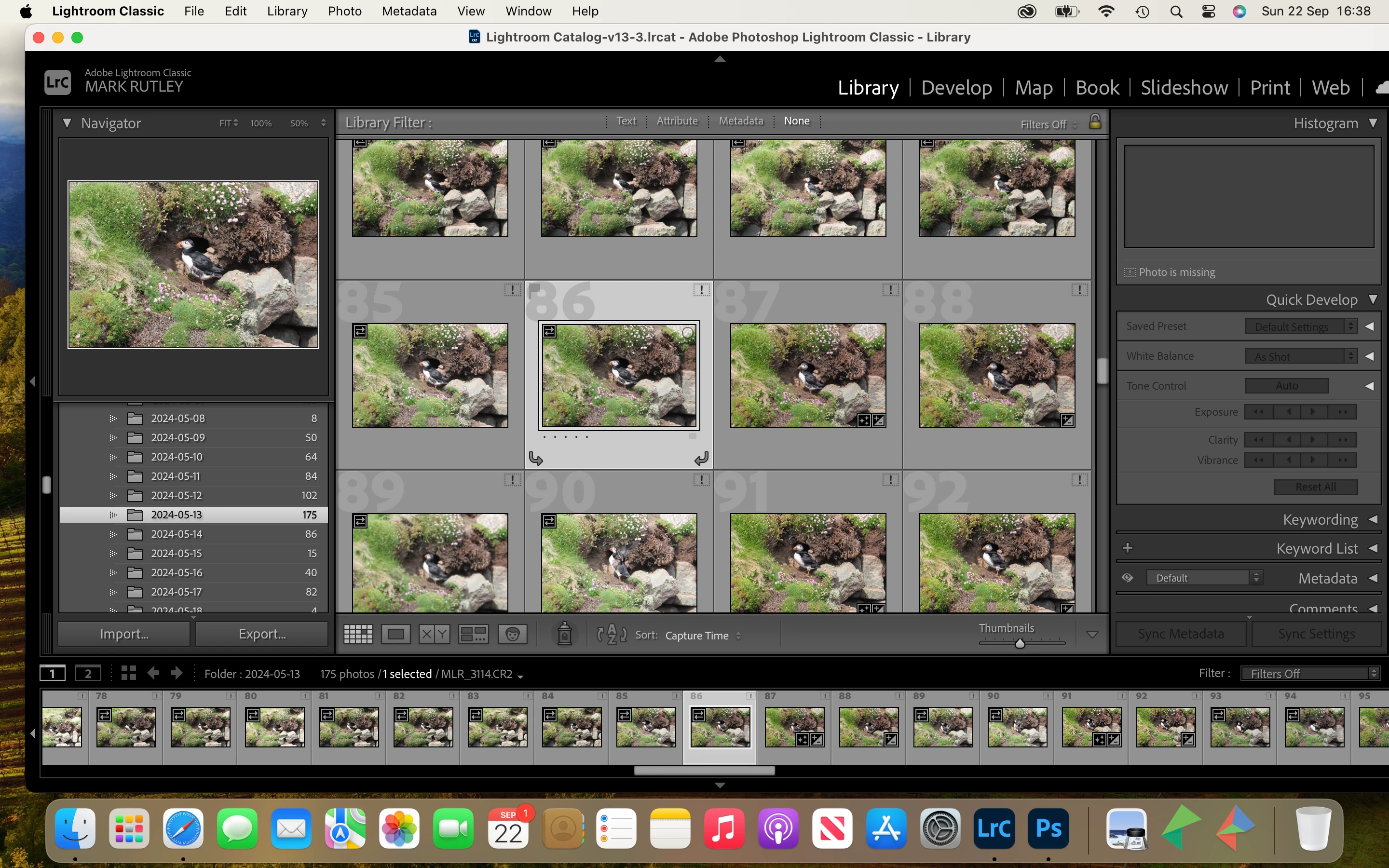
I accidentally deleted all my RAW files from my 2024 folder including the Re-Cycle Bin and External Hard Drive. However, I can see the pictures in Lightroom Classci Library as seen in above screen shots but the folders containing these images and many more are empty? How is that possible? Can these images be retreived please? Many thanks in advance. 

dj_paige
Legend
September 23, 2024

First, look in the trash/recycle bins. If you don't find the photos there, restore the photos from your backups.


You are not seeing your photos, you are seeing thumbnails (also called "previews") created by Lightroom Classic previously for the purpose of showing you the grid in the Library Module.

Participating Frequently
September 23, 2024

Hi dj_paige, Many thanks for the message. As I posted above I deleted them from the trash/recyle bins and also my external back up drive. If Lightroom is "seeing" the "previews" where are they stored? Many thanks, Mark