Moved Catalog to New MBP and Photos are there but Folders don't show up
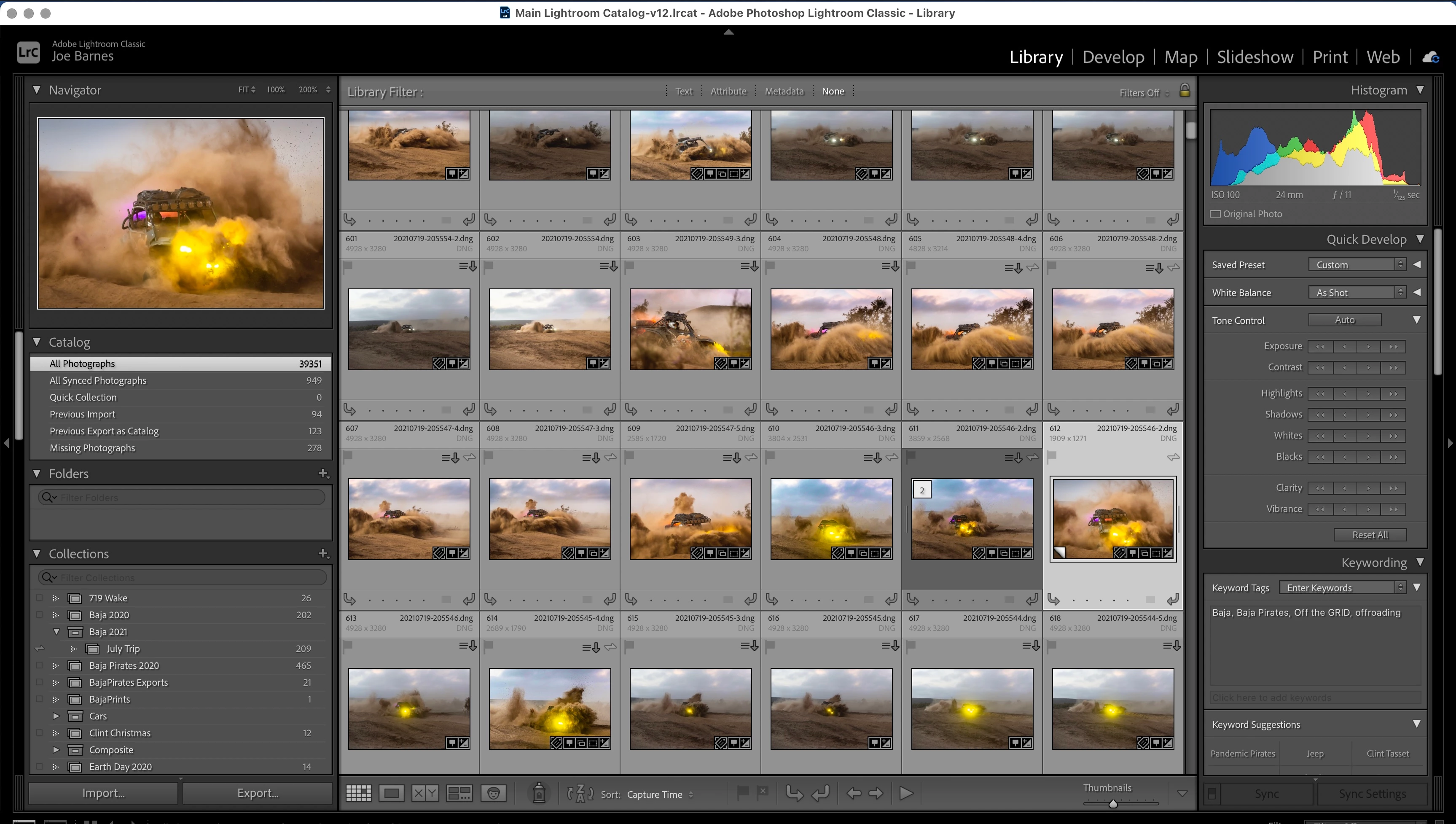
My 2011 MBP died a while back and I had all of my Photos stored on a second internal SSD named 'data' (/Volumes/data) I purchased a new MBP M1 Pro, removed the drives from the dead 2011 MBP, slaved them, copied my data to the new machine from the primary SSD, installed LR Classic v12 (much newer version because the old machine couldn't support anything newer than v9) and when I opened my LR Catalog I couldn't see any folders or photos. Found out that Monterey now has a System mount named 'Data', so my drive was being mounted as '/Volumes/data 1'. So, I renamed my drive through Disk Util and reopened LRC hoping I could simply locate the missing photos... but the folders area is still blank, no way to locate missing photos.
So, I reverted the drive name back to 'data' and slaved both SSD's to my 2012 Mac Mini then ran LRC from the old primary SSD. Perfect! All of my folders showed up, my Library was intact, "this is going to work!!" I closed LRC, renamed 'data', opened LRC again, changed 'data' to 'jhb_data' in LRC, all of my photos came back, I was a happy camper. Backed up the Catalog, checked integrity, etc. and moved the updated Catalog files to my new MBP. I then mounted the SSD and opened LRC, it upgraded the Catalog, opened, and then... still no Folders but I can see the Photos and even 'Show in Finder' by right-clicking (though it is oddly slow.) So, last ditch effort, I clicked on Folders, Add Folder, added the Parent, and... nothing. It still doesn't show anything in the Folders box. I made sure that LRC has Full Drive Permissions to all of the Drives containing Folders that should show up in my Library (local SSD, the "data" SSD, and a NAS drive where I archive my older photos to) but still, none of my Folders are showing up.
Don't know what else to try at this point. Help, please?
Lightroom Classic version: 12.0 [ 202210031128-9cb7185d ]
License: Creative Cloud
Language setting: en-US
Operating system: Mac OS 12
Version: 12.6.0 [21G115]
Application architecture: arm64
Logical processor count: 10
Processor speed: NA
SqLite Version: 3.36.0
Built-in memory: 16,384.0 MB
Real memory available to Lightroom: 16,384.0 MB
Real memory used by Lightroom: 2,067.7 MB (12.6%)
Virtual memory used by Lightroom: 408,127.4 MB
Memory cache size: 574.2MB
Internal Camera Raw version: 15.0 [ 1261 ]
Maximum thread count used by Camera Raw: 5
Camera Raw SIMD optimization: SSE2
Camera Raw virtual memory: 439MB / 8191MB (5%)
Camera Raw real memory: 440MB / 16384MB (2%)
Standard Preview Size: 2048 pixels
Displays: 1) 3456x2234
Graphics Processor Info:
Metal: Apple M1 Pro
Init State: GPU for Export supported by default
User Preference: Auto
Application folder: /Applications/Adobe Lightroom Classic
Library Path: /Users/oba/LR_Recovery_Repair/Lightroom/Main Lightroom Catalog-v12.lrcat
Settings Folder: /Users/oba/Library/Application Support/Adobe/Lightroom
Installed Plugins:
1) AdobeStock
2) Aperture/iPhoto Importer Plug-in
3) Canon Print Studio Pro
4) Flickr
5) HDR Efex Pro 2
6) LR/Enfuse
7) Nikon Tether Plugin
😎 Show Focus Points
9) SmugMug
Config.lua flags: None
 AdChoices