
Inspiring
November 10, 2022
Answered

Moving files to new external HD

  • November 10, 2022
  • 1 reply
  • 263 views

Hello,

I haven't been able to find the answer to my question so I hope I'm not repeating others too much.

My LR catalog is on my HD. All files are on an external HD, which I've just replaced due to the existing one acting up. Preventative measures, so to speak.

I've copied all files to the new external HD. And that's where I'm stuck.

I don't know how to get LR to start using the files in the new location.

That's as far as I've gone so hopefully I haven't broken anything yet.

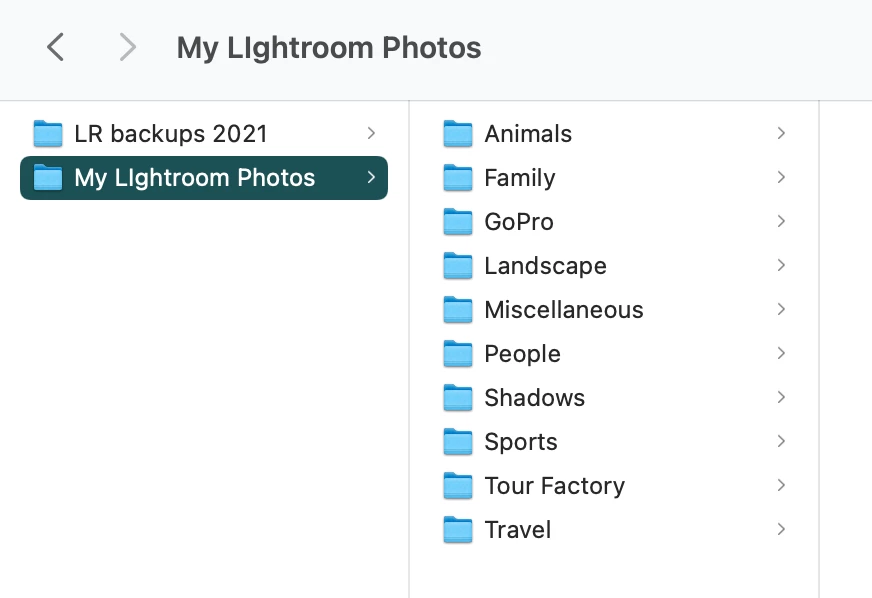
A screenshot of how my files are arranged is attached.

Can someone help?
This topic has been closed for replies.
Correct answer lynnw30531757

Perfect! Thank you so much!

1 reply

Rob_Cullen
Community Expert
Community Expert
November 10, 2022

You will find instructions in this blog article by the Lightroom Queen-

MOVING PHOTOS- 2 Methods

"I've copied all files to the new external HD."

So you are using 'Option Two' in the article and this paragraph in the blog is your next step-

Edit: DO NOT IMPORT ANYTHING!!!

Regards. My System: Windows-11, Lightroom-Classic 15.1.1, Photoshop 27.3.1, ACR 18.1.1, Lightroom 9.0, Lr-iOS 10.4.0, Bridge 16.0.2 .
lynnw30531757AuthorCorrect answer
Inspiring
November 10, 2022

Perfect! Thank you so much!