
DdeGannes
Community Expert
Community Expert
Feb 14, 2021 10:20 PM UTC
Answered

MY Collections are not Displaying in the Left Panel of the Library Module both Synced and regular

LrC 10.0 system info in my Signature below.

I have over 6900 images synced to the Cloud they display on my iPad.

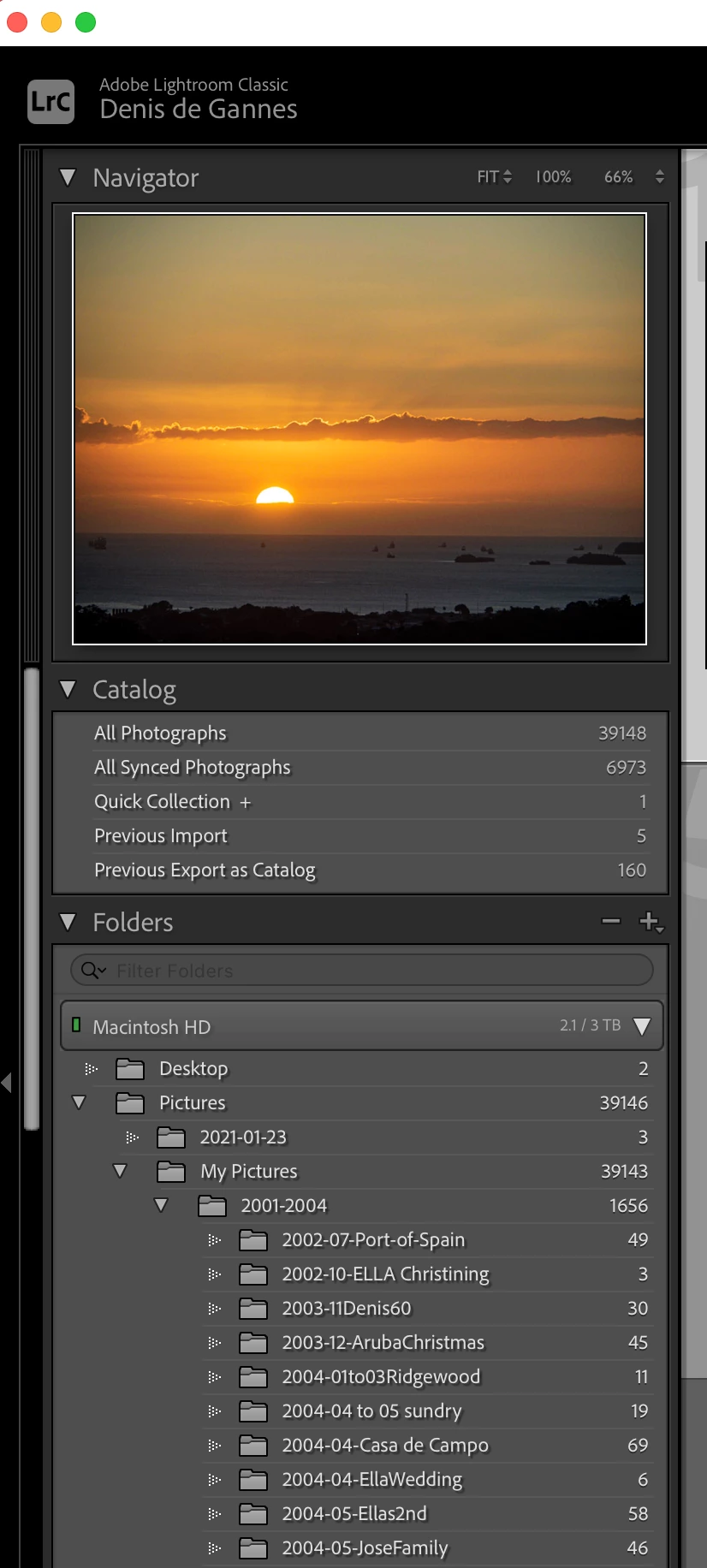
See info on my synced files in the screen capture.

Should I try a backup, delete the Preference file and rebuild, Optimize Catalog?
 

This topic is closed to new replies. Start a new post to keep the conversation going.
JohanElzenga
JohanElzengaCorrect answer
Community Expert
Feb 14, 2021 11:05 PM UTC

Ah, these screenshots make more sense...


I remember there was a bug in Lightroom Classic, were collections are not shown in certain circumstances. One way to solve it was to create a temporary new collection. After you have created this, all other collections should become visible again, so you can remove it again when that has happened. Try that or search this forum. I am sure it has been discussed here at length.


-- Johan W. Elzenga

7 replies

DdeGannes
Community Expert
DdeGannesCommunity ExpertAuthor
Community Expert
Feb 14, 2021 11:28 PM UTC

Wow so a few days ago I reverted from 10.1.1 to escape a lot of problems in that version in the develop module. Now this bug I am experiencing with my collections was fixed in LrC 10.1.

I think now I have to reinstall 10.1 and turn off the GPU since that causes problems in 10.1 with my system?

Murphy is attacking from all directions!###*&?


Translate
Regards, Denis: Laptop Win 11, ver 24H2, LrC 15.4 PS 27.8;
JohanElzenga
Community Expert
JohanElzengaCommunity ExpertCorrect answer
Community Expert
Feb 14, 2021 11:05 PM UTC

Ah, these screenshots make more sense...


I remember there was a bug in Lightroom Classic, were collections are not shown in certain circumstances. One way to solve it was to create a temporary new collection. After you have created this, all other collections should become visible again, so you can remove it again when that has happened. Try that or search this forum. I am sure it has been discussed here at length.


Translate
-- Johan W. Elzenga
DdeGannes
Community Expert
DdeGannesCommunity ExpertAuthor
Community Expert
Feb 14, 2021 10:50 PM UTC

All the Collections show on my iPad see the screen capture

Translate
Regards, Denis: Laptop Win 11, ver 24H2, LrC 15.4 PS 27.8;
JohanElzenga
Community Expert
Community Expert
Feb 14, 2021 10:31 PM UTC

I don't understand the problem. 'All Synced Photographs' shows 6973 images. So what is wrong?


The Collections panel is below the Folders panel, but your screenshot is cut off so I can't see if it's there. Is your collections panel perhaps not showing? If that is the problem, then right-click in an empty panel header. That will give you a contextual menu with the option to toggle the visibility of the panels.


Translate
-- Johan W. Elzenga
DdeGannes
Community Expert
DdeGannesCommunity ExpertAuthor
Community Expert
Feb 14, 2021 10:41 PM UTC

The Collections are not showing any of my collections.


Translate
Regards, Denis: Laptop Win 11, ver 24H2, LrC 15.4 PS 27.8;