Participant
April 10, 2022
Question

My Lightroom Classic 11.2 show different exposure after I modified it and export to JPEG

  • April 10, 2022
  • 3 replies
  • 140 views

I'm not sure what happen, can anyone tell me why?

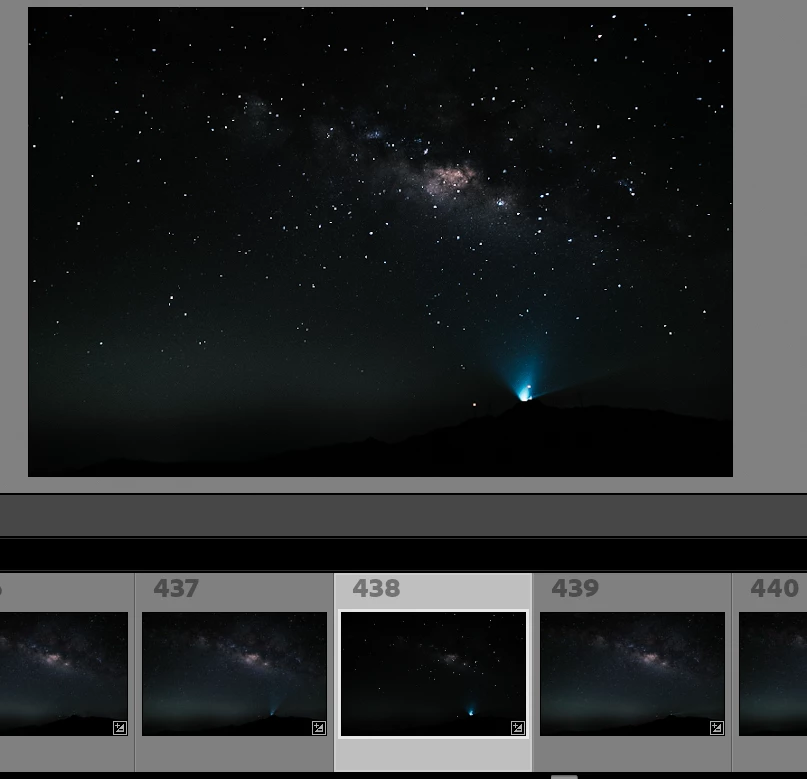
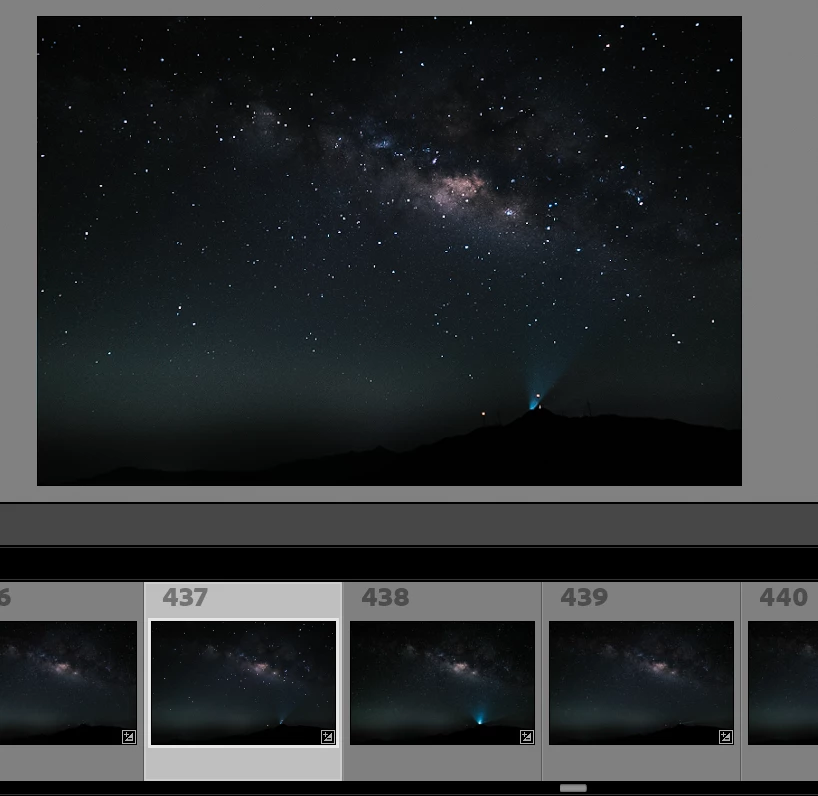
There was seems always happening on no.438 photo. I'm copied the change steps from no.437 photo to no.438 photo. And from the gallery and thumbnail it looks like fine and modified.

However when I click on the no.438 photo, it show entirly differnet colour and exposure as below screen captuure. and even I export it to JPEG, it also looks total different wha I want. And if I clicked back other photo expect no.437, the no.437 photo change to the one I expect (modifed as other photo in the thumbnail )


This topic has been closed for replies.

3 replies

roxanaioana.p@gmail.com
Participant
September 21, 2022

I have the same problem to several photos, it looks great in lightroom but the moment it is exported it becomes dark, same photos, same camera don t have this issue, i belive there is a bug in lightroom, it is the second time i m having this problem, this year.  

Gavin LiAuthor
Participant
April 11, 2022

Hello, Let me give more insight of the issue. And just forgot the export first. Because I discover the issue even happen inside the Lightroom itself. It displays automaticall change even I did nothing. What I did just copy the steps from other photos to target photos (no.438)


1. I selected no.437 photo, and did some change, e.g. exposure etc, and copy the steps to no.438 photo. As you can see highlight as below, no.438 photo reflect the change in thumbnail.


2. When I click on the no.438 photo, and you can see the change have been applied. and Photo looks like normal in thumbnail and itself.


3. after 2 or 3 seconds, the photo automatically change it self, looks like the Brightness or something else change. It also reflect in the thumbnail .


4. After I click other photo in the thumbnail, e.g. no.439, the no.438 change back to the origianl color or brightness before I click it..


So I have no idea why LR change the photo automatically and even I remove it from catalog and import again, issue not resolve. and seems only a few photos happen like that.

TheDigitalDog
Inspiring
April 10, 2022

First, despite a slider called "Exposure", there is nothing in LR that controls exposure (but Brightness).

Next, what export settings did you use from Raw to create the JPEG?

Lastly, always evaluate editing in Develop module, with the image at 1:1 or greater for the only accurate preview of the data.

You might want to upload the original raw, exported as DNG (to save your edits) for others to examine. Upload in something like Dropbox or similar.

Author “Color Management for Photographers" & "Photoshop CC Color Management/pluralsight"