

My Lightroom lens corrections need correcting. Is this normal?
I have bought myself my 1st DSLR camera (Nikon D3100) as i now want to shoot Raw instead of Jpeg. I've always shot Jpegs in the past with my old cameras. The in-camera Jpegs from my new Nikon don't show any lens distortion. However, when i open the Raw (NEF) files in Lightroom and tick 'enable profile correction' in the Lens corrections section, the distortion correction seems too much and i have to manually adjust it every time.
The lens profile comes from Lightroom itself (not from other users), & so this doesn't seem quite right to me that the correction is somewhat wrong each time.
I'm wondering if i'm doing something wrong or that maybe its even normal to have to adjust the correction further yourself each time (and perhaps most users have to do that too)?
I've included 3 Jpegs of the same image to demonstrate the problem (detailed below):
1) The export from Lightroom with the lens distortion corrected by Lightroom (note the straight red line).
2) An exported Jpeg version of the uncorrected Nef from Lightroom (to show the full original lens distortion)
3) The original in-camera Jpeg (obviously the distortion corrected by the camera)
I've drawn straight red lines on to the images to demonstrate the differences.
Any ideas?

^ above image is a Lightroom exported Jpeg (from NEF) with lens correction ON (note the red line along the top of the roof)
^ above image is a Lightroom exported Jpeg (from NEF) with NO lens correction yet, thus showing original distortion.
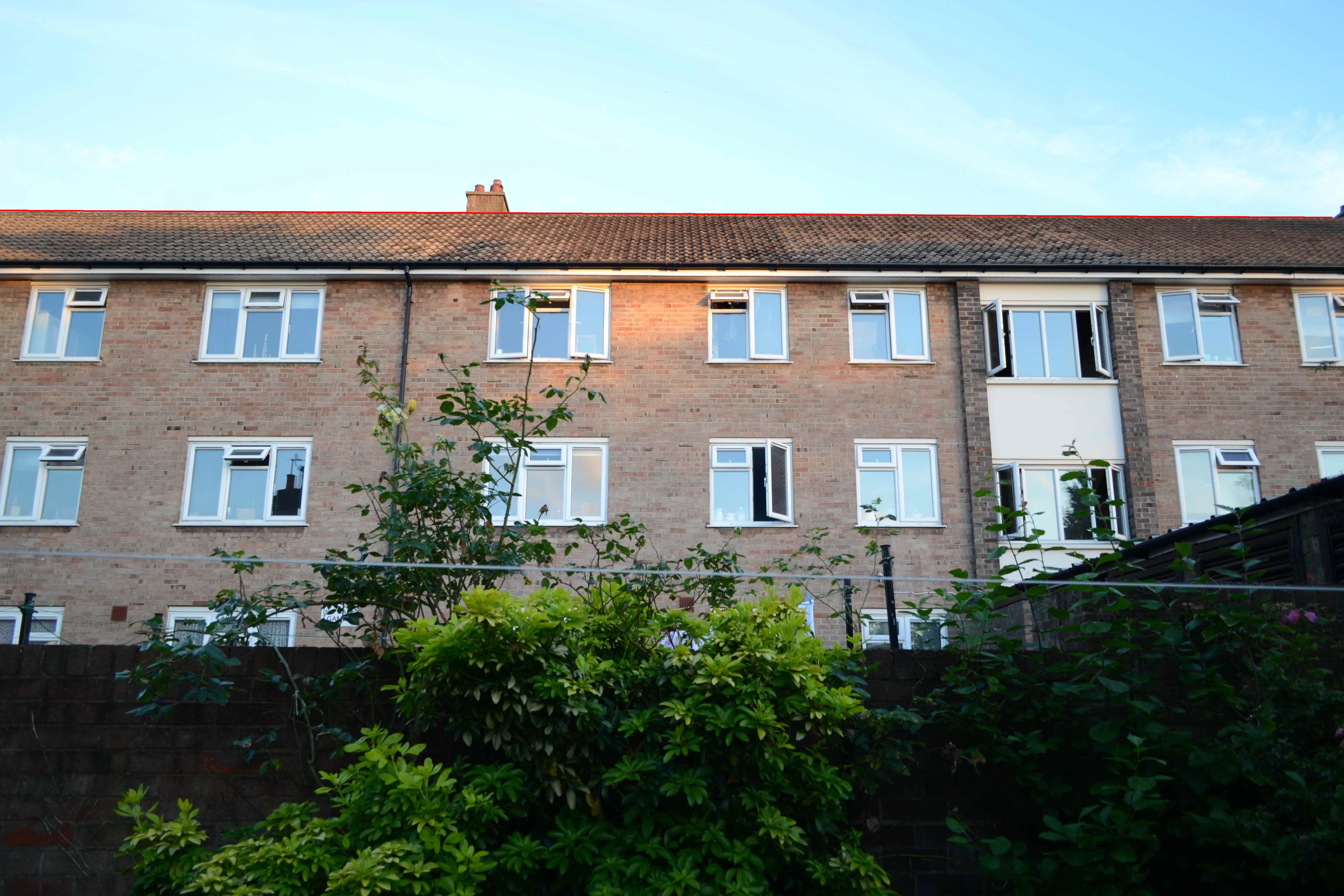
^ above image is the ORIGINAL in-camera JPEG showing no distortion at all (note the red line along the top of the roof).
P.s i've taken different shots too and the problem is the same for them all (at least at 18mm anyway).
Additional information:
The Nikon D3100 has an APS-C sensor (I'm not sure if that's significant or not). Also the lens described in the profile correction matches the one from my camera.


 AdChoices