Inspiring
January 5, 2023
Answered

My opening for LRC is loupe and I want it to be as if it is a brand new program without any pictures
  • January 5, 2023
  • 4 replies
  • 550 views

My opening for LRC is loupe and I want it to be as if it is a brand new program without any pictures

This topic has been closed for replies.
Correct answer Rob_Cullen

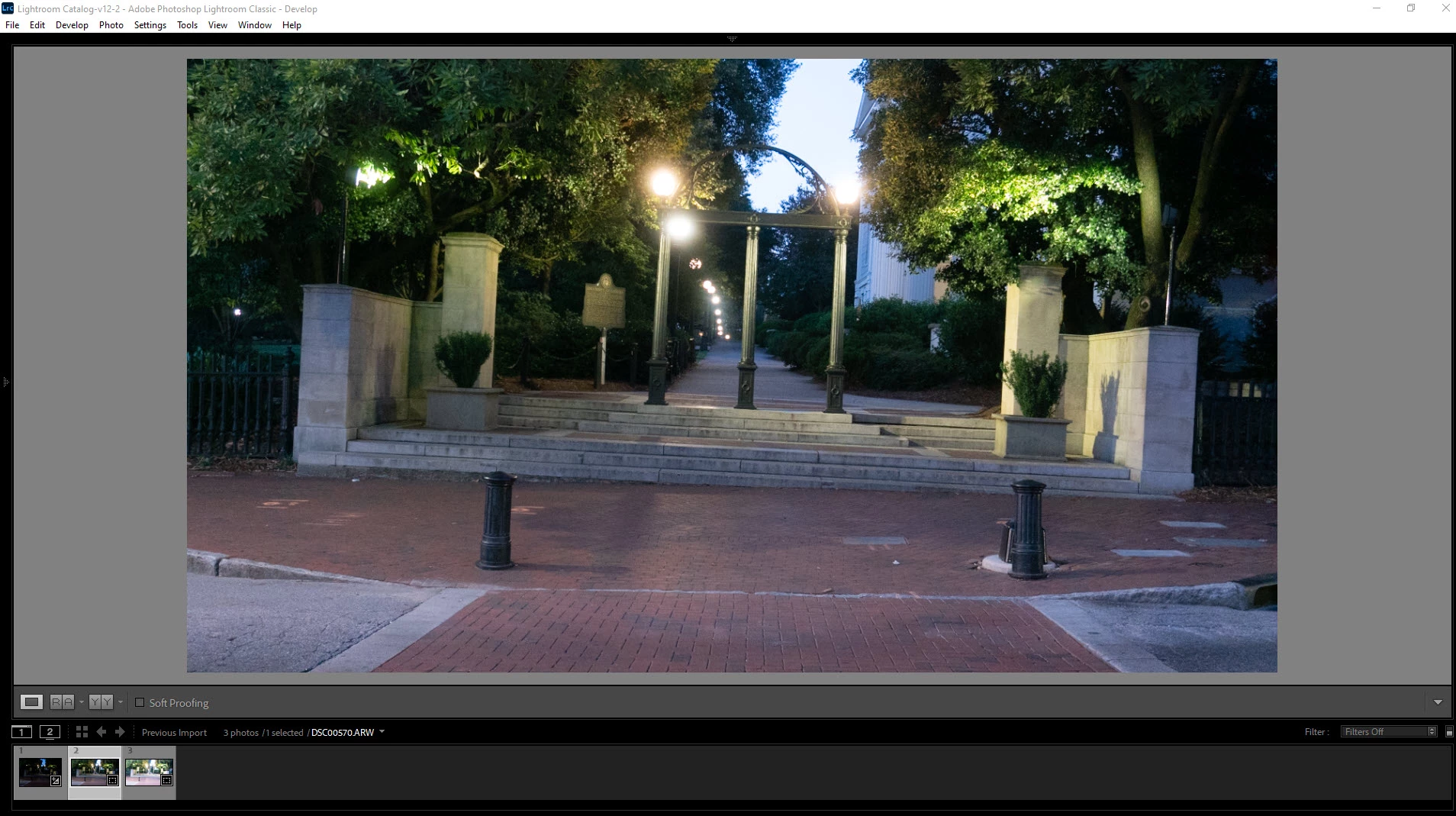
FYI- Your screen-clip shows your UI with the side-panels hidden. (The [TAB] key toggles the side panels Hide/Unhide. Also Function Keys F5 F6 F7 F8 can show/hide panels.)

I also see your catalog is ....-v12-2  the "-2" indicates you are possibly updating the same catalog repeatedly.

So my advice is also about understanding 'Catalogs' CATALOGS- HOW THEY WORK 


4 replies

Rob_Cullen
Community Expert
Rob_CullenCommunity ExpertCorrect answer
Community Expert
January 5, 2023

FYI- Your screen-clip shows your UI with the side-panels hidden. (The [TAB] key toggles the side panels Hide/Unhide. Also Function Keys F5 F6 F7 F8 can show/hide panels.)

I also see your catalog is ....-v12-2  the "-2" indicates you are possibly updating the same catalog repeatedly.

So my advice is also about understanding 'Catalogs' CATALOGS- HOW THEY WORK 


Regards. My System: Windows-11, Lightroom-Classic 15.0, Photoshop 27.0, ACR 18.0, Lightroom 9.0, Lr-iOS 10.4.0, Bridge 16.0 .
PekerisAuthor
Inspiring
January 6, 2023

Tab 5 fixed the problem.  Thank you!!!

dj_paige
Legend
January 6, 2023

I don't know what Tab 5 means. Can you please explain, and also explain how it fixes the problem?

Inspiring
January 5, 2023

The only file LrC opens is the catalog. It doesn't open individual images. If LrC doesn't find a catalog it will only prompt to start a new catalog, and that is the only way you would be able to start with no images. I have LrC programmed to open the catalog I was using last, and showing the image I was last working with. What is it that you are specifically wanting to do?

PekerisAuthor
Inspiring
January 6, 2023

Tab 5 fixed my problem.  Lightroom is not Photoshop

dj_paige
Legend
January 5, 2023

Lightroom Classic opens showing the last view that was seen when you closed the program. That's how it is supposed to work, and I don't think there is an option to change this.


The idea of each time having a blank program with no pictures is also not how Lightroom Classic was designed to work, and so you might want to read some introductory material on how LrC is supposed to work, for example the free beginner e-book at lightroomqueen.com.

PekerisAuthor
Inspiring
January 6, 2023

Tab 5 fixed the problem.  Thanks for the info.

DdeGannes
Community Expert
Community Expert
January 5, 2023

Lightroom Classic does not function like other Photo editing applications so will not function as you wish. I you are now getting started I would recommend viewing free video tutorials by Julianne Kost available at the following link.

https://jkost.com/blog/lightroom-training-videos


Regards, Denis: iMac 27” mid-2015, macOS 11.7.10 Big Sur; 2TB SSD, 24 GB Ram, GPU 2 GB; LrC 12.5,; Lr 6.5, PS 24.7,; ACR 15.5,; (also Laptop Win 11, ver 24H2, LrC 15.0.1, PS 27.0; ) Camera Oly OM-D E-M1.
PekerisAuthor
Inspiring
January 6, 2023

Thanks for the training site.  Tab 5 fixed the problem.