My Presets Tab under Preferences is different in Lightroom Classic CC
I am trying to upload my presets into my Lightroom Classic CC on my Mac.
In most forums I am reading, it's telling me to open Preferences, then open the Presets tab in the preferences box. After that, it says to click on "Show Lightroom Presets Folder" and then open the Lightroom Folder.
When I have the Presets tab open, I do not have the option to click on "Show Lightroom Presets Folder" (see screenshot below). Instead, I have "Show Lightroom Develop Presets" or "Show All Other Lightroom Presets".
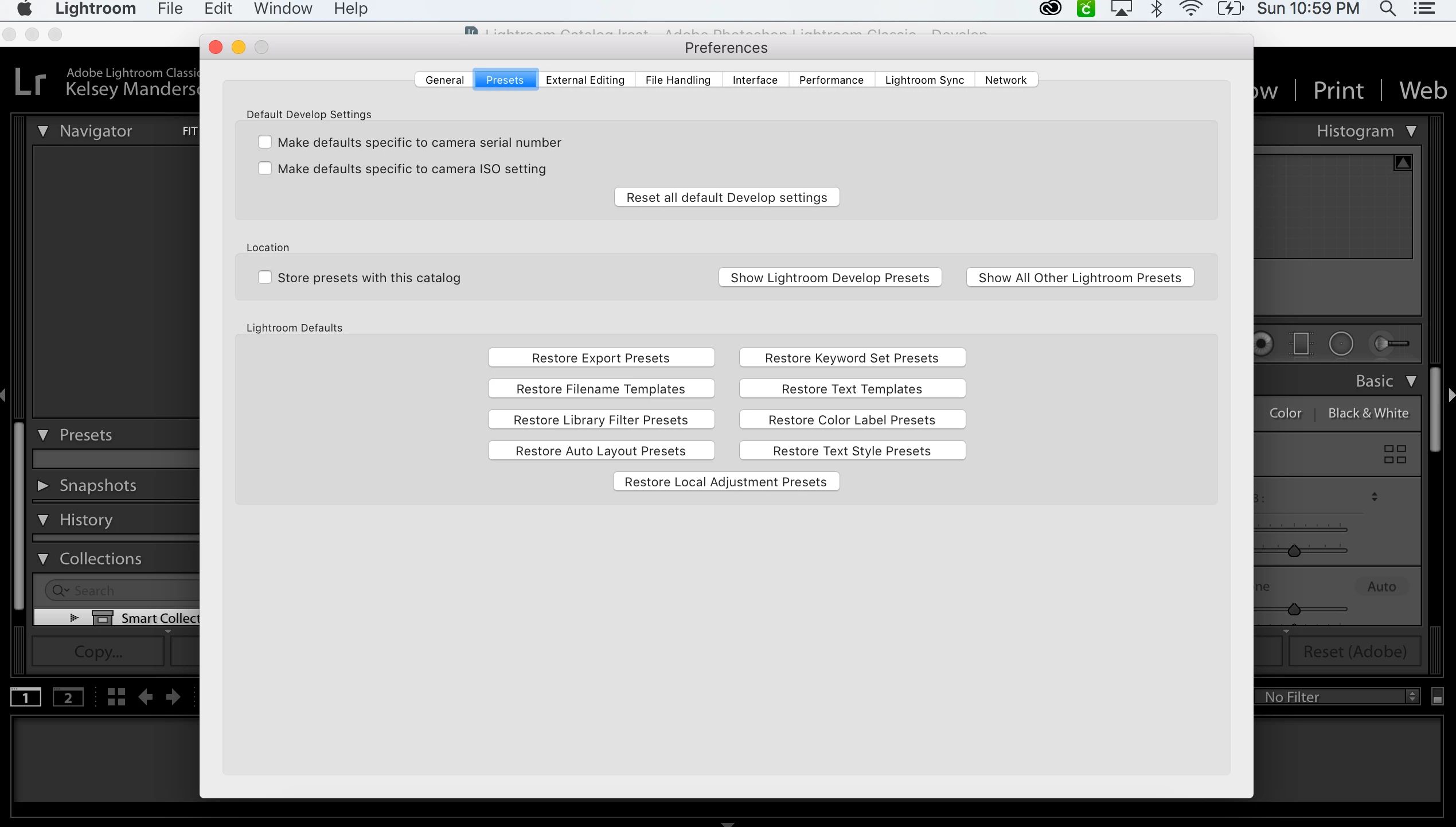
If I have to choose one of these options that are listed, where do I find my presets that I have saved in a folder? Do I have to have these presets in a specific folder for them to be added to my Lightroom Classic CC?
Thank you in advance for your help!
 AdChoices