Participant
May 28, 2023
Question

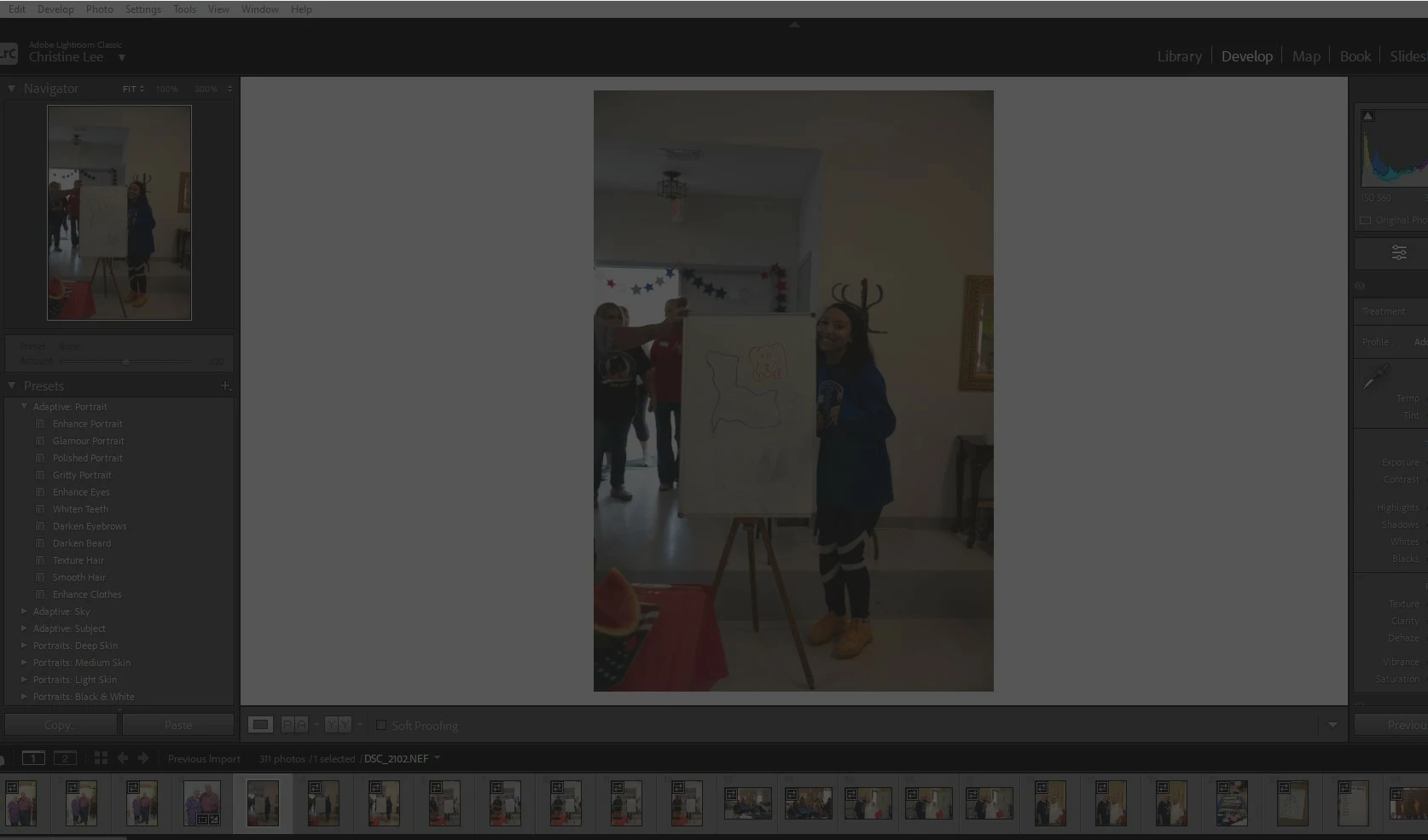
My screen is dark and I can't edit

  • May 28, 2023
  • 3 replies
  • 640 views

I have been using LRC for years on another computer. I just downloaded it on my laptop and the screen is grayed out. 
    This topic has been closed for replies.

    3 replies

    Community Expert
    May 28, 2023

    Make sure your GPU driver is up to date (go to the GPU maker's website, don't rely on windows update). Second, if this laptop has a HDR display, disable the HDR mode and check if that helps. 

    Participant
    May 29, 2023

    What is a GPU?

    TheDigitalDog
    Inspiring
    May 29, 2023
    Author “Color Management for Photographers" & "Photoshop CC Color Management/pluralsight"
    kglad
    Community Expert
    Community Expert
    May 28, 2023

    in the future, to find the best place to post your message, use the list here, https://community.adobe.com/


    p.s. i don't think the adobe website, and forums in particular, are easy to navigate, so don't spend a lot of time searching that forum list. do your best and we'll move the post if it helps you get responses.


    <moved from using the community>

    Community Expert
    May 28, 2023

    That looks like "Lights Out" mode (L key to cycle modes) except that Lights Out mode is meant to 'isolate' the active image by leaving that showing normally while everything else is dimmed. Here the active image is also being dimmed.


    So I would start by seeing if you can disable graphics acceleration, and how that affects the issue.
