My subfiles are not consider as source
Hi !
here is my situation, hope I'll be clear and someone can help me.
I don't know if I changed anything on my lightroom classic but :
I'm a concert photographer and I organise my work as : I import a Folder (DAY 1 of Festival) and inside there are sub-folder by each memory card I have. And I create directly from Lightroom Classic a folder by each artist. And then I go through my memory cards folder and I drag and drop my pictures to the artist folder it should go to. And after, when I go on my artist folder, I see the pictures that I took from this artist.
My problem : It's been a week now, that Lightroom classic don't consider my subfolder anymore and in the library I see EVERY pictures of the lightroom project. On the screenshot I'm sharing with you, here how I organise stuff :
I have J4, wich is my folder for Day 4 of the festival. That I created in my folder, from my macbook. When I click on the subfolder 100MSDCF (which is my sony card) it show me every picture from the project. The pictures that you are seeing on the right side are from DAY 1.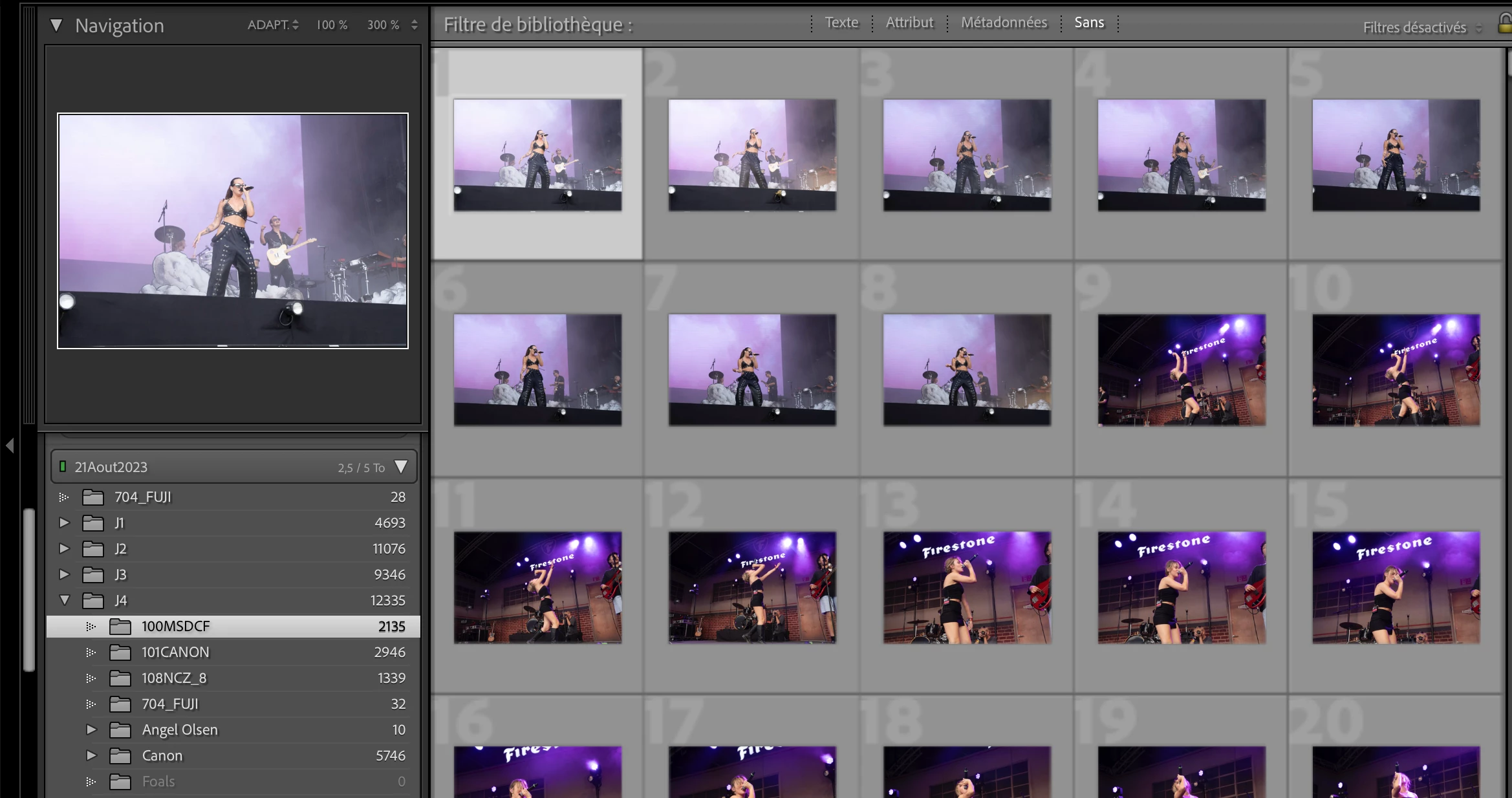
What also bother me is when I my mouse on a folder, lightroom know wich pictures are inside this folder, but it do not show it on the library grid on the right. See picture below. When I put my mouse on 704_FUJI, it shows on the top left the pictures inside it. But if I click on it, it doesn't do anything, and it keep showing me everything on the right.

Have you ever had this issue ? Because A week ago, everything was really simple. I import all my files in Lightroom, and I was navigate in it like a computer, and I was dragging my files from folder to folder really easily. And each time I clicked on a folder, the library was showing me the exact pictures that was only in this folder.
Thanks for taking the time. Don't know if I changed anything on my lightroom. Already uninstall and re-install it to be sure.
Take care and thanks
 AdChoices