
New 4K monitor colours now look desaturated in Lightroom - colour profile issue ?
Hi,
I've recently moved to a basic Samsung 32" 4k monitor and the first thing i noticed was how washed out and desaturated the colours looked in lightroom.
I opened some previously created jpg exports from Lightroom and they loaded up looking good in photo viewer but immediatrely something updated the image and made it less colourful, almost as if a profile was applied.
Digging about i found that FastStone image viewer showed the jpg as it was saved unliked photoviewer and it did just that giving me a vibrant image on the same monitor as it used to look in Lightroom before export.
Looking around in Faststone settings i found the following
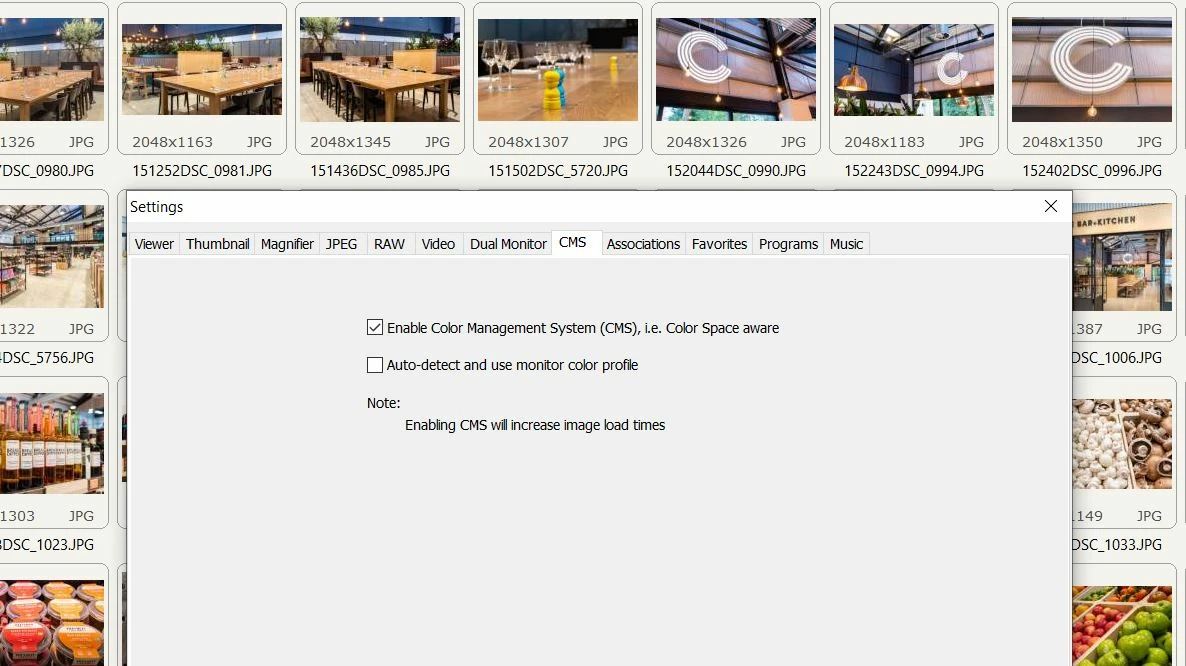
When i checked Auto-detect and use monitor color profile it caused the same problem in Faststone. So the monitor colour profile appears to be the issue here and windows and Lightroom both seem to use it.
I installed the Samsung driver for the monitor when settting up but wonder if the generic microsoft driver might give bettter colours ?
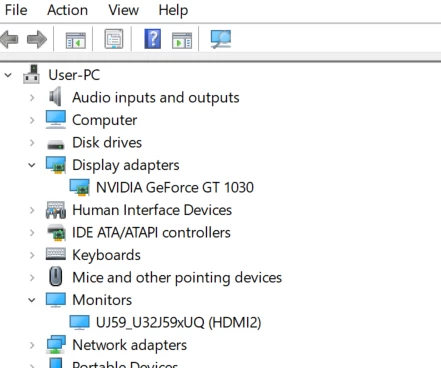
What i dont want to end up doing is applying far more contrast and saturation in Lightroom to address the issue only to find they look overly processed elsewhere.
Thanks in advance for any advice here.
Mike
 AdChoices