Question
New Catalog doesnt show source folder
Hey there,
The answer is probably somewhere on this forum but I cannot find any info on it, perhaps I'm not using the correct terms.
So I just created a new catalog and when I import picture in my library, I cannot see the source folder on the left side of my screen anymore.
I only see the name of the file the picture is in, but not where it is coming from.
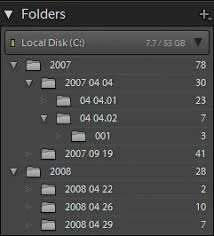
It used to be like this, showing on the disk each folder and how many pictures are in each folder:
And now I see it like this, with only the name of my main disk, and the name of the file, without its source:
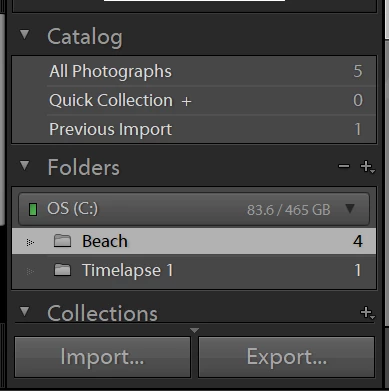
I already right clicked it and selected 'show parent folder'. I'm son confused, please help me!
 AdChoices