

sea-gal
Known Participant
July 20, 2023
Question

New Keywords not appearing in autofill.

  • July 20, 2023
  • 1 reply
  • 360 views

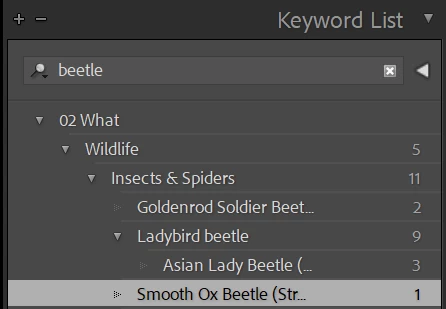
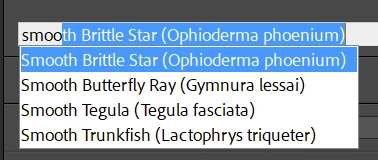
I am running version 12.4 of Lightroom. When I add a new Keyword to the Keyword list, I expect it to appear in the autofill list when I move to a different photo. It does not. It shows in the Keyword list if I search, but it does not appear in the Keyword dropdown when I begin nto type. See example below for Smooth Ox Beetle. I had this problem in the past, but an update corrected it. It seems that the old problem has resurfaced.
 

This topic has been closed for replies.

1 reply

Rikk Flohr_Photography
Community Manager
Community Manager
July 20, 2023

Deleting the "<catalog> Helper.lrdata" in the existing catalog will normally take care of this. 

Rikk Flohr: Adobe Photography Org
sea-gal
sea-galAuthor
Known Participant
July 28, 2023

Yes, that fixes the problem but it does not eliminate the glitch. Having to delete the helper.lrdata each time I add a new keyword is very tedious.

johnrellis
Genius
July 29, 2023

Some more troubleshooting steps:


1. Do Catalog Settings > Metadata > Clear All Suggestion Lists. Exit LR. Delete "<catalog> Helper.lrdata" (again). Restart LR.


2. About how many keywords do you have?  To count, do Metadata > Export Keywords and open the exported text file in Notepad. The number of lines (keywords) is in the lower-left corner.