Known Participant
November 30, 2018
Question

New LR update incorrectly reading capture time on MTS files.

  • November 30, 2018
  • 1 reply
  • 664 views

Hi

Unfortunately I recently "upgraded" to the new CC 2019 and have encountered a bunch of problems. First my Wacom started acting inconsistently and the cursor started jumping all over the place. After "updating" everything it still wasn't working so I needed to completely uninstall and reinstall everything.

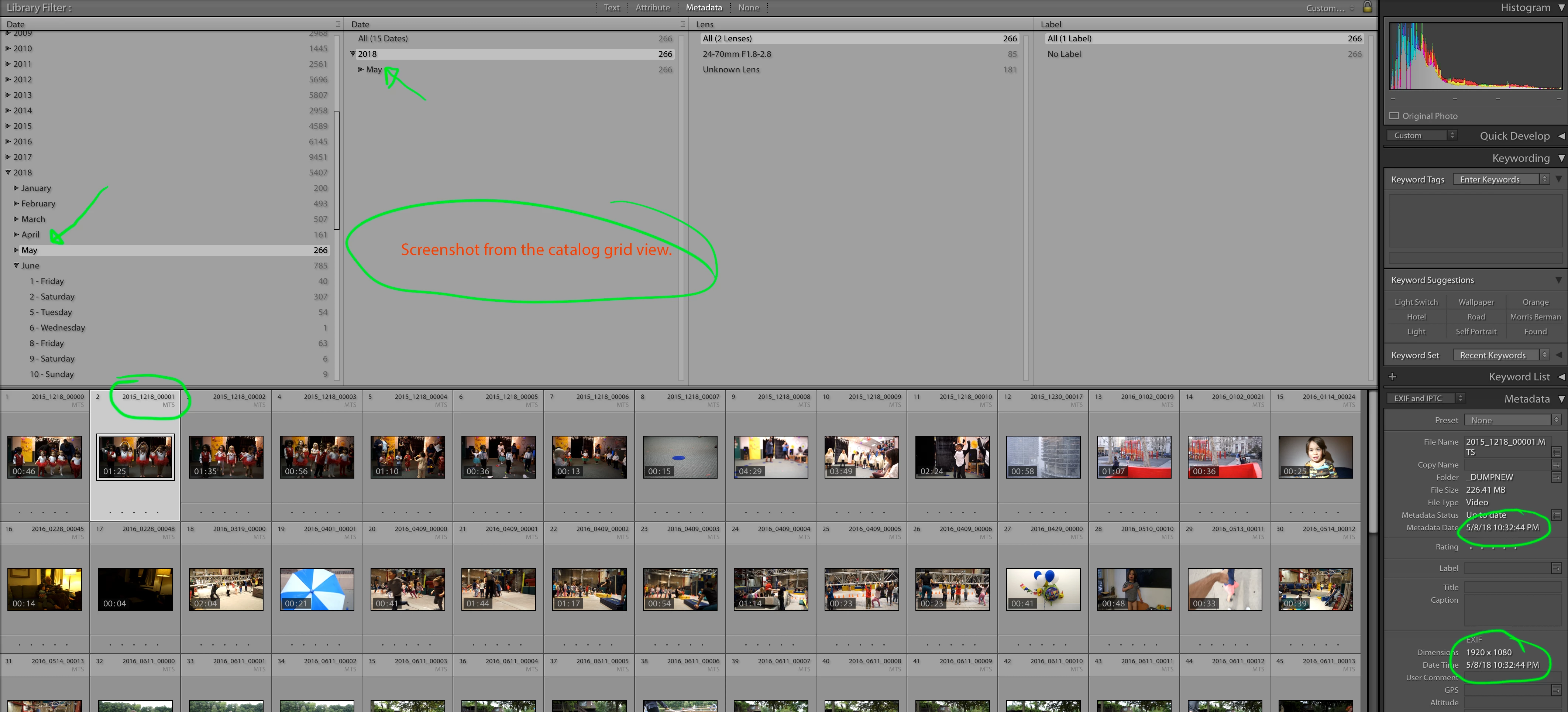
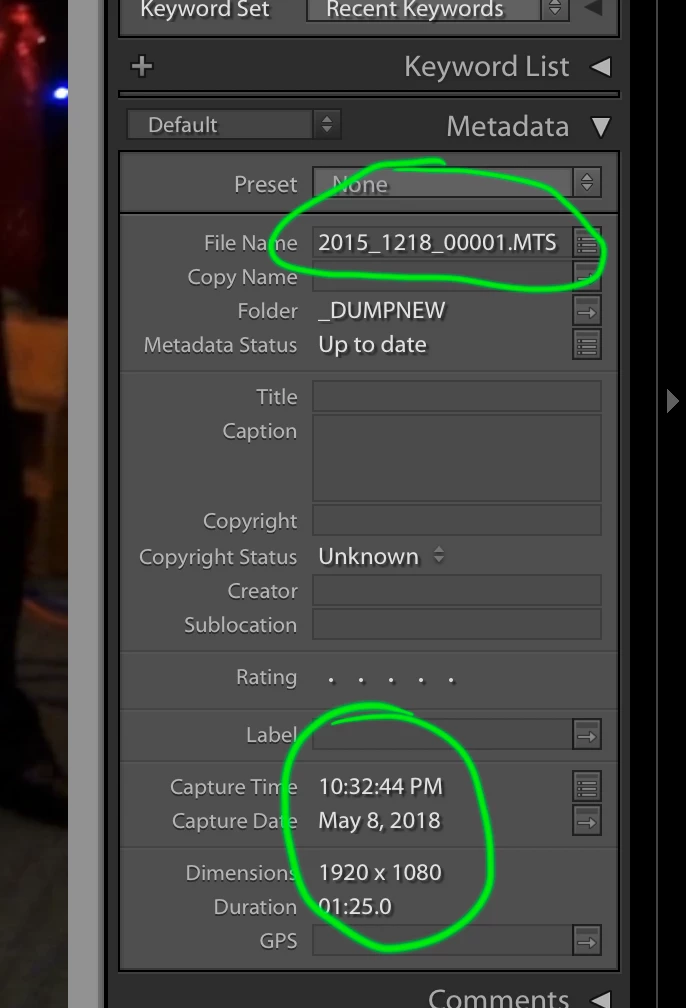
Unfortunately now I've discovered another issue which is that Lightroom is seeing all of my MTS files' capture times incorrectly. Files which were titled using the date from the metadata initially so I know exactly when it was shot. The problem is that LR incorrectly lists the files date so it lists it incorrectly when trying to view something from 2015 and it sees it as being from 2018. In the photo it show how the original file name (which was based on the capture time metadata) is a video that was shot 12/18/2015. LR is listing the capture time as 5/8/2018.

Anyone know how to fix this aside from manually going into each file and editing them one by one (of which there are thousands). This was suggested by the geniuses at Adobe Customer Service.
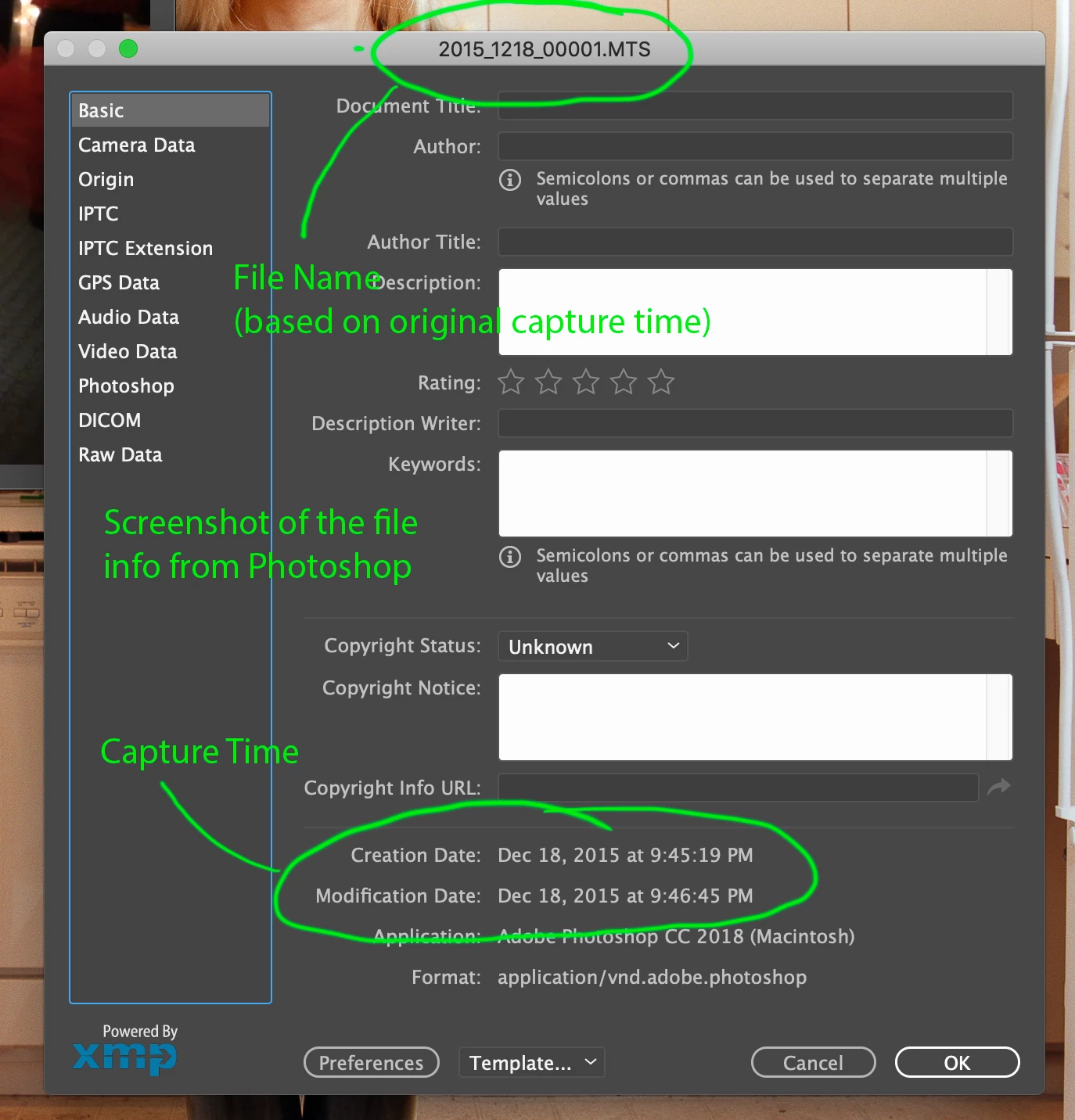
This conversely is how Photoshop sees the capture time correctly
    This topic has been closed for replies.

    1 reply

    johnrellis
    Legend
    November 30, 2018

    LR has always had problems reading capture dates from video correctly -- sometimes it works, sometimes not.  If you upload a sample video to Dropbox or similar and post the sharing link here, I can dig into the metadata, analyze what's going wrong, and suggest alternative workarounds.

    BermannycAuthor
    Known Participant
    December 2, 2018

    Try this. It's not the same file but it has the same issue. The video was made on 6/11/22016 but LR thinks the capture time is 5/8/2018. I tried looking myself but couldn't find anything.

    Dropbox - 2016_0611_00001.MTS

    johnrellis
    Legend
    December 3, 2018

    As you've observed, the file has a capture date recorded in its metadata, but LR isn't reading it:

    $ exiftool -time:all -a -G 2016_0611_00001.MTS

    [File]          File Modification Date/Time     : 2018:12:01 21:39:20-08:00

    [File]          File Access Date/Time           : 2018:12:03 11:43:49-08:00

    [File]          File Inode Change Date/Time     : 2018:12:02 17:28:16-08:00

    [H264]          Date/Time Original              : 2016:06:11 12:57:24-05:00

    Usually, when LR can't read a file's capture date from metadata, it uses the file's last-modified date (as maintained by the operating system), which is often close to the actual capture date. But in this case, LR is using the date/time of when the file is imported into the catalog, which isn't very useful.

    I don't know of a viable workaround for this particular case. My only suggestion is to file a bug report in the official Adobe feedback forum: Lightroom Classic CC | Photoshop Family Customer Community . Be sure to include the link to the Dropbox sample and the first ten lines from Help > System Info.