
ultrachrome
Inspiring
July 22, 2021
Answered

New printer dialogue box missing many items

  • July 22, 2021
  • 2 replies
  • 710 views

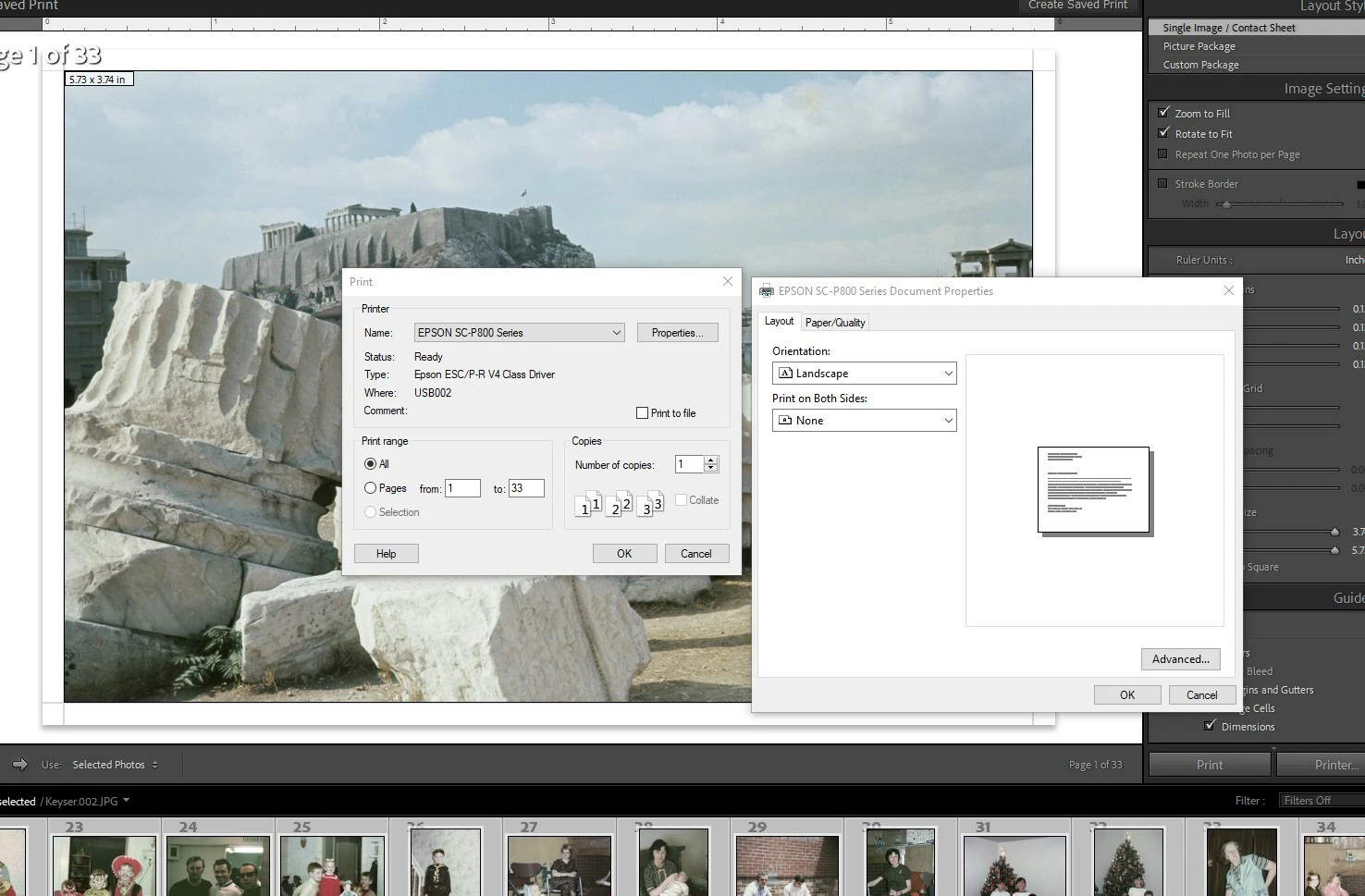
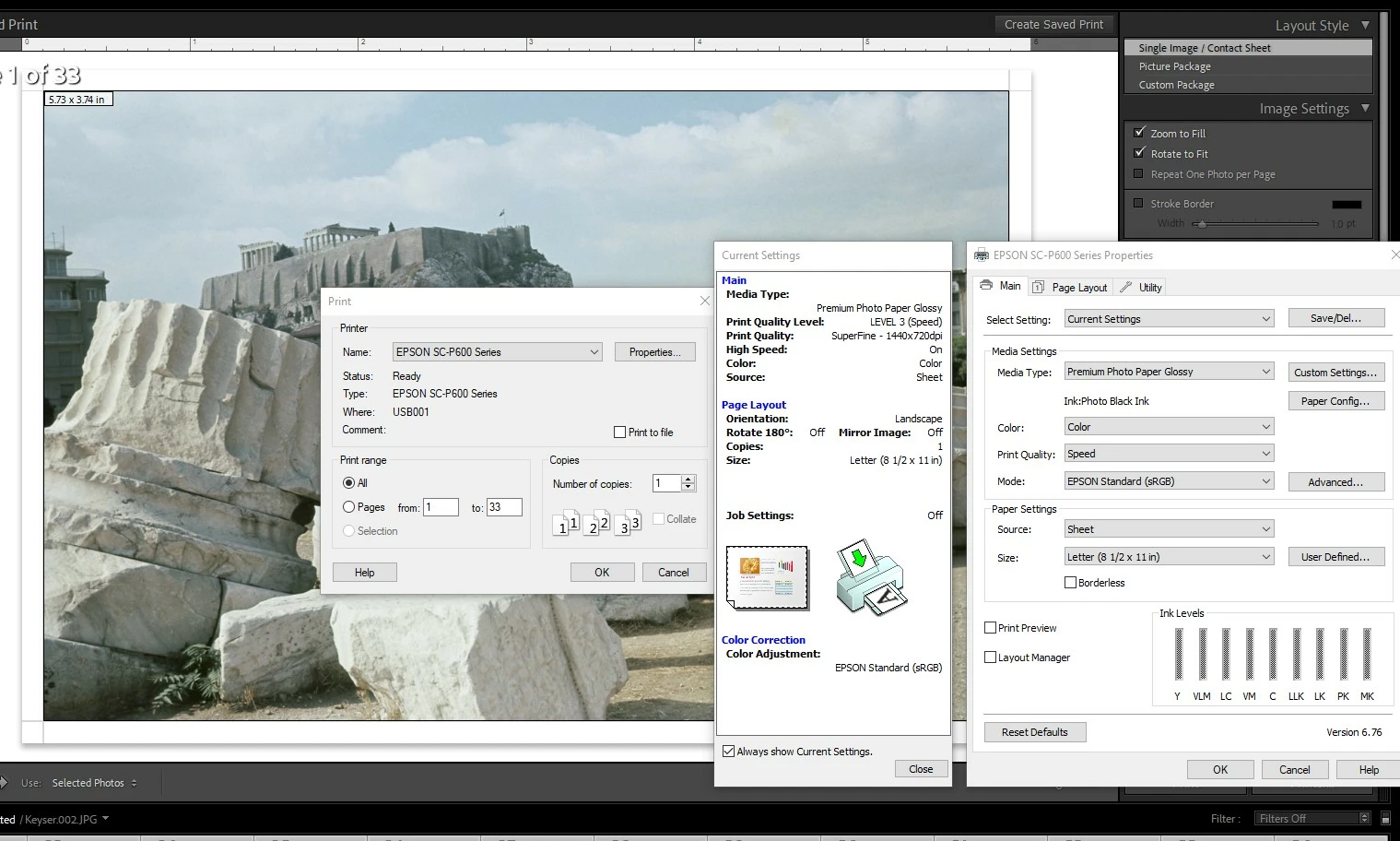
I just installed a new/used Epson p800 printer that I'll be using along with a P600 printer. When I go to print on the P800 most everything is missing from the "properties" dialogue window. Can anyone help me out so I can see all of the settings like I can with my P600 printers?
This topic has been closed for replies.
Correct answer GoldingD

Also, that driver shown is a universal print driver, (refering to type: epson esc/p-r v4 class driver) as in for multiple epson printers, not one specific to your printer.

You  may want to revist epson for the driver.


2 replies

GoldingD
GoldingDCorrect answer
Legend
July 22, 2021

Also, that driver shown is a universal print driver, (refering to type: epson esc/p-r v4 class driver) as in for multiple epson printers, not one specific to your printer.

You  may want to revist epson for the driver.


ultrachrome
Inspiring
July 23, 2021

Okay...I'll check into that but these are both chipless printers. I think I need to check with my I.T. guy to make sure that by downloading the Epson driver, I'm not turning it back into a chipped printer. We use Cave Paint archival pigment ink...the only possible way to do affordable snapshot sized pigment prints for clients. Alternately I only use that printer for color prints because it's doing a good job of that with the existing driver.

GoldingD
Legend
July 22, 2021

Typically several printer drivers are available. They differ upon connection method. One for tcp/ip, one for apple talk, one USB,  etc etc. Some provide more or fewer options.


When tou go to add aprinter, thos options should appear.