Inspiring
July 22, 2025
Answered

New Reflections removal not working

  • July 22, 2025
  • 3 replies
  • 454 views

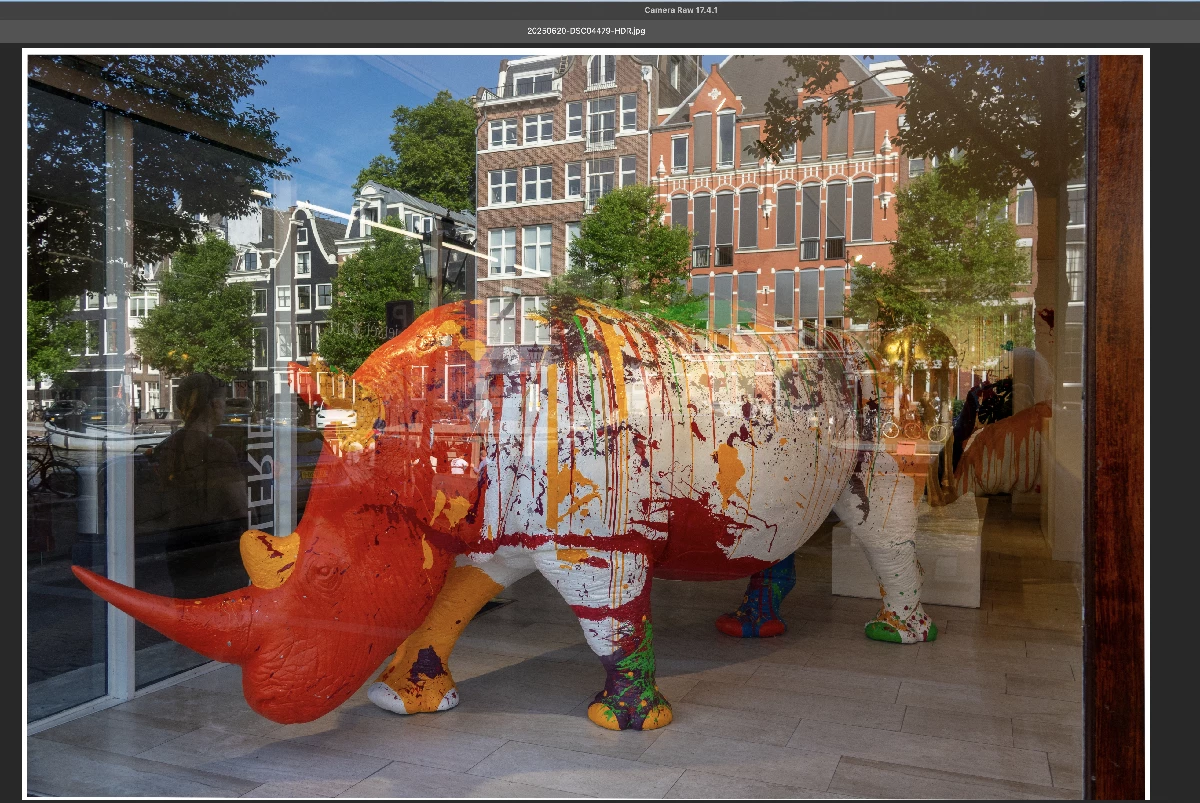
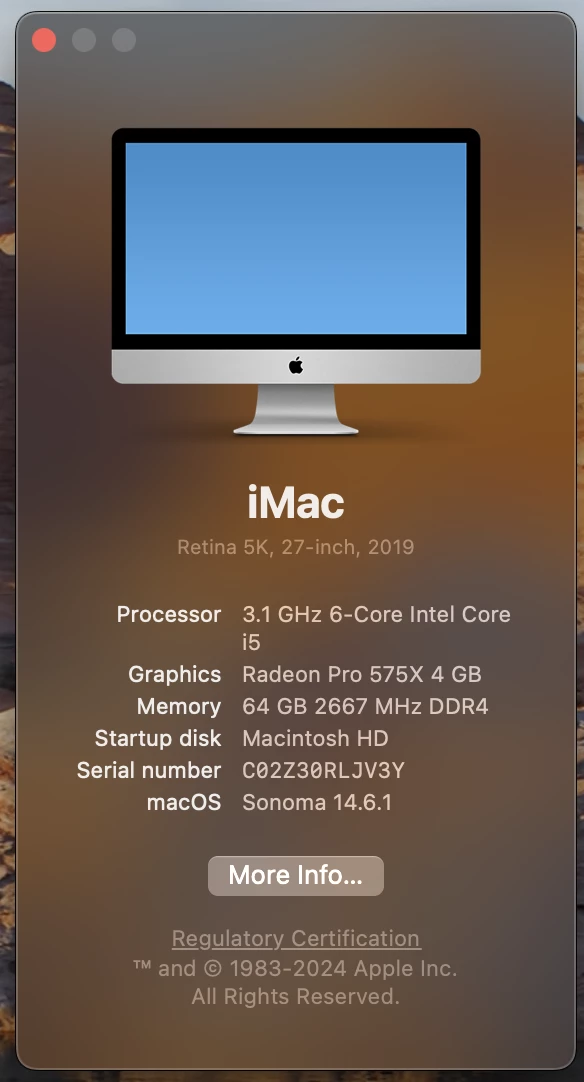
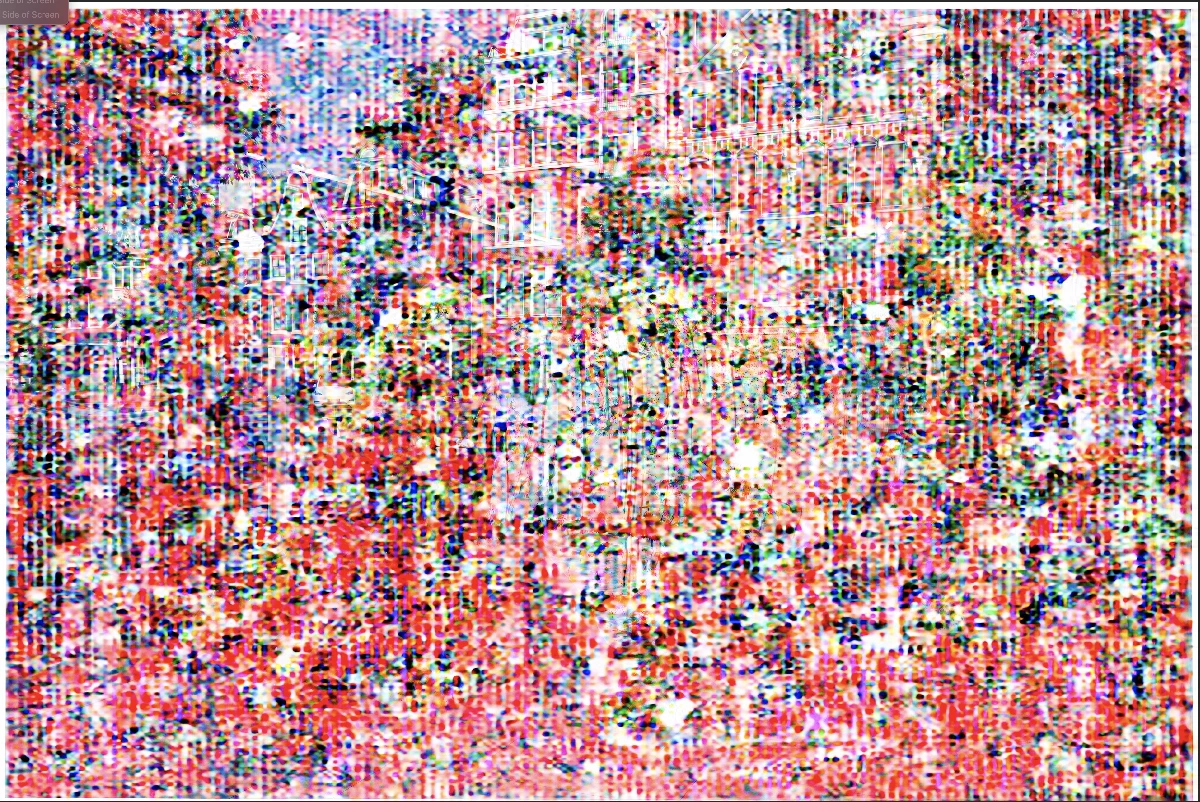
I've tried this on 3 photos and this is always the results I get. I've also included a screenshot of my iMac's specs.


specs.


Correct answer Brad22414184ax00

I got the answer for this.... vid card not up to date for latest Adobe updates. Kind of bummed this wasn't mentioned on any of the pundits "What's new in the latest Adobe release..." videos. Not Adobe's fault tho. Thanks for the time with this.

3 replies

AxelMatt
Community Expert
Community Expert
July 22, 2025

Your graphic card isn't match the requirements for removing reflections.

See here: https://helpx.adobe.com/lightroom-classic/system-requirements.html


My System: Intel i7-8700K - 64GB RAM - NVidia Geforce RTX 3060 - Windows 11 Pro 25H2 -- LR-Classic 15 - Photoshop 27 - Nik Collection 8 - PureRAW 6 - Topaz Photo AI
Brad22414184ax00AuthorCorrect answer
Inspiring
August 1, 2025

I got the answer for this.... vid card not up to date for latest Adobe updates. Kind of bummed this wasn't mentioned on any of the pundits "What's new in the latest Adobe release..." videos. Not Adobe's fault tho. Thanks for the time with this.

kglad
Community Expert
Community Expert
July 22, 2025

assuming lrc...

kglad
Community Expert
Community Expert
July 22, 2025

in the future, to find the best place to post your message, use the list here, https://community.adobe.com/

p.s. i don't think the adobe website, and forums in particular, are easy to navigate, so don't spend a lot of time searching that forum list. do your best and we'll move the post (like this one has already been moved) if it helps you get responses.


<"moved from cc desktop">
Inspiring
July 25, 2025

Thanks, I had forgotten the address for this.

kglad
Community Expert
Community Expert
July 26, 2025

(you're welcome.  and check @AxelMatt 's suggestion.)