Participant
March 14, 2017
Answered

New yellow fluctuating number in Develop Module?

  • March 14, 2017
  • 2 replies
  • 482 views

I just updated to latest version of Lightroom CC.  Might have missed a couple updates in past few months so not sure what my previous version was.

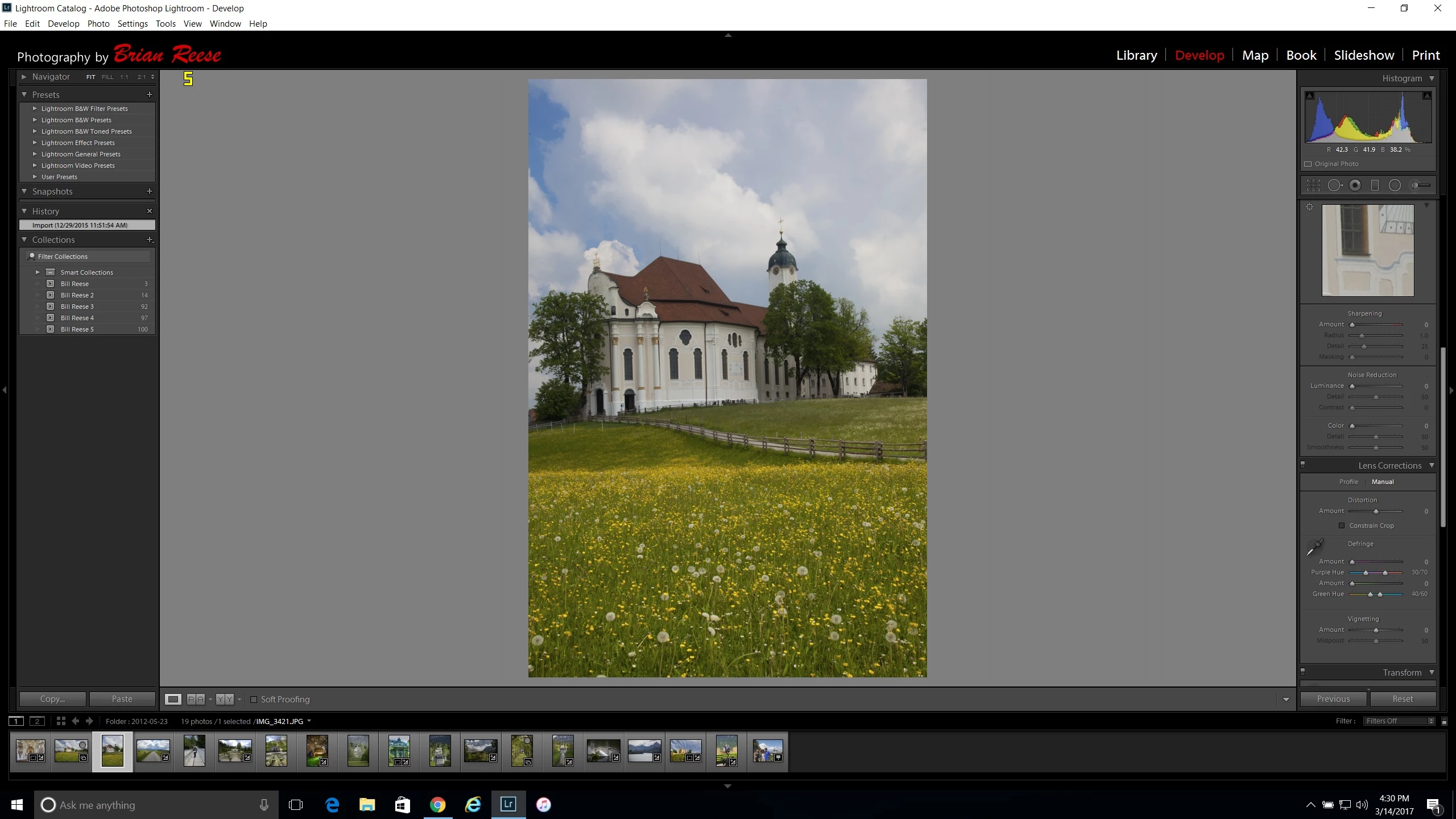
Anyway, just noticed that in the Develop Module, there is now a yellow number that constantly changes (usually between 1 and 21) in the upper left of photo view.  Does not show up in any other modules.  Can anyone tell me what the purpose of this number is?  It seems to have something to do with resource usage.  If I start making adjustments, the number increases.  If I return to static view, it returns to 1 or similar low number.
    This topic has been closed for replies.
    Correct answer bdr100

    I figured it out.  Print screen is below.  Notice Yellow number in upper left of photo panel.  What is it for?


    Never mind.  Just showed this to my Video Player son who informed me it was a FRAPs app he had loaded for Frame Rate display in video games.  He closed out the FRAP and number is gone.

    2 replies

    elie_dinur
    Participating Frequently
    March 14, 2017

    Just do Print Screen (PrtSc key). This copies the image to your clipboard. Then do paste directly in the forum Reply box in your browser. Fast and easy.

    Use Snip if you don't want image of whole screen. Paste in browser in the same way.

    JP Hess
    Inspiring
    March 14, 2017

    Not sure what you are referring to. Can you provide a screenshot?

    bdr100Author
    Participant
    March 14, 2017

    Cant figure out how to attach print screen.  Can't copy directly, so I tried copying print screen to Word, but this form will not allow me to attach Word doc.  Any suggestions?

    bdr100Author
    Participant
    March 14, 2017

    Also tried converting to PDF and get "this file type forbidden"