
Nikon/Nikkor Z lens profile correction: cannot select correct lens
I'm not sure if this problem is caused by layer 7 or 8, so I selected "discussion" rather than "bug".
I just got a Nikon Z6 II. The pictures of the first couple of events all had the correct lens profile (Z 50 mm f/1.8 S and Z 24-70 mm f/2.8 S) assigned to the pictures - profile corrections enabled in the develop module. The profiles were all listed as "camera settings" - so far, so good.
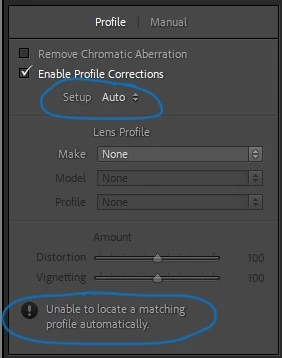
The set of the most recent pictures, however, have two pictures that Lightroom is "unable to locate a matching profile automatically." These pictures were taken within one minute with a third one taken less than two minutes afterwards. This third one got the correct profile settings as expected. All pictures were taken with the same lens.
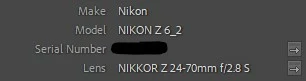
The exif data shows the correct camera and lens:
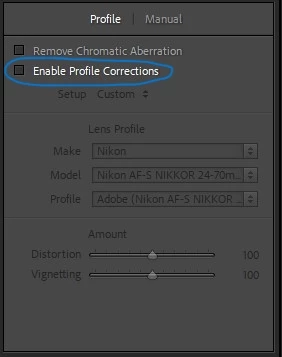
In the development module, enabling profile corrections does this:
When I try to fix it manually by selecting "make" and "model", I get to choose from a total of seven lenses - none of which are Z lenses. Lightroom suggests the F-version of the 24-70mm f/2.8:
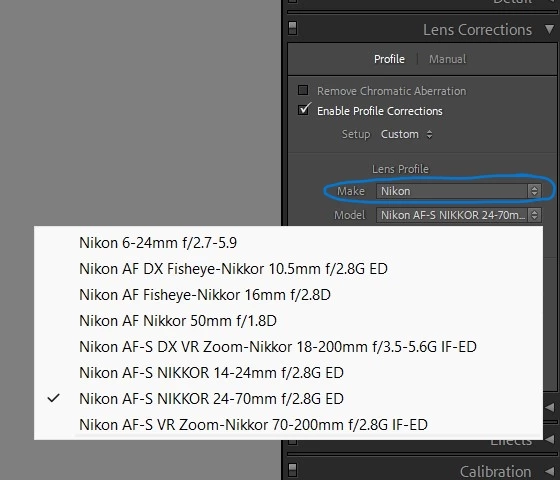
Just for reference, the next picture taken less than two minutes aftert the two "bugged" ones shows the correct profile. Also, wenn I try to select a differenct lens, I get dozens of lenses to choose from - more than can be shown at once:
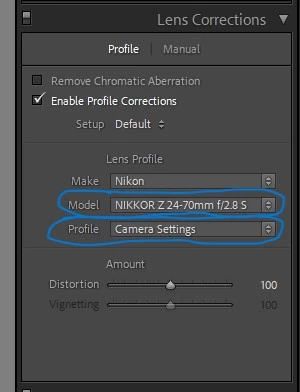
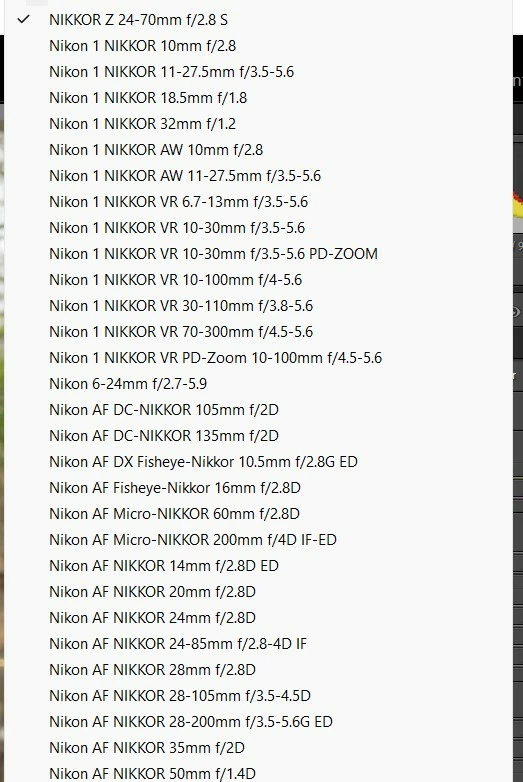
I read a few threads on this already including https://community.adobe.com/t5/lightroom-classic-discussions/nikon-z-lens-series-like-24-70-f4-lr-classic-cc-lens-correction/td-p/10316008.
Unfortunately, resetting my preferences did not fix the problem for me.
I'm running LrC v 11.1, camera firmware version 1.30 which are both up to date. None of the files (.nef) were opened or modified by any other software but Lightroom.
Does anyone have an idea what might have caused two pictures to be treated differently than all the rest (dozens over several days)?
Is there a way I can "reset" the lens profile settings for those two pictures? I tried copying development settings from one of the other pictures, but it merely checks the box - the problem persists.
 AdChoices