
No folders showing in Navigation Pane
*Solved- Resetting preferences and deleteing all previews seems to have cured the issue.
Looking for some help here. For the last few days, when I open LRc no folders or folder structure appears in my Library Navigation Pane, only a filter folders box is there. (see photo)
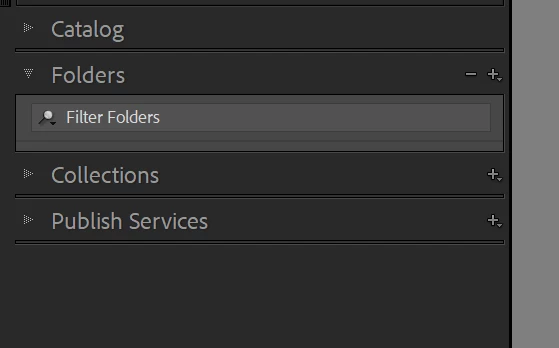
I can go to catalog>all photos and everything is there, but under folders it's completely blank. I can go to Collections and all is normal and working there. Eventually it (slowly) fixes itself and repopulates the folder structure, but something is very wrong. When folders are missing, if I try to right click a photo I get no dialog box, no way to chose "show folder in Library". I have Windows 11 and Nvidia 4080, everything current and up to date including GPU driver. All other functions on my PC are perfect and Photoshop is functioning perfectly. Also today my LR crashed during a large export, which has NEVER happened before. I don't know if I should reset LR preferences or reinstall LR? Or is it maybe a corrupt catalog, and if so, how can I fix it? (it's a large catalog) Any thoughts?


 AdChoices