
No longer possible to import photos if library is in Dropbox, and you upgrade Dropbox
Dropbox is about to release an upgrade that fixes some long-standing issues with how Dropbox integrates with macOS. For instance, for quite a number of applications, files in the Dropbox folder, that in Dropbox is configured to be "Cloud only until needed", is reported as having 0-byte file sizes, and won't download.
The major change to Dropbox integrates the Dropbox folder more closely with how macOS requires such cloud storage to be integrated, and moves the whole Dropbox folder into "~/Library/Cloud Storage/Dropbox".
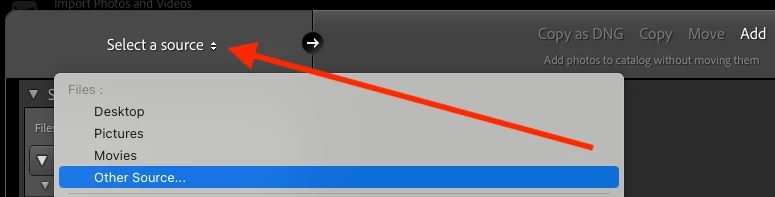
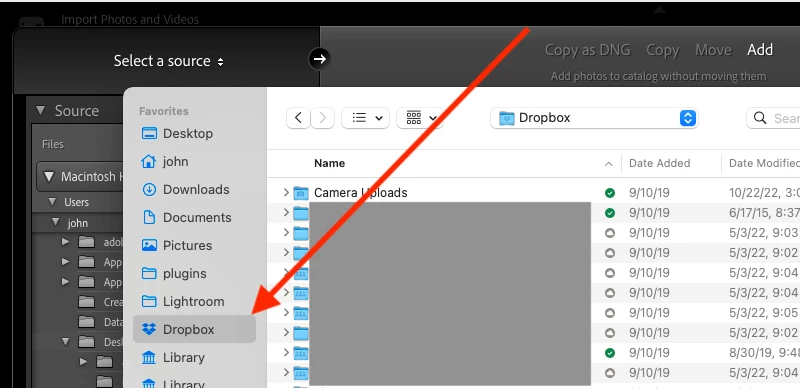
This change, however, makes photo libraries stored in Dropbox work only partially in Lightroom Classic. I was able to add the new Dropbox folder as a photo library for my catalog, but if I try to import new photos into it, it won't work.
The reason for this is that the import dialog doesn't consider Library and any sub-folders as available to Lightroom Classic. To be fair, it probably shouldn't, but this change by Dropbox now makes it a complete hassle to use Dropbox for synchronizing the photo library to the cloud and other devices.
I would urge Adobe and Dropbox to talk to figure out what to do about this. I expect Lightroom Classic not the only application that is having this issue. I have reported this same issue to Dropbox themselves, but I doubt any major change will come from that because this is, as far as I can tell, very much in line with how Apple themselves wants cloud storage to be presented in macOS.
The Dropbox folder now "lives" under "Locations" in the finder, and the actual "physical" folder is under /Library/Cloud Storage, so expect more of these cloud storage synchronization tools to start having similar problems.
As such I believe it would be in the interest of Adobe to add support for this location in Lightroom Classic.


 AdChoices