annabitanga
Participant
May 22, 2018
Answered

No photos found when trying to import from SD card

  • May 22, 2018
  • 1 reply
  • 1425 views

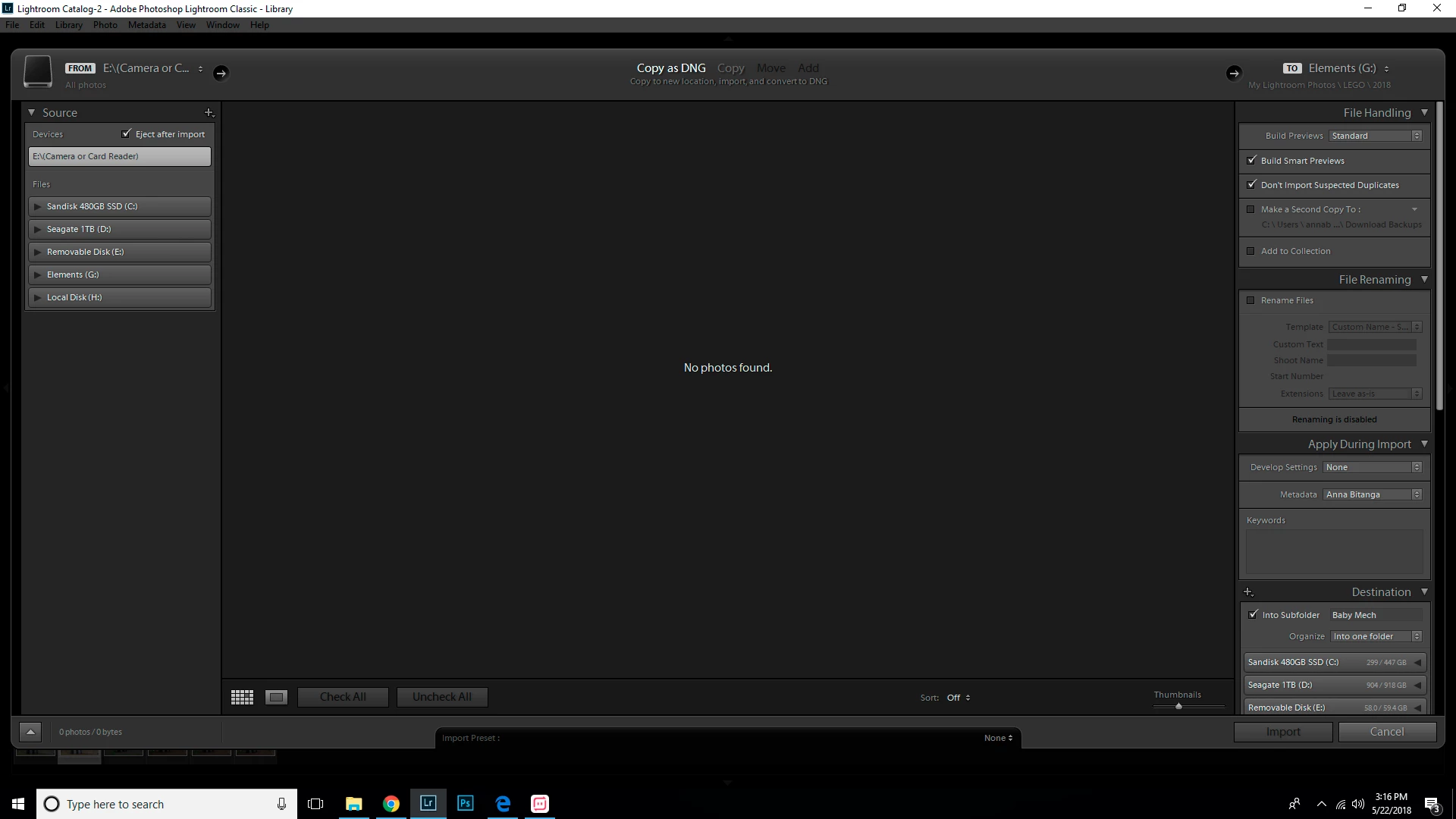
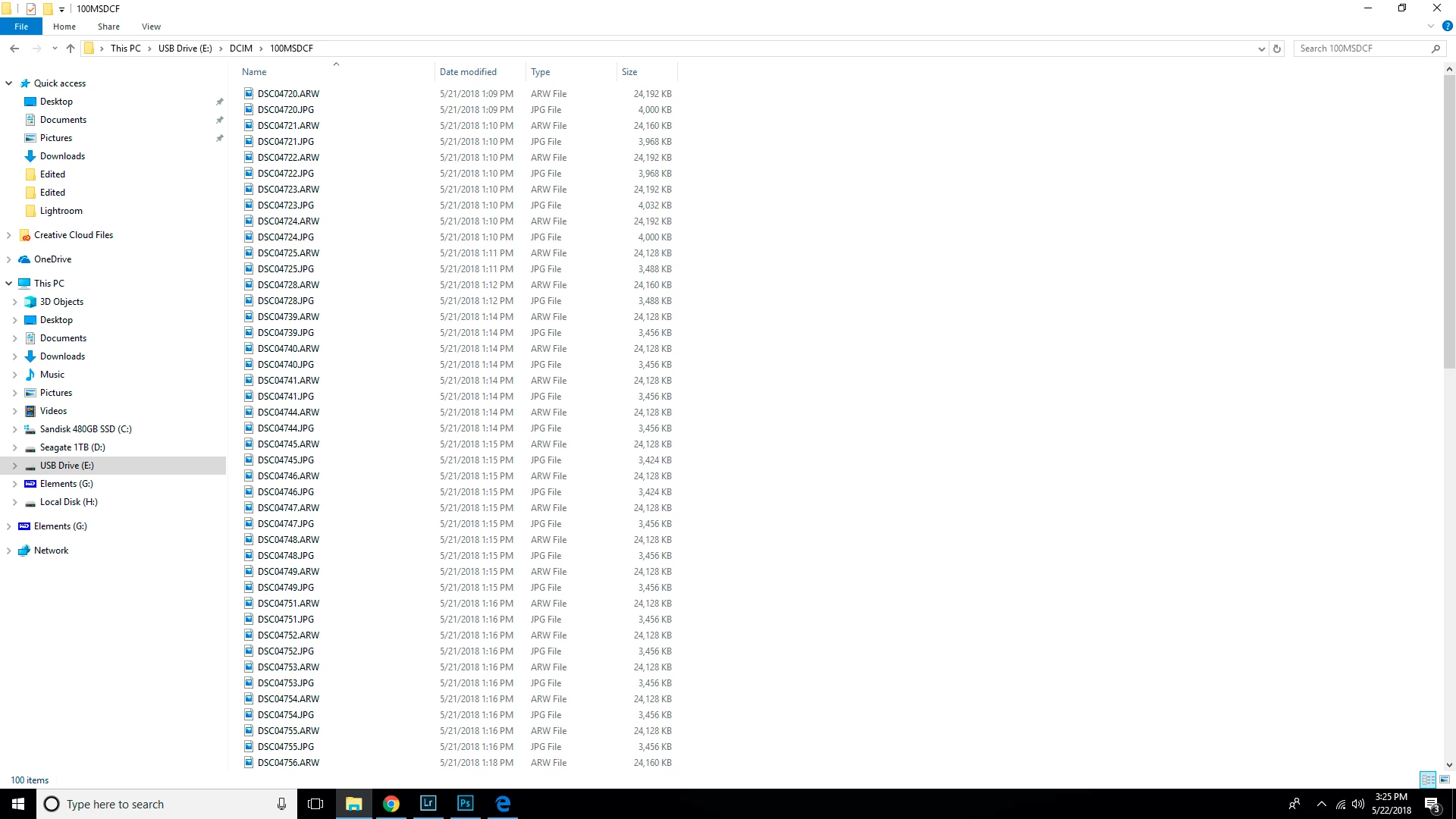
Recently and suddenly, LR 7.3.1 tells me "No photos found" on any SD cards I insert into the card reader. The cards are read just fine by Windows 10 64-bit (drive E in the attached screenshot). I can also review all of the photos on the cards from my camera.
This topic has been closed for replies.
Correct answer Rob_Cullen

Try selecting the {Removable Disk (E:) } drive from the panel on the left,

Click the black triangle to open and dig down the folder tree until you show the folder {100MSDCF}

I have read a couple of forum posts where this enabled the Import.

1 reply

Todd Shaner
Legend
May 22, 2018

Did you previously import the ARW raw files on the SD cards (i.e. they are already in the LR catalog) and you are now trying to import the JPEG files? If so you need to check the below setting in LR Preferences> General tab:

annabitanga
Participant
May 23, 2018

No, they are always new photos. I format my SD cards in camera after each

import into LR.

Rob_Cullen
Community Expert
Rob_CullenCommunity ExpertCorrect answer
Community Expert
May 23, 2018

Try selecting the {Removable Disk (E:) } drive from the panel on the left,

Click the black triangle to open and dig down the folder tree until you show the folder {100MSDCF}

I have read a couple of forum posts where this enabled the Import.

Regards. My System: Windows-11, Lightroom-Classic 15.1.1, Photoshop 27.3.1, ACR 18.1.1, Lightroom 9.0, Lr-iOS 10.4.0, Bridge 16.0.2 .