Participant
November 25, 2018
Question

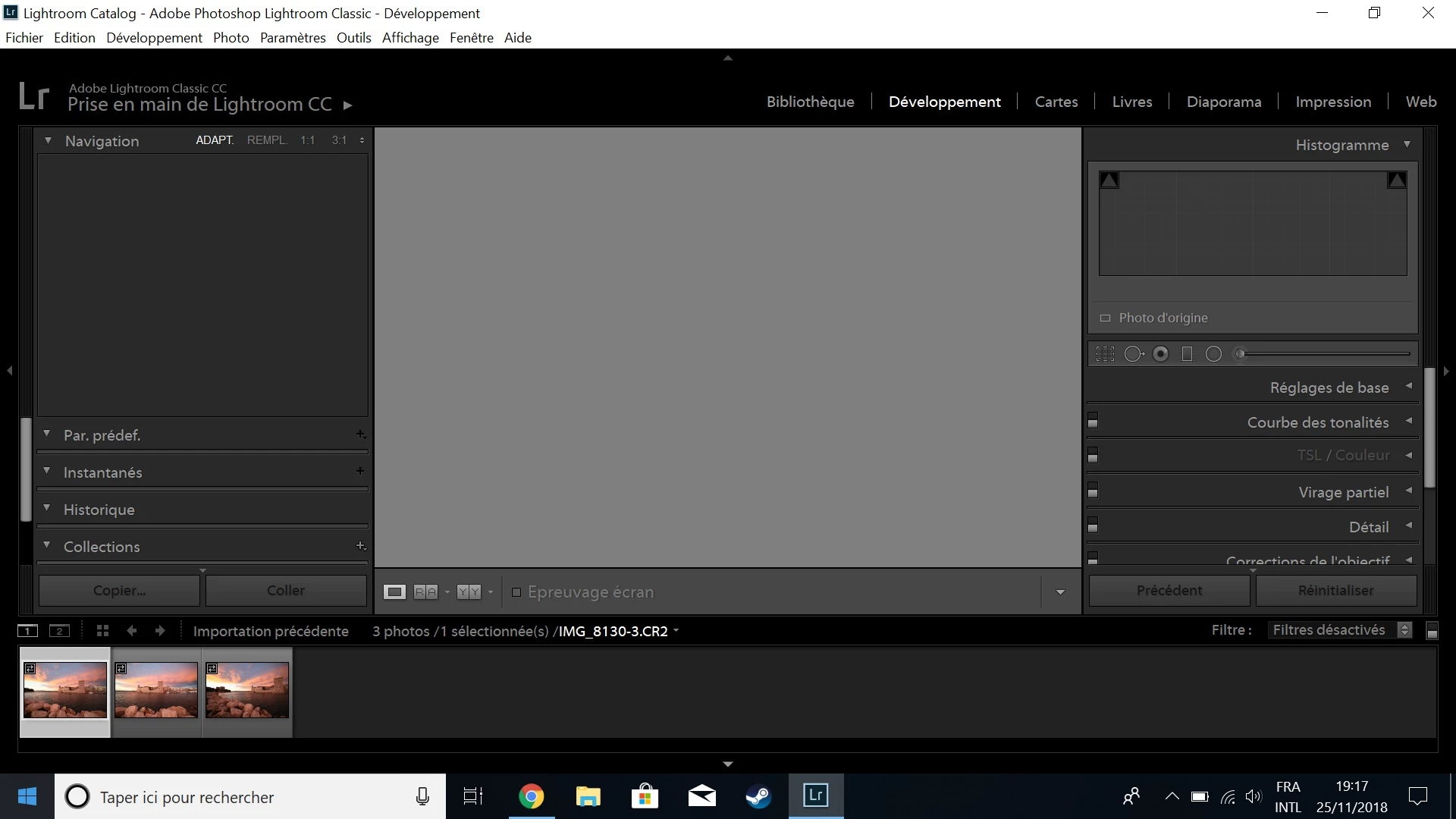
no picture in dev mod after import

  • November 25, 2018
  • 2 replies
  • 194 views

Hello,

I changed my computer and after import my photos I have nothing in the dev mode (only the pictures on the bottom)

I am using Classic CC.

I tried unchecking the option "use graphics processor" but nothing changed.

Thx.
    This topic has been closed for replies.

    2 replies

    GoldingD
    Legend
    November 25, 2018

    In LR, click on Help, then System Information. Look at the line concerning license, if it does not state Creative Cloud, then you should have LR or the Creative Cloud Desktop, log into Adobe. Every so often your need to have your Creative Cloud Apps communicate with Adobe (30, or perhaps its 90 days), Ifnot, this is one of the results. Yes, a nice notice from Adobe would be nice, but apparently not currently happening.

    See if that helps.

    Rob_Cullen
    Community Expert
    Community Expert
    November 25, 2018

    There is possibly an issue with your video card driver. I would recommend going to your video card manufacturer's website and make sure your video driver is up to date. If there is a newer driver available, you can try turning the GPU back on after you install it.

    Regards. My System: Windows-11, Lightroom-Classic 15.3, Photoshop 27.5, ACR 18.3, Lightroom 9.3, Lr-iOS 10.4.0, Bridge 16.0.3 .