
Participant
June 4, 2022
Answered

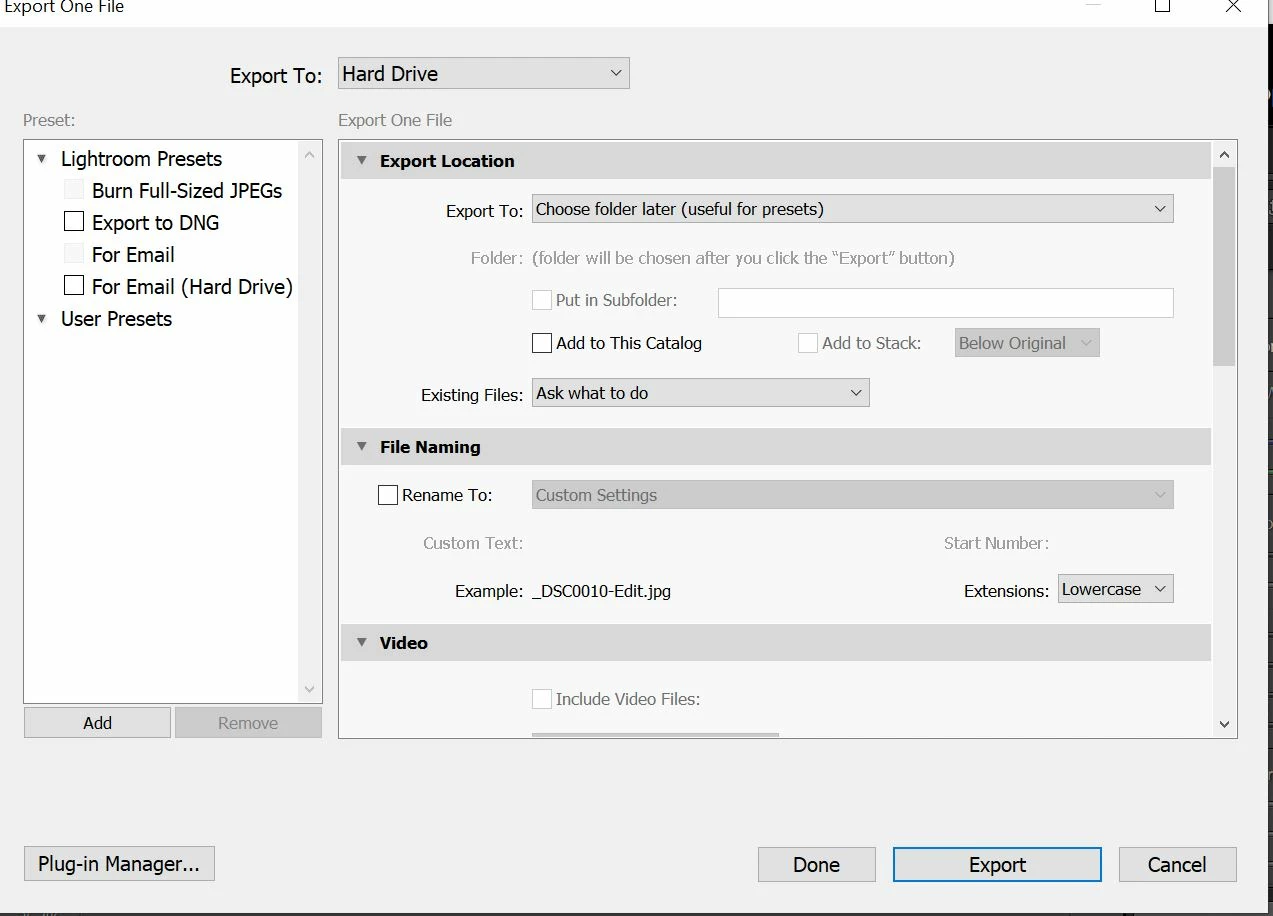
no presets present in Lightroom---new user;

  • June 4, 2022
  • 2 replies
  • 174 views

I am a brand new user (Lightroom Classic 11.3.1; Windows 10) and doing the tutorials. On the export/printing video, when it is mention about presets none that are shown in the video show up in my screen. Do I need to download some and install? or ???  I have attached a screen capture of what shows up when I select export.

Any/all help would be greatly appreciated


--john
This topic has been closed for replies.
Correct answer Rob_Cullen

This video tutorial by Julianne Kost covers the 'Export' topic well, and the shows (at 6.30m ) how to 'ADD' an Export Preset to the Users list. (It also includes a short description of making a file 'Rename' Preset.)

https://www.youtube.com/watch?v=jAkEWfpxH7U

Export Presets are usually very specific for the Users' requirements for folder locations, etc, thus it makes sense that there are few provided by Adobe.


2 replies

Rob_Cullen
Community Expert
Rob_CullenCommunity ExpertCorrect answer
Community Expert
June 4, 2022

This video tutorial by Julianne Kost covers the 'Export' topic well, and the shows (at 6.30m ) how to 'ADD' an Export Preset to the Users list. (It also includes a short description of making a file 'Rename' Preset.)

https://www.youtube.com/watch?v=jAkEWfpxH7U

Export Presets are usually very specific for the Users' requirements for folder locations, etc, thus it makes sense that there are few provided by Adobe.


Regards. My System: Windows-11, Lightroom-Classic 15.3, Photoshop 27.5, ACR 18.3, Lightroom 9.3, Lr-iOS 10.4.0, Bridge 16.0.3 .
JohanElzenga
Community Expert
Community Expert
June 4, 2022

What presets in particular are you missing? User presets are presets that the user creates and saves, so obviously as a new user you do not have any yet. I don't know by heart how many Adobe default presets there are, but as you do have some Adobe defaults all seems as expected.


-- Johan W. Elzenga
Participant
June 4, 2022

okay, I assume that the screen he showed was what was "standard" with the installation but looking at the video again, it appears that the author of the video created and thus I need to create them myself like you said. I just assumed (bad assumption) that they would have a few but I am guessing that is not the case.

Thanks for the quick reply and I will see what I can do!

--john