Participant
May 1, 2022
Answered

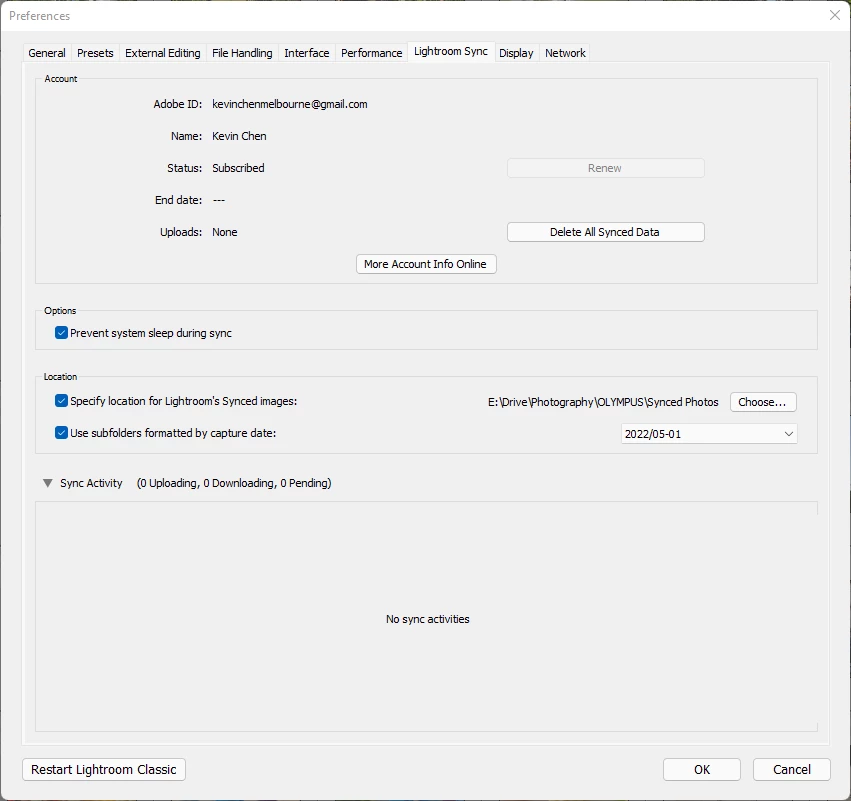
No sync activities when trying to sync collections

  • May 1, 2022
  • 1 reply
  • 646 views

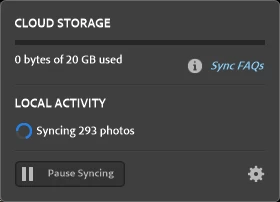
This is an issue that have been discussed in previous versions of LrC on Windows but somehow it is back again. This is the sync options menu when I have photos to sync. I have tried all the tricks in the book, including 

1. restarting lightroom classic 

2. restarting my computer

3. delete sync.lrdata file

4. deleting and reimporting the images

5. Reinstalled LrC 

6. Installed other versions of LrC 

7. I literally nuked my entire online lightroom synced data 


I don't know what else I can do any more, all I want is to edit my photos in my LrC catalogue on my iPad. 

I hope someone can help. 


This topic has been closed for replies.
Correct answer kevinc48367806

Only one catalog can sync at a time so you would have been forced to choose to unsync the catalog that is giving you trouble. That would require that you resync the catalog that you started with - is that where you are at? You've unsync'ed, tested a new catalog, then re-synced to the original - only for it to not sync any images at all?


Thanks for your help, I have fixed it I think. 

The catalog that is giving me all the trouble was definitely the culprit.

quote

 You've unsync'ed, tested a new catalog, then re-synced to the original - only for it to not sync any images at all?


By @cmgap

This is correct, when I synced the new catalog it worked just fine, but when I switch bad to the original catalog its stuck again. Using a backup catalog that was generated via the backup feature saved in a different folder did not help. 

The solution I reached was to select the folders in the left pane in the navigator pane that has my entire photo collection and export as a catalog, then using that catalog as my synced catalog. It still has all my photos with edits and it was able to sync successfully. 
I had to make sure it does not copy the original raw photos to the new catalog location, and also I have to either move or regenerate the previews. 

1 reply

cmgap
Community Expert
Community Expert
May 4, 2022

Have you opened the browser version yet to check to see if there are sync errors there? Go to lightroom.adobe.com and login with your Adobe Id and password. Look in the left colum under the All Photos section to see if you have any sync errors - if yes, delete those images and see if that will clear up the sync process.

Participant
May 5, 2022

I have deleted everything that was in the cloud storage and there is no sync error here at all unfortunately. 

cmgap
Community Expert
Community Expert
May 5, 2022

Please completely sign out of Creative Cloud and your Adobe account  and log back in.