


Noise present in JPG that ISN'T see in LR!?
Hello! This is my first time posting here some hopefully I'm posting in the right spot and can get an answer. Recently I was shooting at a concert. Not the greatest of lighting so naturally I had to bump up the ISO on my camera and was expecting noise on my images. The issue I'm having is that once I have finished editing in Lightroom and Export, the JPG version of what I just exported seems to have a lot more visible noise compared to what I was looking at in Lightroom!
I have provided some comparison screenshots of this.
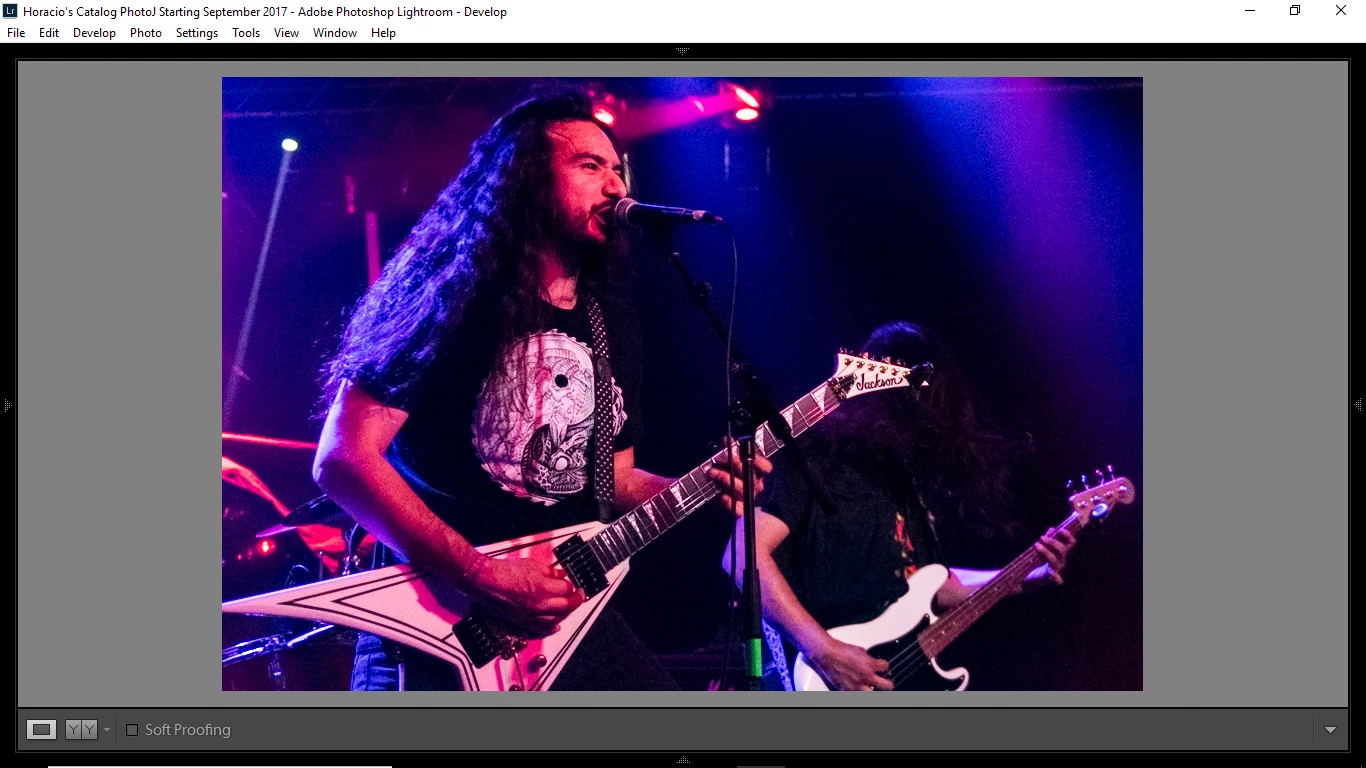
Here is a shot as seen in LR, finished and ready to be Exported:
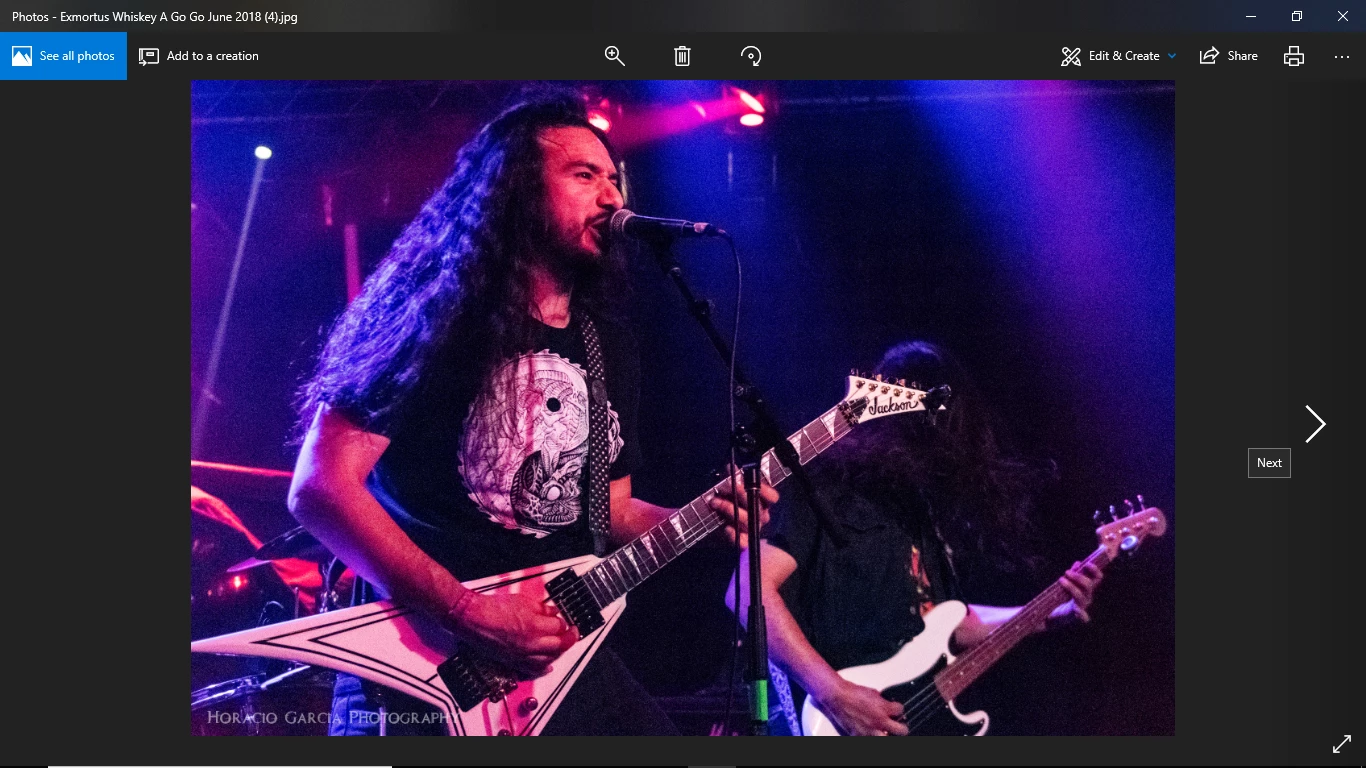
Now here is the same image when I view it through Windows Photo Viewer as a JPG after I have Exported. There is a notable amount of noise in this one:
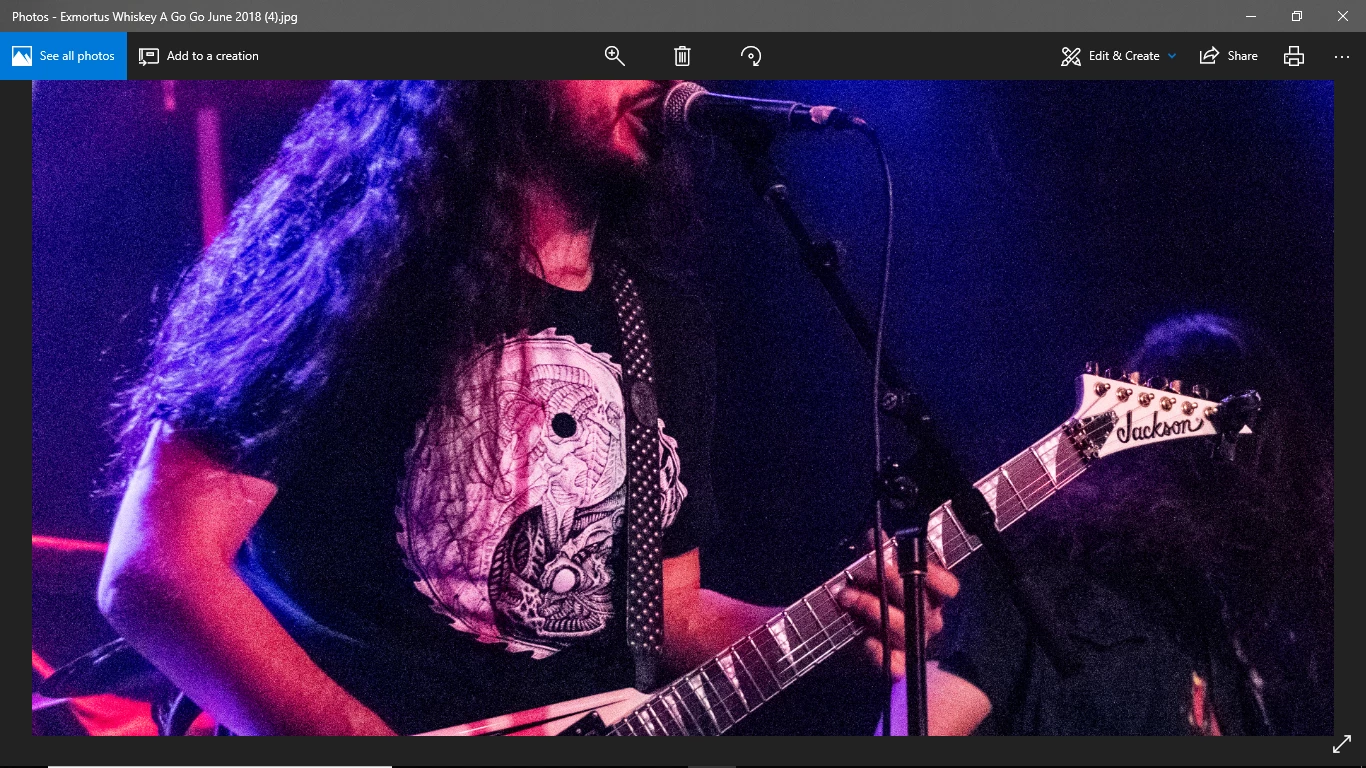
Here is a Zoomed In View of the image in Lightroom:

And a Zoomed In View of the same image after it has been Exported, as seen through Windows Photo Viewer, where for some reason there is a LOT of noise present when compared to how the image looks in LR:
So my question. What in the world is causing such a difference!? It's pretty disappointing to work on an image in LR, be satisfied with what I see, Export it only to see that after I have Exported it actually has a lot more noise than I intended and expected! Is there a setting within LR that I am overlooking?
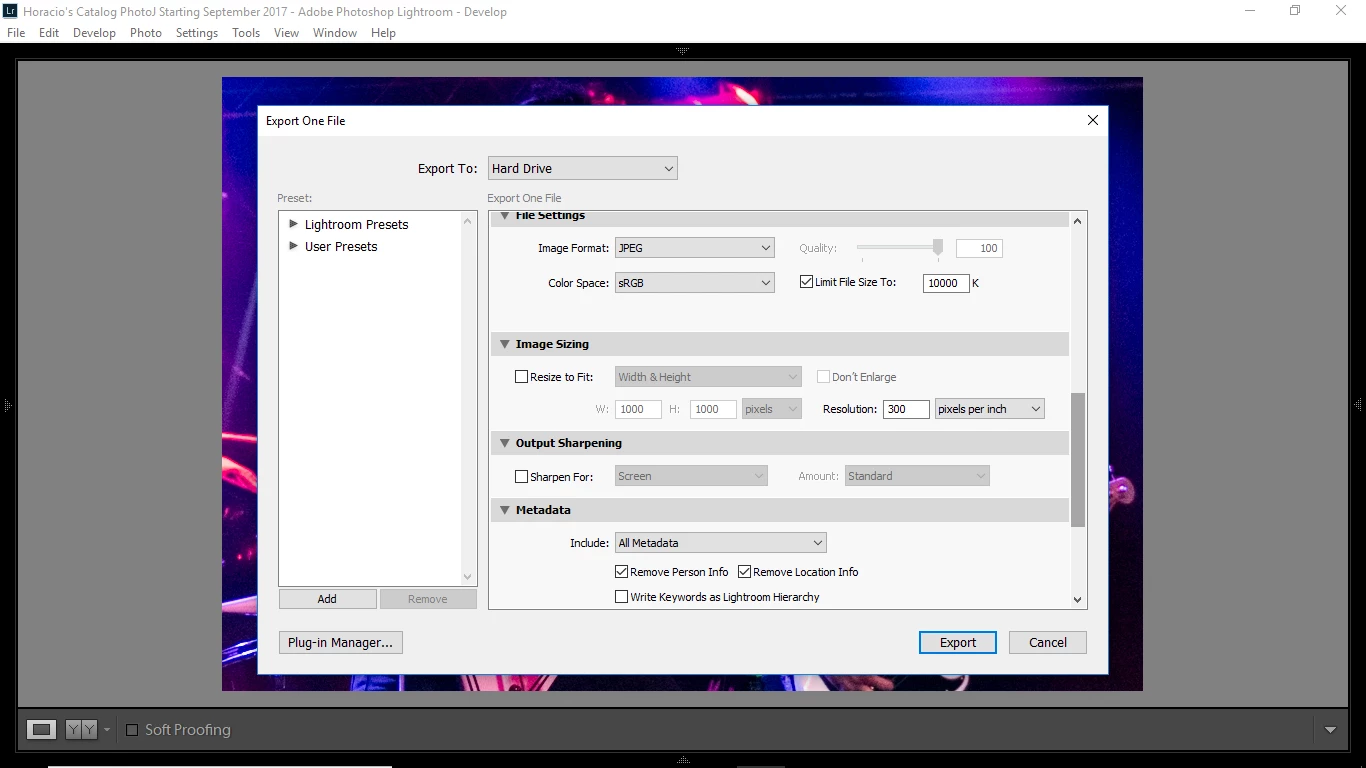
Here is a screen shot of my Exporting settings. I believe everything should be ok? I tend to shoot a lot in daylight so low light concert photography is new-ish to me. This gig I shot didn't have the most amazing of lighting so Noise was expected but the difference in noise between what I see in LR and what I see post-Export is concerning:
I am using Windows 10 and a retail version of Lightroom 6, if that means anything. Hopefully I get an answer that will help me retain the image quality I see in LR!
 AdChoices