Inspiring
May 6, 2026
Answered

Non "requested" mask settings defaulting

  • May 6, 2026
  • 4 replies
  • 56 views

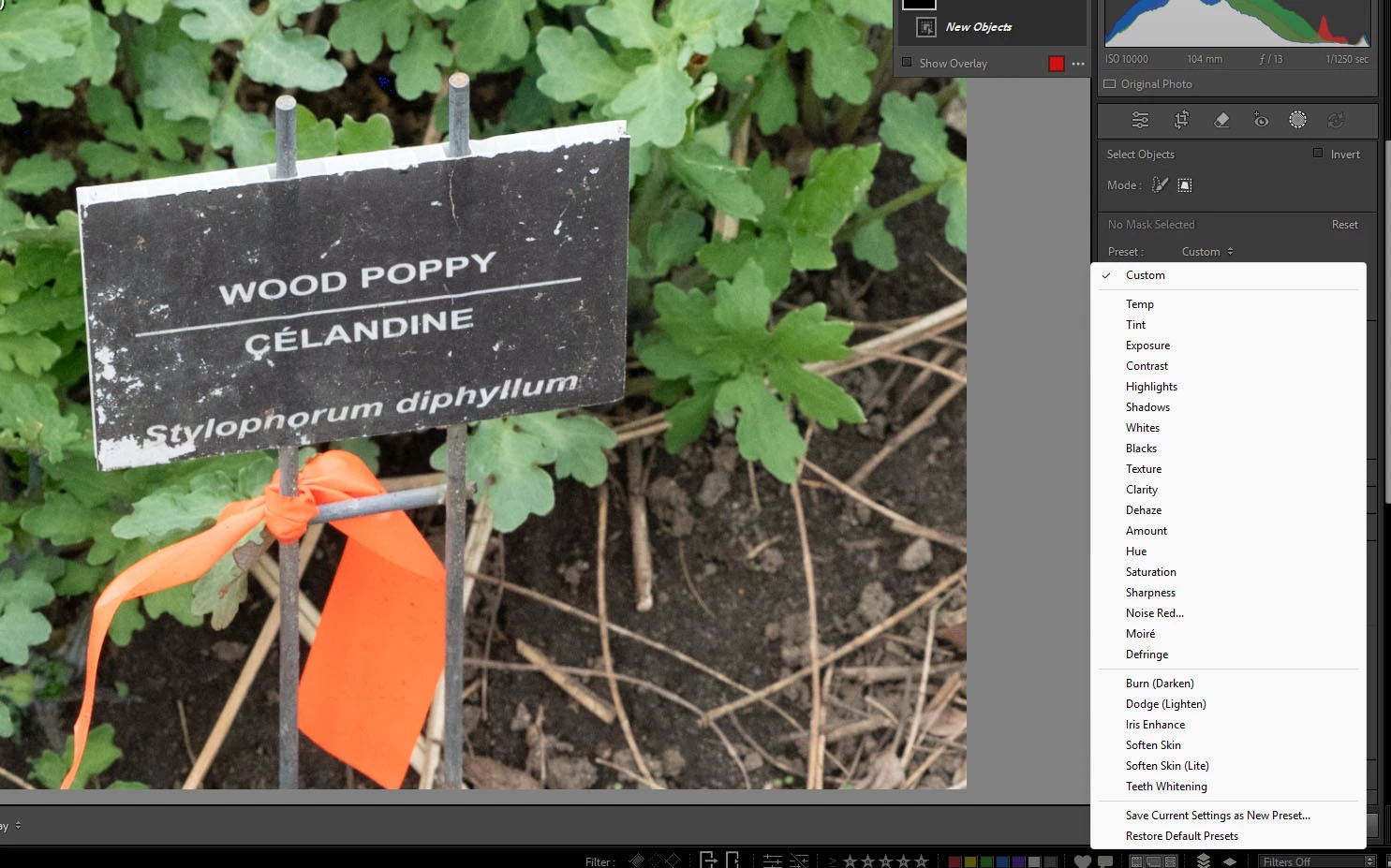
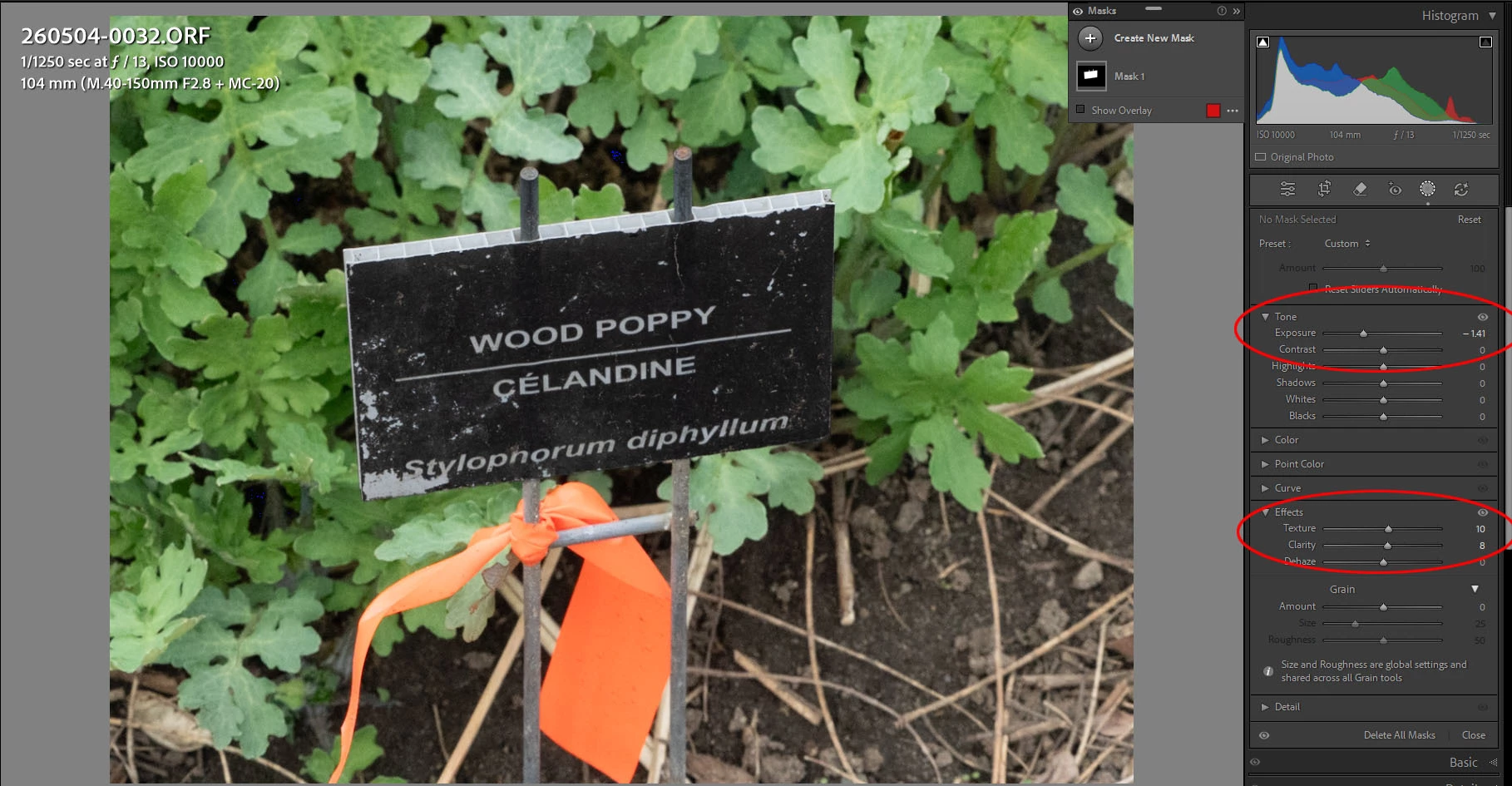
AS of a few days ago, when I create an object mask, LrC seems to have defaults for the masking (Exposure, texture, clarity)
I did not set a preset for these, I don’t use presets. The preset is set to “default”

Screen grabs below

Is there a way to eliminate these preset settings?

Thanks
 

    Correct answer Jim 185

    I just tried hitting “reset” and that seemed to do the trick

    Assuming that works which it just did 2x, Thanks very much for the solution

    I should have clued in myself, but old age is creeping in….😊

    4 replies

    Community Expert
    May 7, 2026

    There is a time window after opting to start a new mask, but before beginning to make the (e.g. painted) selection for that - where moving adjustment sliders gets remembered as user customised default adjustmenfs for not only this mask but also for future ones. Until you change those defaults to something else. The Auto Reset option is provided as a convenient way to disregard any previously changed defaults.


    So: one can deliberately create a non-zeroed starting point for masks, but making use of that would require unchecking Auto Reset. As a downside of that (older) method: user-set default adjustments happen not just for that one kind of mask, but for all kinds of mask.


    The option was since been added of saving out a (meaningfully named, preferably) mask into a develop preset. Thus we can then retrieve into our different image with one click a copy of that desired kind of mask, pre-loaded with those same adjustments (which may be zero or non-zero). Say: there is a lightening oval that we routinely use for certain kinds of photo. Or: a contrast boost for ‘Subject’ is common in our approach.


    This we can then further adjust within the particular image: for its coverage (by all the various means available), and also tweaking its adjustments. But we’ve had a standardised starting point: and IMO more conveniently, than by first making a fresh zeroed mask and then recalling a chosen local-adjustment-settings preset into that.

    Jim 185Author
    Inspiring
    May 7, 2026

    Thanks Richard. Info muchly appreciated

    Bob Somrak
    Legend
    May 6, 2026

    @Jim 185 

    In you screenshot you do not have a mask selected so you can not reset it.  

    M4 Pro Mac Mini. 48GB
    Jim 185Author
    Inspiring
    May 6, 2026

    Thanks Bob


    Inspiring
    May 6, 2026

    To reset mask adjustments in Lightroom Classic, you can double-click the word "Effect" at the top of the masking panel to zero all sliders. To prevent settings from carrying over, check the "Reset Sliders Automatically" box within the mask settings panel

    Jim 185Author
    Inspiring
    May 6, 2026

    That sounds like it make sense ,

    I can see the “reset...”,

    but sorry, I don’t seem to find the “effect”  

    Jim 185AuthorCorrect answer
    Inspiring
    May 6, 2026

    I just tried hitting “reset” and that seemed to do the trick

    Assuming that works which it just did 2x, Thanks very much for the solution

    I should have clued in myself, but old age is creeping in….😊

    Jim 185Author
    Inspiring
    May 6, 2026

    Sorry the preset is set to CUSTOM, not “default” as per the screen grab