Answered
Old LR Preset
Hi
I was running a really long version of LR and just upgraded to CC Cloud, but now can't figure out how to duplicate my favorite b&w preset. Any ideas?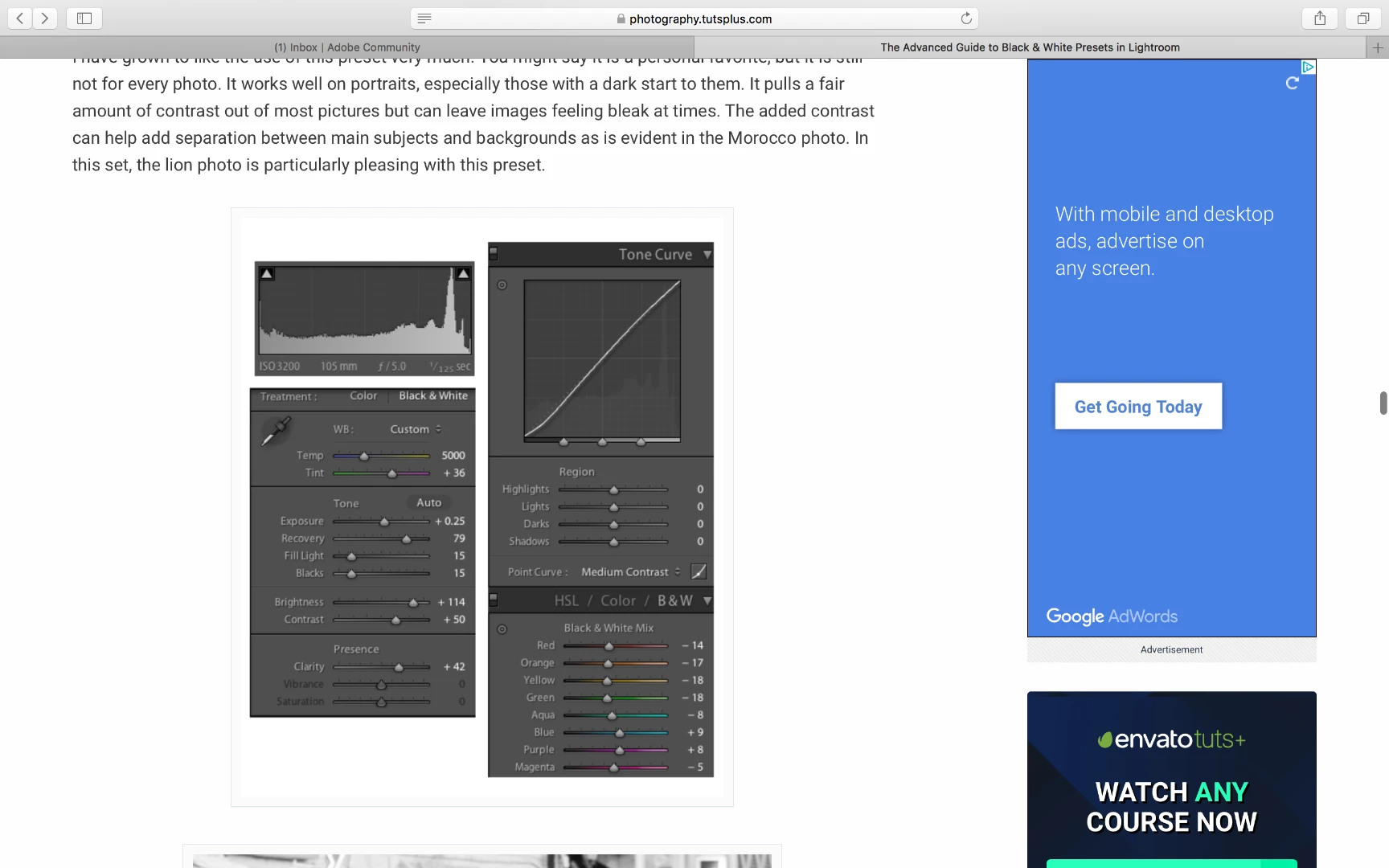
Hi
I was running a really long version of LR and just upgraded to CC Cloud, but now can't figure out how to duplicate my favorite b&w preset. Any ideas?
If you are wanting to reproduce the settings shown in the screen-clip, then you might be able to set it up.
These settings were done in Process Version 2 (or even v1), so to see the same sliders you will need to set an image to Process Version 2 in the Calibration Panel.
So select a raw image to Develop, set Process v2, set the sliders just as in the screen-clip, Save the settings as a Preset.
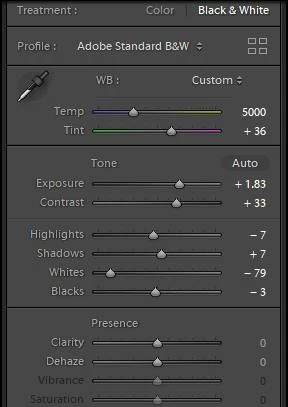
The problem with this method is that when you return to developing in Process version-4, the sliders change and the preset effect will most likely change also. And we have the new Profile system to influence development also.
This is my Basic Panel after setting the sliders as per your screen-clip, and then returning to Process Version-4:
Already have an account? Login
Enter your E-mail address. We'll send you an e-mail with instructions to reset your password.
 AdChoices