
OM-1 high res file much sharper if run through OM Workspace first
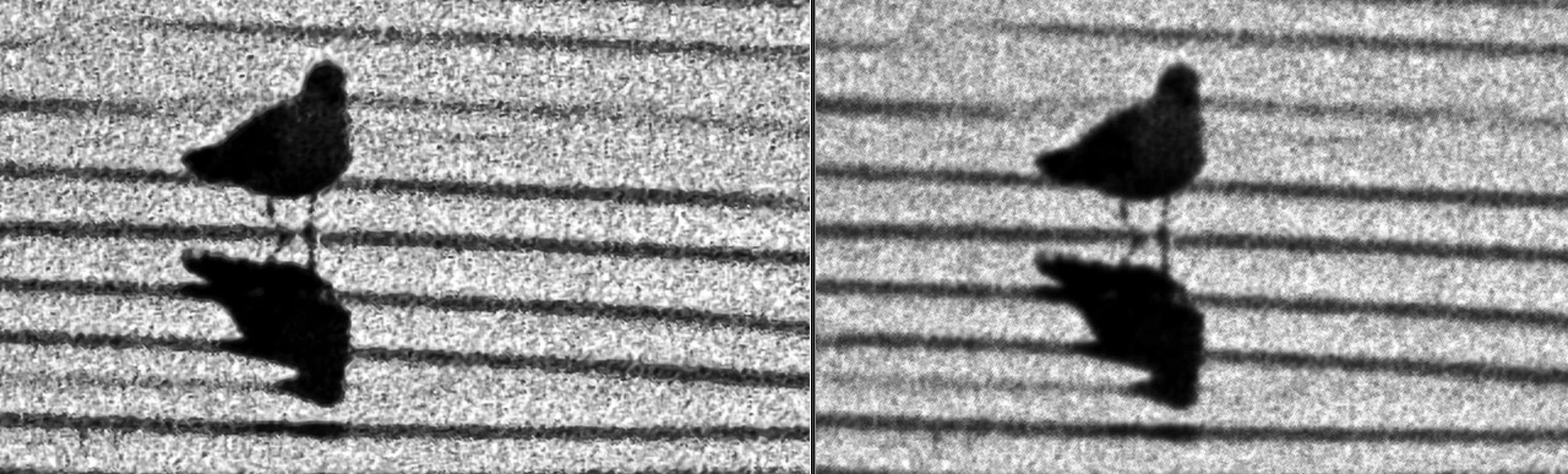
I've been digitizing B&W negatives with my OM System camera and processing the files through Lightroom Classic. Generally good results. I decided to try high-res mode, where the camera combines a series of photos taken as the camera's sensor shifts microscopically. Processed in Lightroom (import with card reader, crop to edge of negative, desaturate, run through Negative Lab Pro) you can see the film grain, but it's very fuzzy. But the same files loaded into OM Workspace then immediately exported as TIFFs to Lightroom and otherwise processed identically, produce cracking sharp images, with film grain clearly delineated. It seems like Lightroom isn't properly handling the OM System file. Why not?
I am using Lightroom Classic, version 13.2, running on Mac OS 14.2.1 (Sonoma). The camera is an OM-1 Mark II.
Here's a partial screen shot showing a comparison, zoomed to 200%.


 AdChoices