Known Participant
March 23, 2026
Question

On macOS is it possible to create a Keyboard App Shortcut that accesses any of the options in the Masks Panel?

  • March 23, 2026
  • 2 replies
  • 43 views

On macOS is it possible to create a Keyboard App Shortcut that accesses any of the options in the Masks Panel?

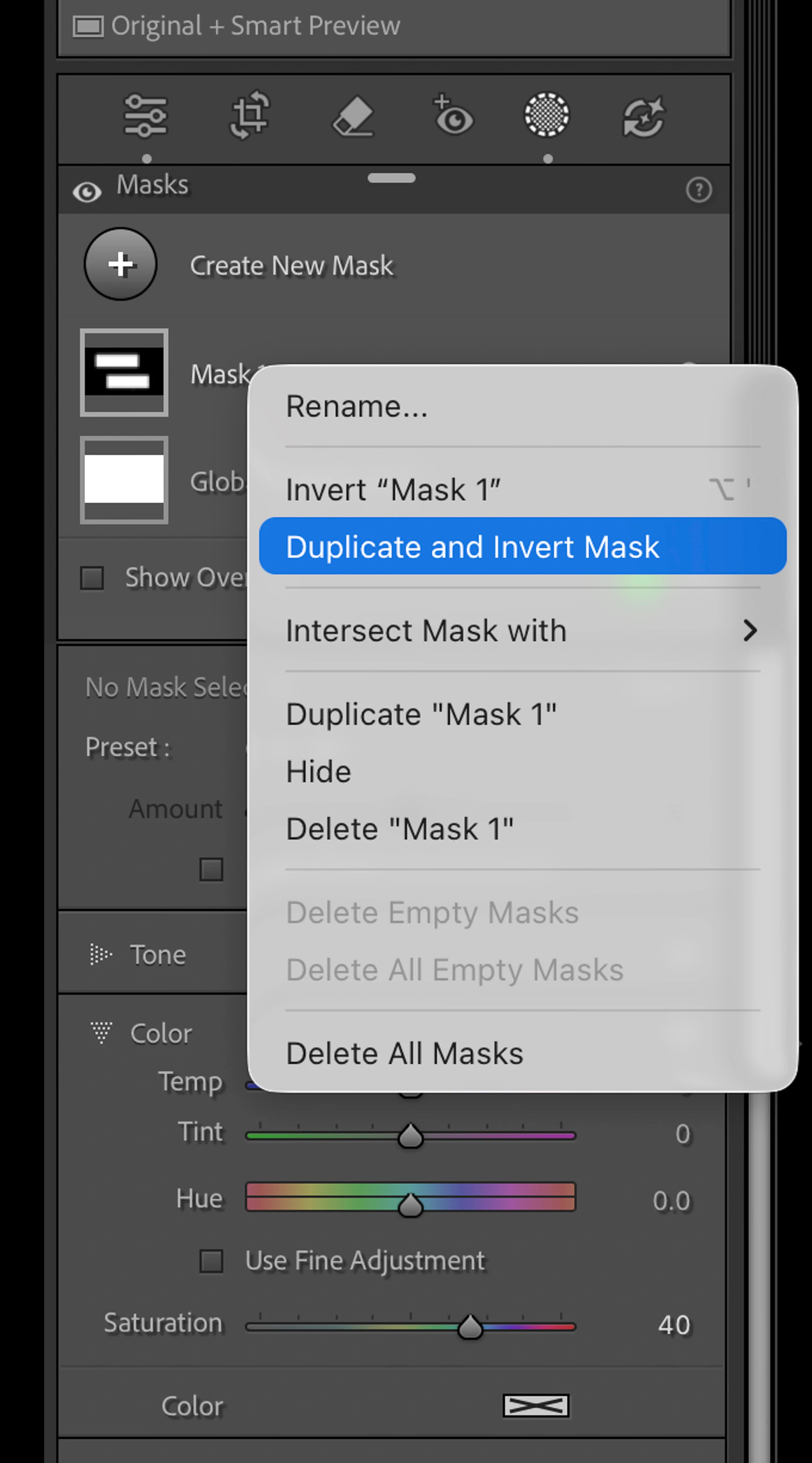
I’m specifically interested in creating a keyboard shortcut that “Duplicate and Invert Mask”?

I’m sure the answer is no but I thought I would just check… Thanks in Advance - CES


    2 replies

    C.Cella
    Inspiring
    March 24, 2026

    Aside for what ​@johnrellis said you can also put the attached code in the Scripts folder.
    Then you can assign a KBSC to it using Keyboard App Shortcut

    You can rename the script as you wish.

    johnrellis
    Legend
    March 24, 2026

    It’s a mess.


    For many menu items that appear in LR’s menus, you can use the Any Shortcut plugin to assign keyboard shortcuts, but only for those menu items that LR has explicitly enabled for shortcuts.  Inexplicably, Adobe hasn’t enabled shortcuts for every menu item. 


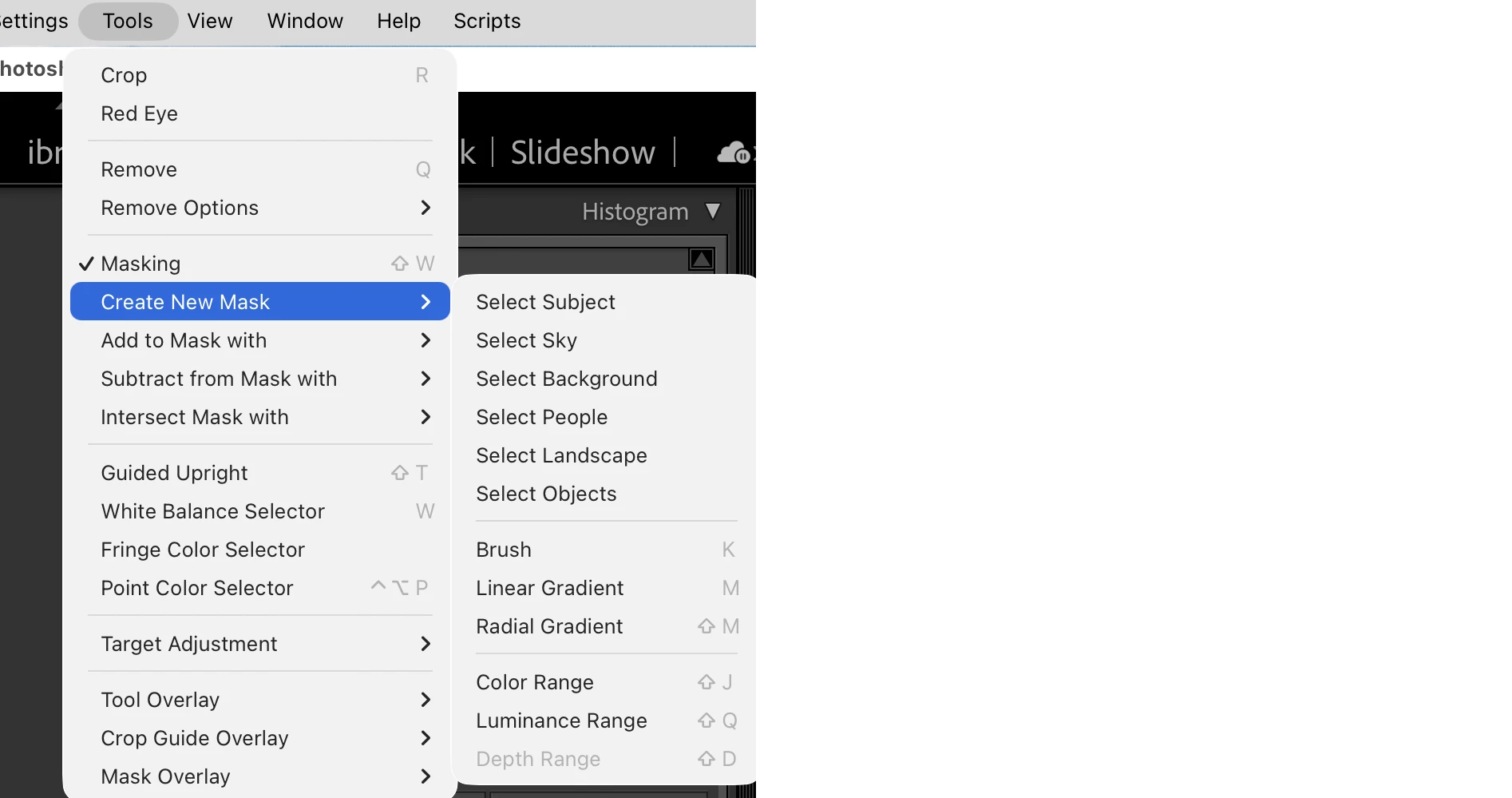
    For any menu item that appears in a top-level LR menu, you can use the Any Menu plugin. E.g. you can assign shortcuts to any masking command that appears under the Tools menu in Develop:


    But for menu items that appear only in right-click context menus, you’d have to use Autohotkey on Windows, Applescript on Mac, or other utilities to write a script that “stuffs” keystrokes to the app (e.g. on Windows, you’d stuff right-click, Down, Down, Down, Enter).  Then using that utility, you’d assign a keyboard shortcut to that script.

    Known Participant
    March 24, 2026

    Thanks for the info… just to clarify your plugin doesn’t provide access to "duplicate and Invert Mask"??? 

    johnrellis
    Legend
    March 24, 2026

    [View this post in your web browser. It contains formatting and images that don't appear in email.]


    @evan.sante just to clarify your plugin doesn’t provide access to "duplicate and Invert Mask"??? 

    That’s correct -- neither the Any Shortcut plugin nor the Any Menu plugin provides access to that context menu item, due to limitations of the LR UI.


    However, you use the script posted by ​@C.Cella above, which will then appear in LR’s Scripts menu in the main menu bar.  You can then use the Mac’s System Settings > Keyboard > Keyboard Shortcuts to assign a keyboard shortcut to that menu item.