
Participant
July 15, 2026
Question

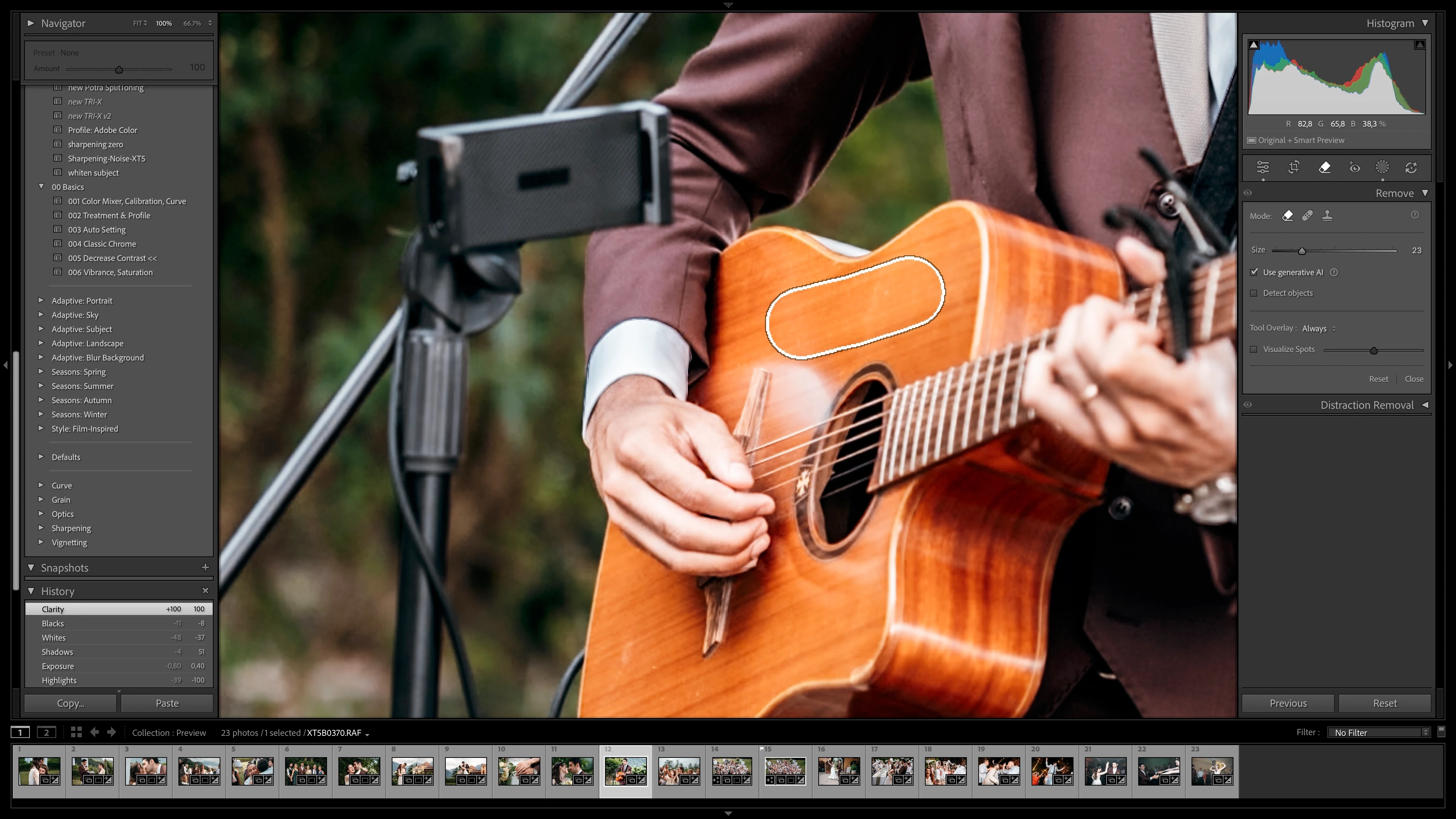
On MacOS the Lightroom Classic Rendering Area appears to show a non Retina rendering on a Retina screen.

  • July 15, 2026
  • 2 replies
  • 24 views

On MacOS the Lightroom Classic Rendering Area appears to show a non-Retina rendering on a Retina screen. The pictures looks pixelated and so does the brush. Every other UI Element has its normal retina sharpness.

Please pay attention to the guitar strings. You can clearly differentiate the pixels. Also the brush shows jagged pixels on the lines.

The issue appeared with an update in 2025 and has never been fixed since.
 

    2 replies

    johnrellis
    Legend
    July 16, 2026

    I don’t see these symptoms on my Macbook Pro (2023, 16” Retina) or the external 4K display. Without a sample photo allowing Adobe to reproduce the problem, they’re very unlikely to pay attention.

    johnrellis
    Legend
    July 15, 2026

    [View this post in your web browser. It contains formatting and images that don't appear in email.]


    If you share the original image (not a screenshot or export), we can see if the issue is specific to your computer or occurs on other installations.  If the forum won't let you attach the file here, upload it to Wetransfer, Dropbox, Google Drive or similar free service and post the sharing link here.

    Participant
    July 15, 2026

    The file is a standard Fujifilm RAF out of a XT5.  Nothing special here.

    I forgot to mention that the issue is not there all the time. Sometimes restarting does the trick. It’s pretty random.

    Participant
    July 15, 2026

    This is how it’s rendered after restarting.