Participant
December 20, 2020
Question

On-screen color desaturates when adding stroke border in Print View

  • December 20, 2020
  • 3 replies
  • 652 views

Hi all,


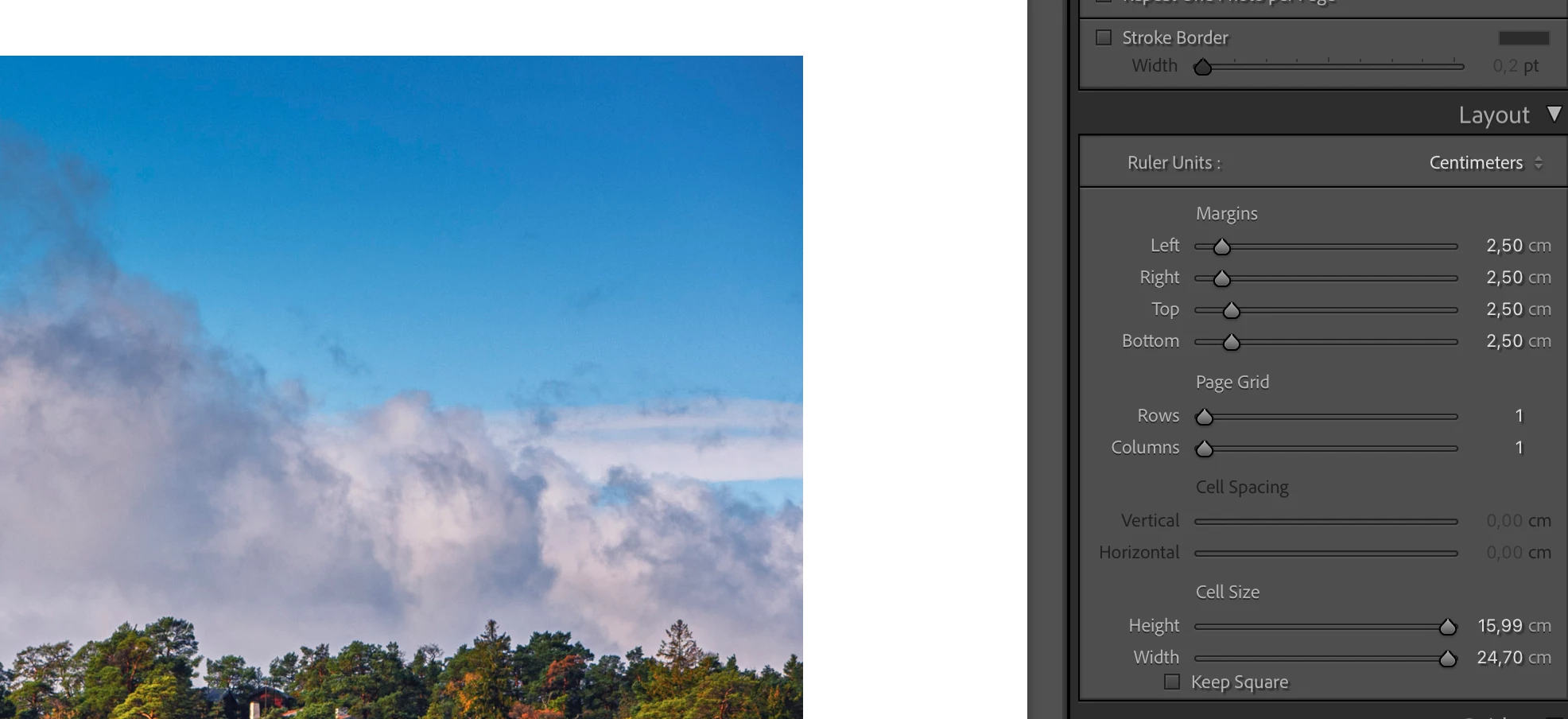
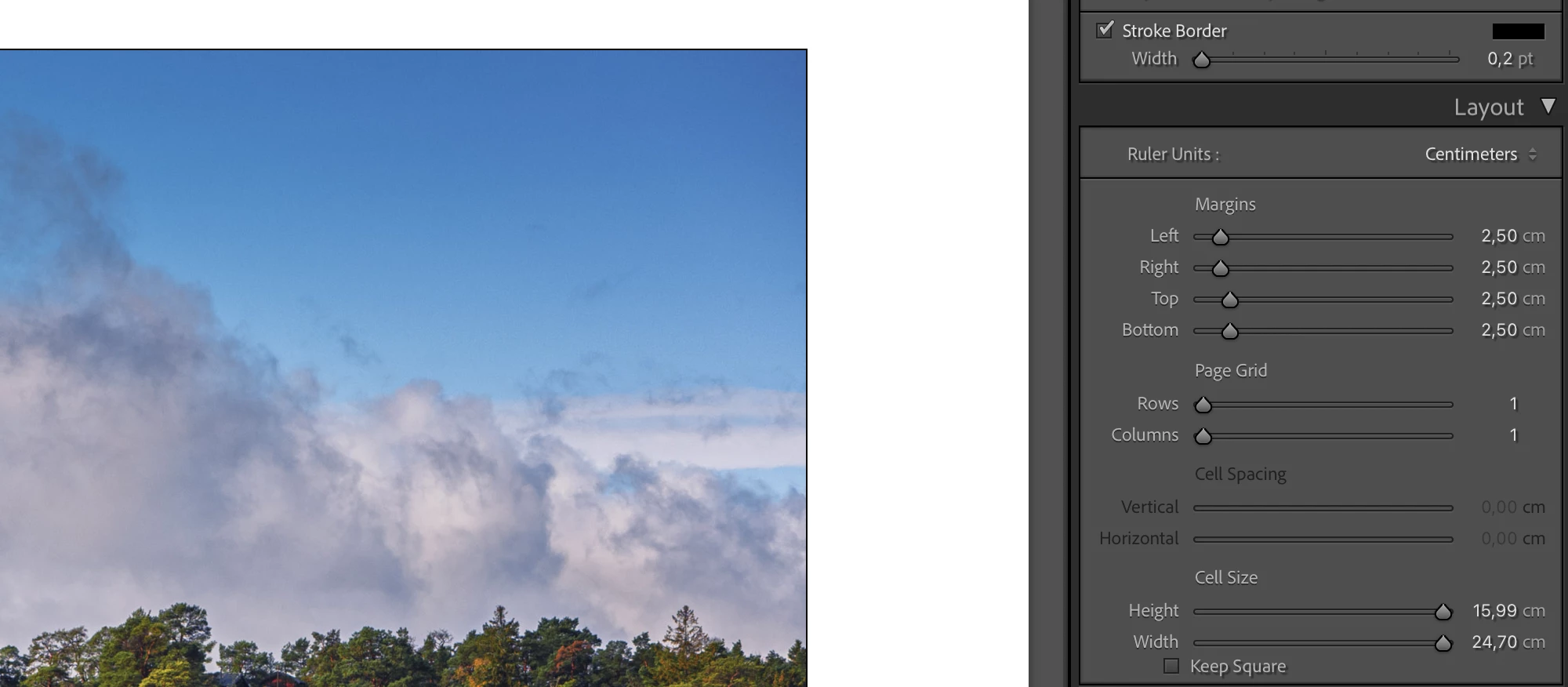
Strange issue here; whenever I add a stroke border to an image in Print View - no matter what size or color - the saturation of the image itself reduces ever-so-slightly. This is only on-screen - i.e. if I print the image with/without border there is no difference. I've confirmed this on 3 monitors (including the MBPro display) - so I don't think it's a screen issue...  The actual saturation printed is the one without the border - which makes my workflow slightly awkward (at least when I want to add a border) - as I have to remember to put the border back before printing...


Any ideas? is there some setting that I'm missing!? I've attached two screenshots below to show the difference - hope you can see it and it's not just in my head 🙂


thanks for any help!


/Ole


This topic has been closed for replies.

3 replies

johnrellis
Legend
May 24, 2021

To build on thedigitaldog's reply, the Print module's Zoom To Fill option causes these symptoms. Unchecking the option can avoid the misbehavior. Please add your constructive opinion to the bug report:

https://feedback.photoshop.com/conversations/lightroom-classic/lightroom-classic-100-using-the-zoom-to-fill-function-in-the-print-module-shows-the-original-unedited-version-of-the-photo/5fc297e6ecf16939894a4edf 


and be sure to click Like and Follow at the bottom of the first post. That will make it a littlle more likely Adobe will prioritize the fix, and you'll be notified when the bug's status changes.

TheDigitalDog
Inspiring
May 24, 2021

The previews in Print are not correct, this is a known issue but more importantly, it doesn't matter as it doesn't soft proof or indicate the output. It is For Position Only (FPO). None the less, there are issues with previews in Print and Adobe is aware of them. At this time, just ignore the slight differences, soft proof in Develop module. 

Author “Color Management for Photographers" & "Photoshop CC Color Management/pluralsight"
Participating Frequently
May 24, 2021

Thanks, good to know. 


Steve

Community Expert
December 20, 2020

Yes I do see this difference within your screenshots. It may be helpful to state your version of Lightroom Classic - how/whether you have hardware-profiled your display - whether you have enabled graphics acceleration for LrC?


This display glitch is not usual AFAIK. It is not happening for me (but that's on Windows LrC 9.4, so a very different matter).

olensmarAuthor
Participant
December 20, 2020

Hi Richard,


thanks for your reply! Sorry - I should have added those details initially; I'm running LRC 10.1 on MacOs Big Sur with graphics acceleration enabled (Radeon Pro Vega 16 4 GB) and I'm seeing this on both an older un-calibrated display and a new calibrated/profiled one. Display resolution does not change this behavior.


Thanks,


/Ole


Participating Frequently
May 24, 2021

Yes I get exactly the same, hence I was searching on here. Glad you report outprint is the same saturaion as without the border as I have been reluctant to print with borders because of this.   It is annoying but at least I will set up print based on what is shown on screen without the stroke border and ignore the change if i choose to add one.


LRC 10.2 on Mac Big Sur with AMD Radeon Pro 5300 4gb.


Steve