
juwster
Participant
September 15, 2022
Question

Only Option Available to Import is DNG

  • September 15, 2022
  • 3 replies
  • 506 views

Operating System: Mac Monterey 12.6

Adobe Lightroom Classic 11.5

Camera Raw 14.5


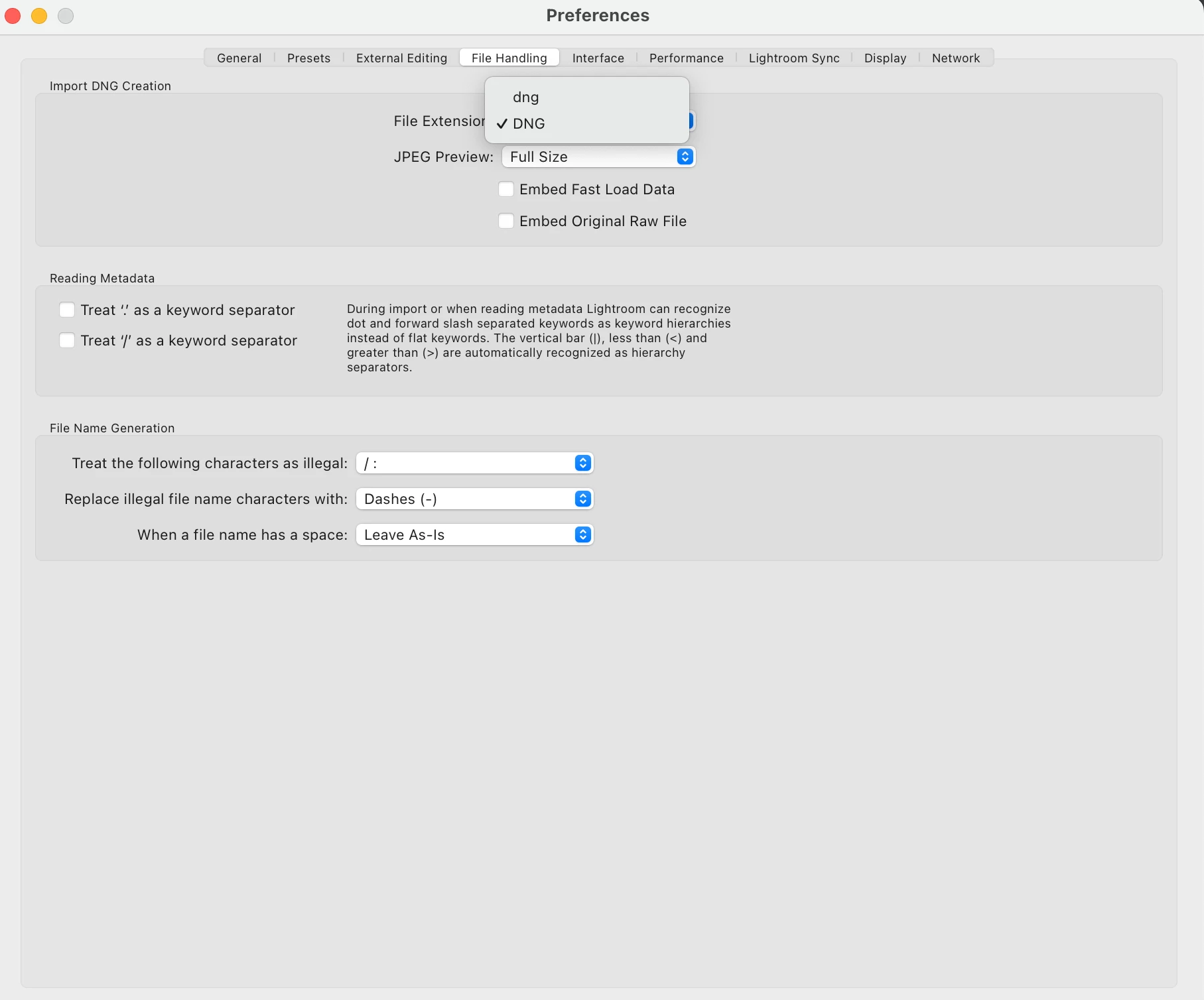
I am using Lightroom Classic on the new Mackbook Air M2. I am trying to complete the "Preferences" for importing photos.  Under "File Handling" the for option is "Import DNG Creation" the only File Extension available to choose from is "DNG" or "dng". Below that is a "JPEG Preview" option.

I am coming from the Windows version. So I am new to MacOS.  Using Lightroom on the windows laptop it always imported with the RAW files. 

I would like to import the RAW files into lightroom.

Is it possible to import the raw files?  I don't want to import DNG files.

I have quit Lightroom multiple times and come back to it and it still produces this issue. 


This topic has been closed for replies.

3 replies

TheDigitalDog
Inspiring
September 15, 2022

A DNG converted from a raw is just as raw as the original. As outlined, of course, you can import the proprietary raw or convert to DNG. 

If you are interested, there are a slew of advantages to converting proprietary raws into DNG but the bottom line is, that you can do either. 

Author “Color Management for Photographers" & "Photoshop CC Color Management/pluralsight"
DdeGannes
Community Expert
Community Expert
September 15, 2022

Per's post above is correct. My initial post was deleted.


Regards, Denis: iMac 27” mid-2015, macOS 11.7.10 Big Sur; 2TB SSD, 24 GB Ram, GPU 2 GB; LrC 12.5,; Lr 6.5, PS 24.7,; ACR 15.5,; (also Laptop Win 11, ver 24H2, LrC 15.0.1, PS 27.0; ) Camera Oly OM-D E-M1.
Per Berntsen
Community Expert
Community Expert
September 15, 2022

You can of course import proprietary raw files. In the Import dialog, do not choose Copy as DNG.

There are no preferences for Import. What you're seeing in Preferences is how to handle DNG files IF you choose Copy as DNG in the Import dialog.