
Participant
February 14, 2024
Question

Optimizing for Multiple CPU Workstation

  • February 14, 2024
  • 1 reply
  • 392 views

Hello, I have a dual Xeon workstation set up with NUMA. Just trying things out, I decided to run "detect faces" on my main library. I was expecting it to hit both processors with everything it had. I wasn't expecting it to nail a single CPU and just let the other coast. Is there something I need to do to get Lightroom Classic to use the second CPU?


The only thing I can think of is that there might be a setting to prevent Windows from restricting a program from using both NUMA nodes?


Screenshots:
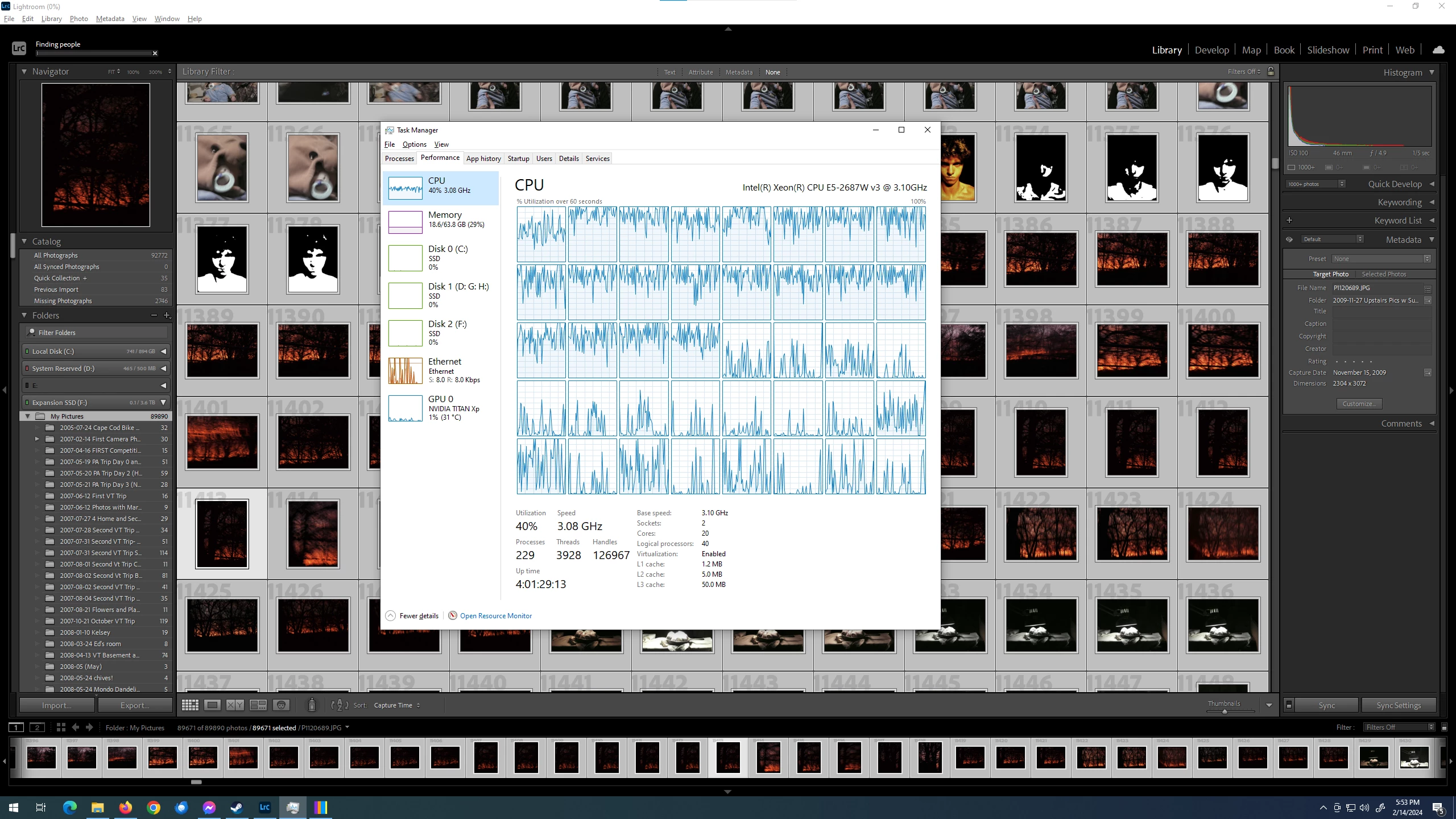
 

Shown by Processor/NUMA Node:
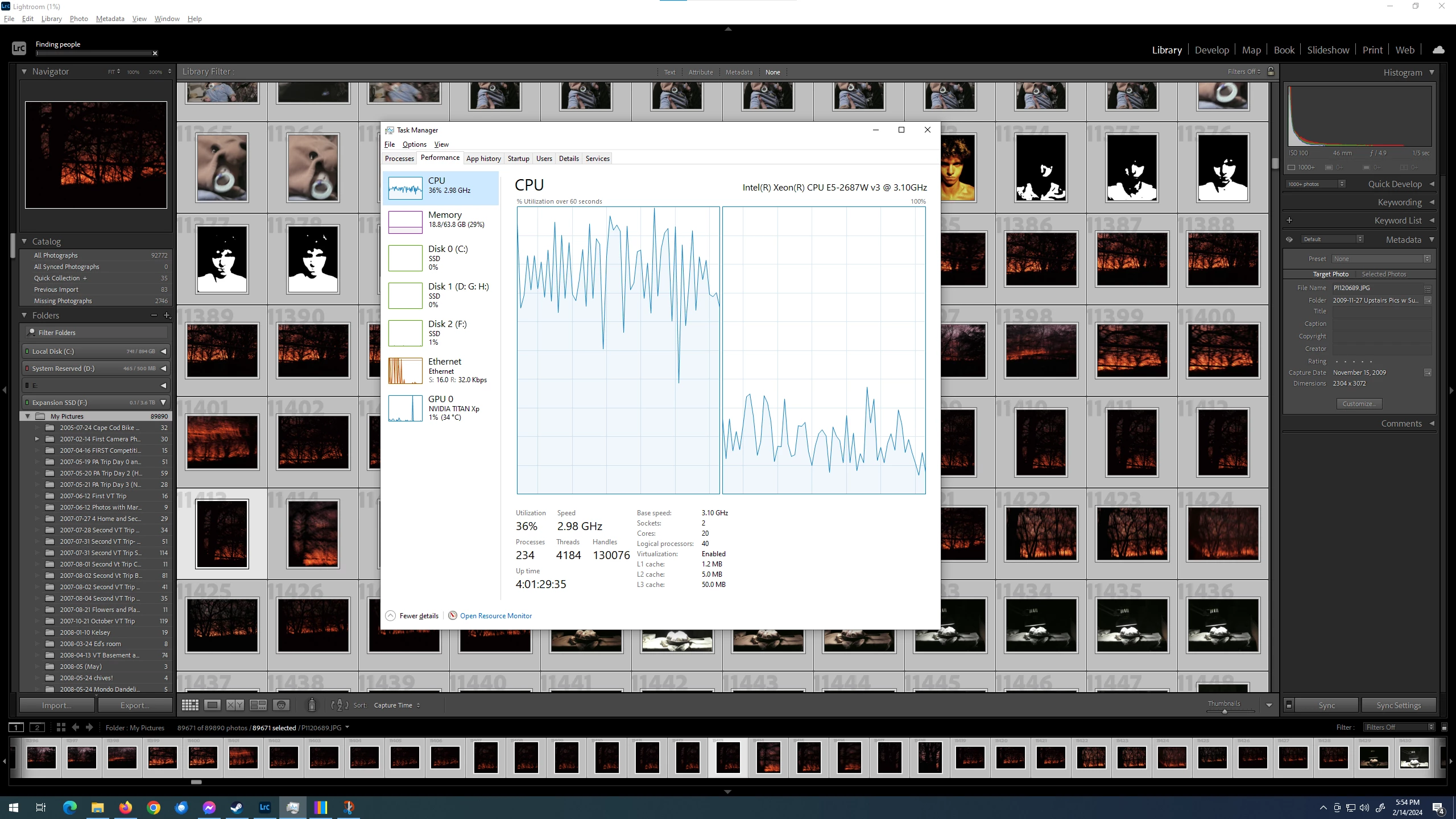
 

This topic has been closed for replies.

1 reply

Participant
February 14, 2024

I know this is a niche question, so these are the niche specifics of the PC
Software:
Windows 10 Professional Version 22H2 with Adobe CC Lightroom Classic v13.1
No plugins used; minimal background tasks.

Hardware
Dell Precision 7810 Workstation
(2x) E5-2687W v3 10-core processors (20 physical cores total)
64GB of 2133MHz DDR4 ECC Registered RAM as (8) 8GB DIMM's in quad channel to each CPU
Titan XP with 12GB of VRAM
Running with the program, library/photos, and cache on separate Crucial MX500 SSD's.

Other notes:

  • While the system shows around 95% processor usage on CPU 0, it's a far cry away from a "full" workload since it's only using around 85W of its 160W TDP. I've tested it, it'll turbo up to the full 192W, so it seems that Lightroom is taking up a lot of CPU time without much calculating? That's above my head to feel at all certain about the claim though. 
  • It is most definitely not reaching across the aisle to use the other CPU's RAM, as CPU 0's DIMM's are pulling twice the amount of power, and at 10GB or RAM usage, it wouldn't need to necessarily
  • There is little to no disk usage
  • All thermals are well under control