
Participant
February 3, 2025
Question

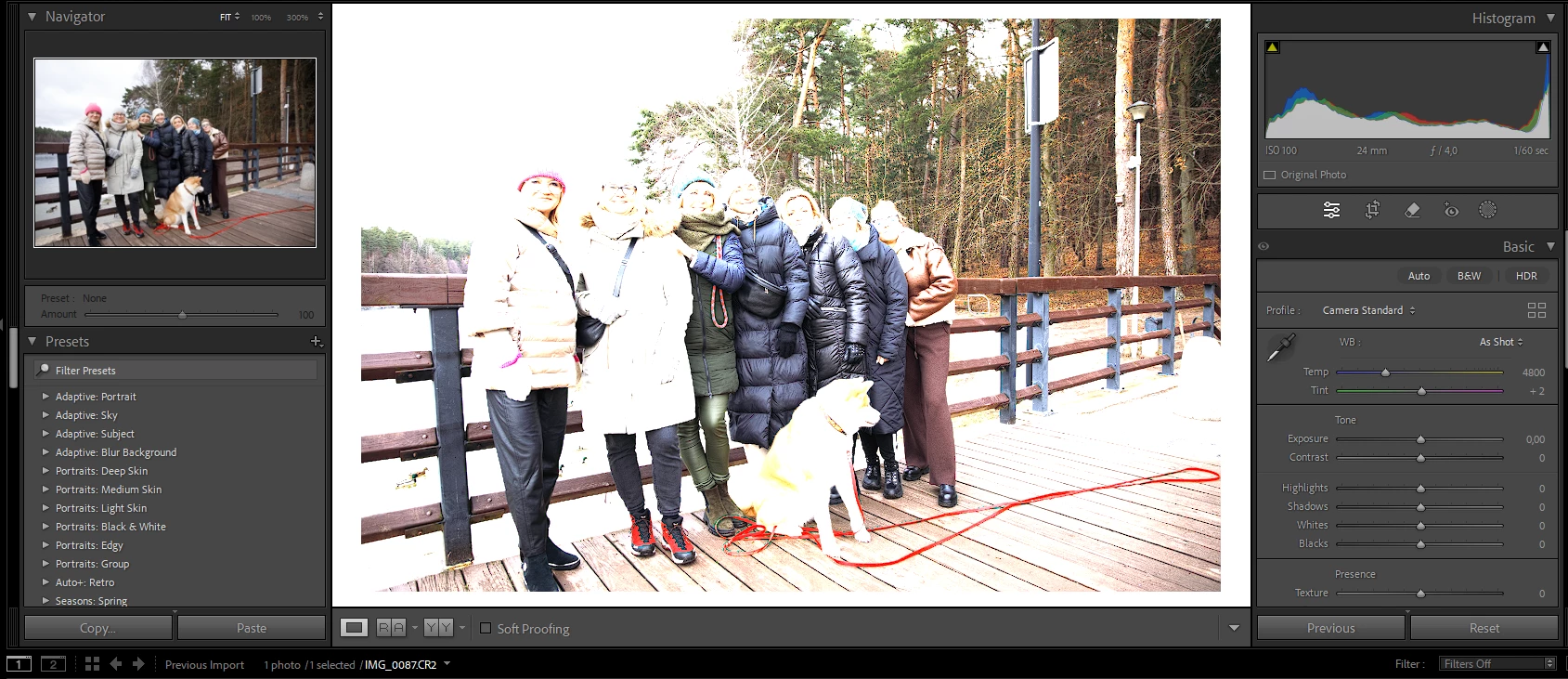
Other exposure in library vs develop in LR C
  • February 3, 2025
  • 2 replies
  • 225 views

By pasting a new photo into LRC, 
I have a different exposure in the library and in develop.
I have already changed all possible settings.
I wrote with GPT Chat, nothing helped. There are camera settings, no filters.
New previews, the view shows a normal photo and the develop one is heavily overexposed.
The white balance is set as in the shot. I can't fix this. I'm asking for help.

2 replies

dj_paige
Legend
February 3, 2025

When library and develop look different, this could mean the monitor profile is corrupt. Normally this doesn't make such a large difference, and the difference is usually color rather than exposure, but it is worth checking. https://www.lightroomqueen.com/how-do-i-change-my-monitor-profile-to-check-whether-its-corrupted/

Participant
February 3, 2025
by pasting a new photo into LRC, I have a different exposure in the library and in develop. I have already changed all possible settings. I wrote with GPT Chat, nothing helped. There are camera settings, no filters. New previews, the view shows a normal photo and the develop one is heavily overexposed. The white balance is set as in the shot. I can't fix this. I'm asking for help.


Community Manager
February 3, 2025

Hi @maciejgrabinski1! Welcome to the community!

Which version of Lightroom Classic are you using? How does the image look when you export it?

Does this issue happen with all photos taken by the same camera? Lightroom Classic can apply a camera default, meaning it will add certain settings on import. These won't show in the history or the develop panels. What's your camera model, and what camera profile is applied?


An initial thing we can try is resetting preferences. Here's how to do that: https://adobe.ly/3WGFR5q

Hope this helps! Thank you!
Alek

*(If you mention me with an @, like @Aleke, I’ll get a notification and can respond faster.)*