Participating Frequently
January 29, 2020
Answered

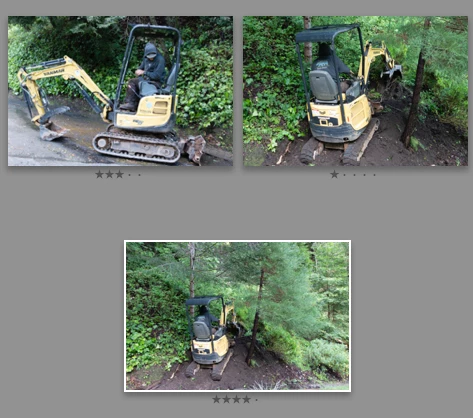
Overall view (N) and star rating.

  • January 29, 2020
  • 4 replies
  • 572 views

I can't see the rating (stars) in the overview. I display the star rating only in grid or loupe view. sorry for the translated english. I don't know how to restore the star rating display to the overview. Thanks to those who can help me.
This topic has been closed for replies.
Correct answer johnrellis

[This post contains embedded images that don't appear in email. View the post in your Web browser to see the images.]


"I had already selected your settings."


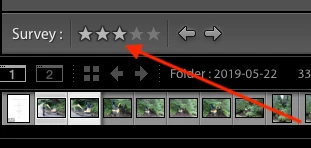
My instructions will show the star ratings of the currently selected photo on the Survey view toolbar:


Bob's suggestion causes the stars to be visible immediately under each photo in the view:


[Use the reply button under the first post to ensure replies sort properly.]


4 replies

johnrellis
Legend
January 29, 2020

Adobe has acknowledged this as a bug:

https://feedback.photoshop.com/photoshop_family/topics/lightroom-classic-ratings-buttons-invisible-in-survey-mode


Please add your constructive opinion to the bug report, and be sure to click Me Too and Follow in the upper-right corner. That will make it a little more likely that Adobe will prioritize a fix, and you'll be notified when the bug's status changes.


[Use the reply button under the first post to ensure replies sort properly.]

Bob Somrak
Legend
January 29, 2020

John


I think the OP may be talking about the Stars under each photo in Survey View.

M4 Pro Mac Mini. 48GB
Participating Frequently
January 29, 2020

It is absurd but it is so. The gray color of the stars is the same as the gray color of the background. Consequently it is as if the stars do not appear to be present. Thank you so much.

Bob Somrak
Legend
January 29, 2020

Its a bug or a poor design.    Change your background color from Dark Gray and they will show up.  Trouble is if you change it to White the Pick Flag will disappear.

M4 Pro Mac Mini. 48GB
johnrellis
Legend
January 29, 2020

[This post contains embedded images that don't appear in email. View the post in your Web browser to see the images.]


To restore the star rating to Survey view (the N key):


1. Make sure the toolbar is showing at the bottom of Survey view by doing the menu command View > Show Toolbar.


2. If you don't see the rating stars, click the triangle on the right end of the toolbar and select Rating:


[Use the reply button under the first post to ensure replies sort properly.]


Participating Frequently
January 29, 2020

Thank you. But I had already selected your settings.