Inspiring
May 26, 2021
Answered

Overlay Problems with usages of GPU support
  • May 26, 2021
  • 2 replies
  • 1432 views

Hello,

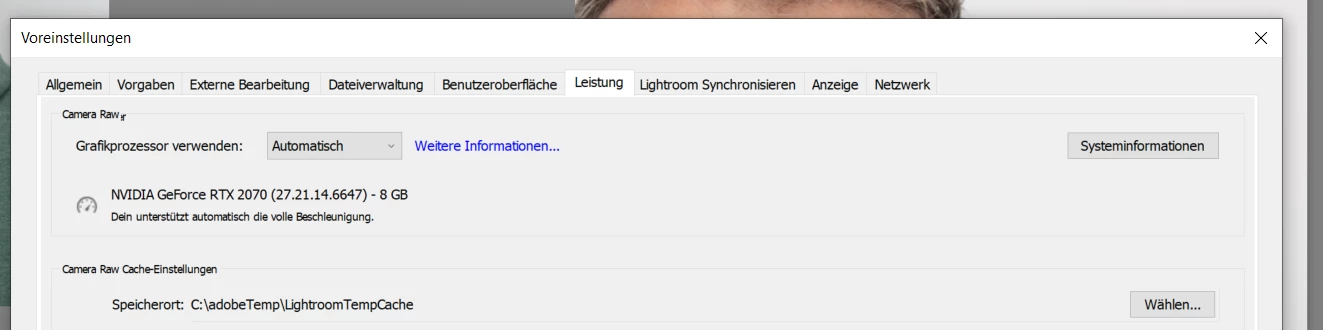
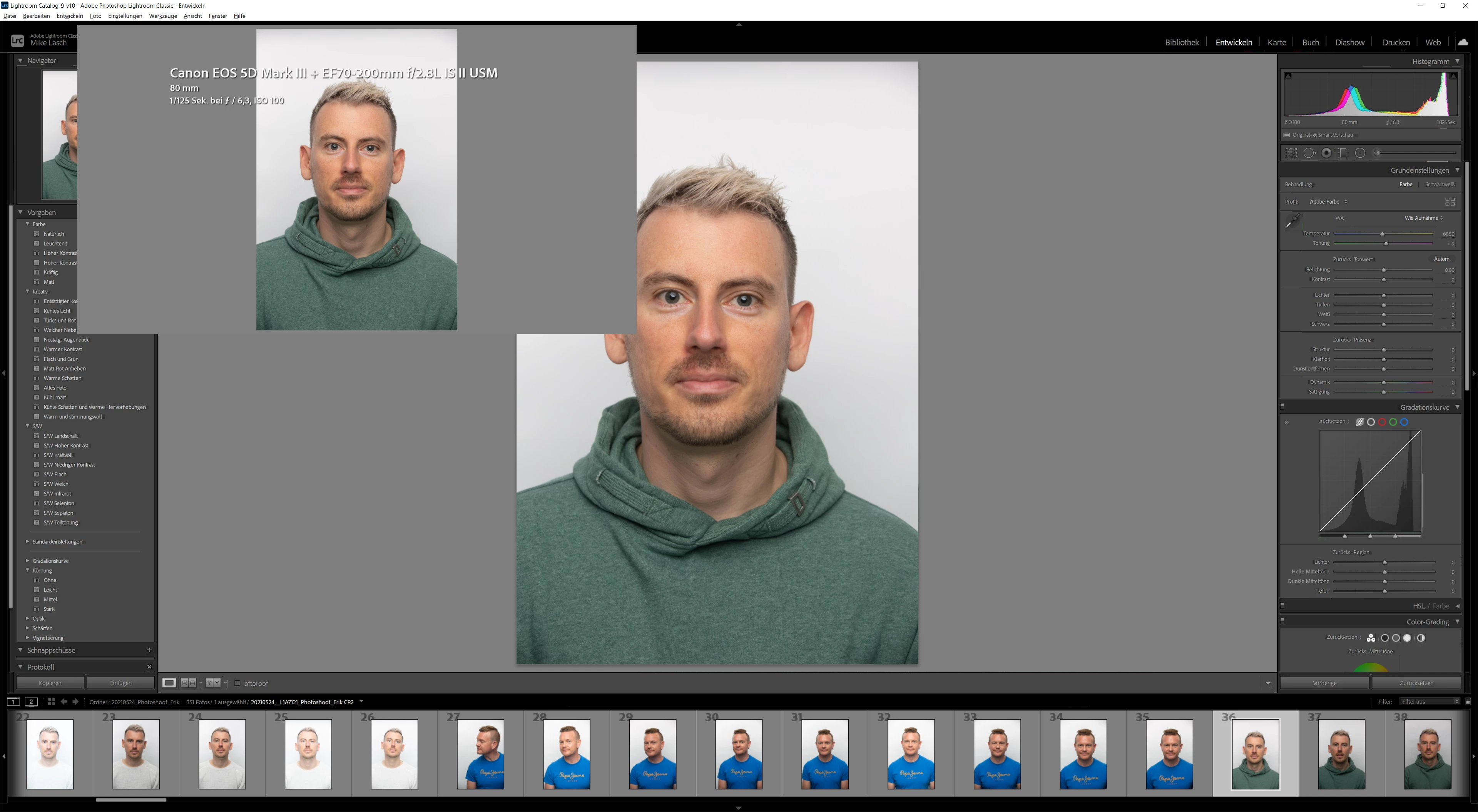
has somebody an idea how to solve this overlay issue when GPU support is enabled with an 4K screen? When the GPU support is enabled I see only an active windows on the upper leften side of lightroom. The GPU of a GTX 2070 should not be the problem.

Yes, I an disable the GPU support but then the performance decrease. I would like to work with full performance.

I am very thankfully for any hints to solve the issue.


Regards,

Mike
This topic has been closed for replies.
Correct answer mikel98120636

You could post a bug report in the official Adobe feedback forum, where Adobe wants all bug reports and feature suggestions: https://www.lightroomqueen.com/send-bug-report-feature-request-adobe/


Be sure to include the first ten lines of the menu command Help > System Info. Provide all the details, rather than linking back to this thread -- experience shows that Adobe developers tend not to follow the links. Product developers read everything posted there, but rarely participate here, which is primarily a user-to-user forum.


Hi,

I have just found at random the solution. After a couple of times reinstalling drivers and Lightroom.


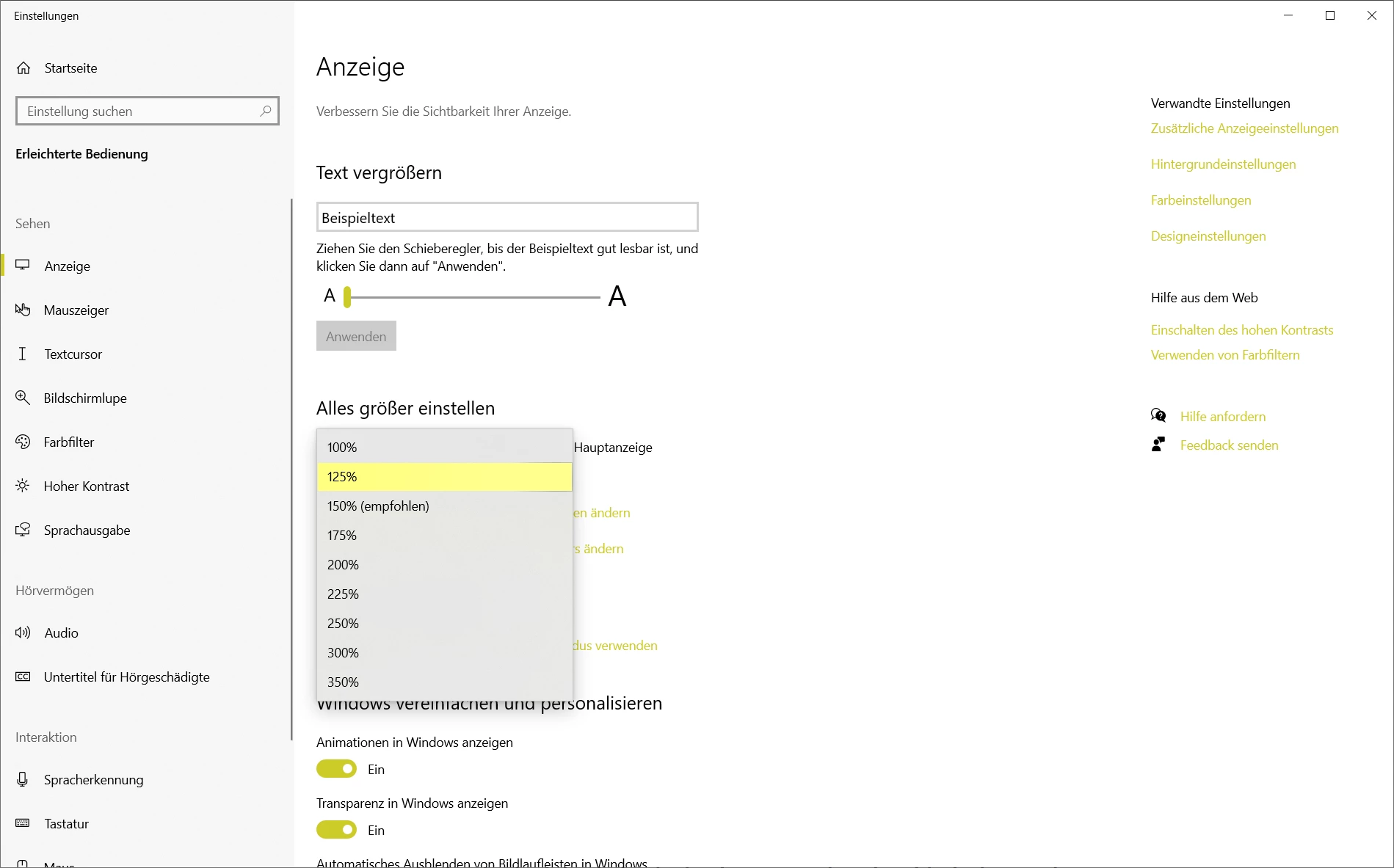
The solution was simple. My Windows scaling was set to 125%. By setting back to 100% and set back to 125% the problem was solved.


The question is, is it a Lightroom, Graphic Driver or Windows 10 Bug. 😄


The issue is closed from my side. 🙂


Cheers.

2 replies

TheDigitalDog
Inspiring
May 26, 2021

If turning OFF GPU works, it's a GPU bug and you need to contact the manufacturer or find out if there's an updated driver for it.
Also see: https://helpx.adobe.com/photoshop/kb/acr-gpu-faq.html

Author “Color Management for Photographers" & "Photoshop CC Color Management/pluralsight"
Inspiring
May 27, 2021

What I don't understand: Why do I only have the problem in Lightroom and not in Photoshop. In Photoshop I have also GPU support enabled without any problems. 

The GPU drivers are installed in the latest version.

TheDigitalDog
Inspiring
May 27, 2021

Both products use the GPU for different functions and Adobe has progressively moved more functionality to that chip over the years. 

Author “Color Management for Photographers" & "Photoshop CC Color Management/pluralsight"
Inspiring
May 26, 2021

Remark: All drivers of Win10 are uptodate.