
P: Advanced Face Blur Options in Lightroom Classic
Dear Adobe Lightroom Team,
I hope this message finds you well.
I am writing to suggest an enhancement for the Adobe Lightroom Classic application to improve editing flexibility and workflow efficiency, especially for portrait and fashion photographers.
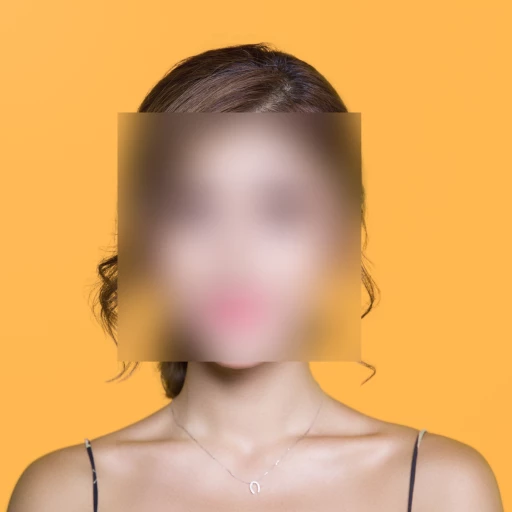
Currently, the Lens Blur feature provides excellent background depth control and bokeh effects, but it lacks the ability to blur a person’s face or any selected area of the image using customizable shapes (such as a circle, square, or freeform).
I would like to suggest introducing a new tool — “Face Blur” or “Custom Blur Mask” — similar to the existing Radial Gradient or Brush Mask, that would allow users to:
-
Apply selective blur to a face or specific area of an image.
-
Choose from multiple blur styles, including Gaussian Blur, Motion Blur, or Shape Blur (circle, square, etc.).
-
Control blur intensity and edge feathering to match the desired artistic result.
This addition would significantly streamline workflows and reduce the need to switch between Lightroom and Photoshop for simple privacy blurring or creative focus effects.
Attached with this email are example images demonstrating the desired outcome for your reference.
Thank you for your continued innovation and for making Lightroom such a powerful creative tool.
Warm regards,
An example of this is according to this attached image.


 AdChoices