

johnrellis
Legend
November 20, 2021
Answered

P: Before/After doesn't work on photo with multiple masks

  • November 20, 2021
  • 3 replies
  • 499 views

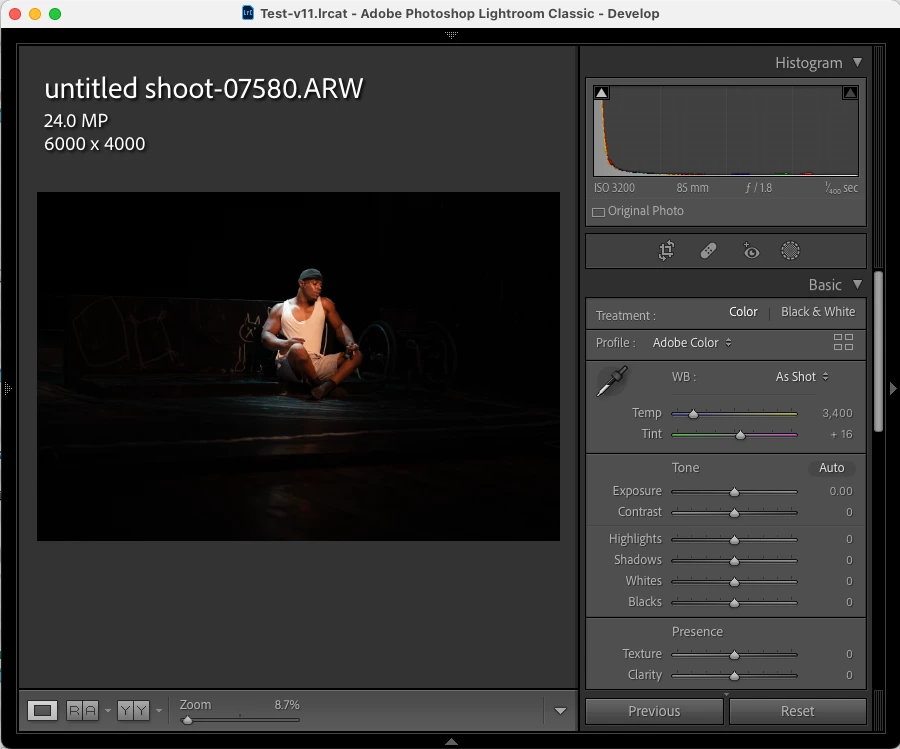
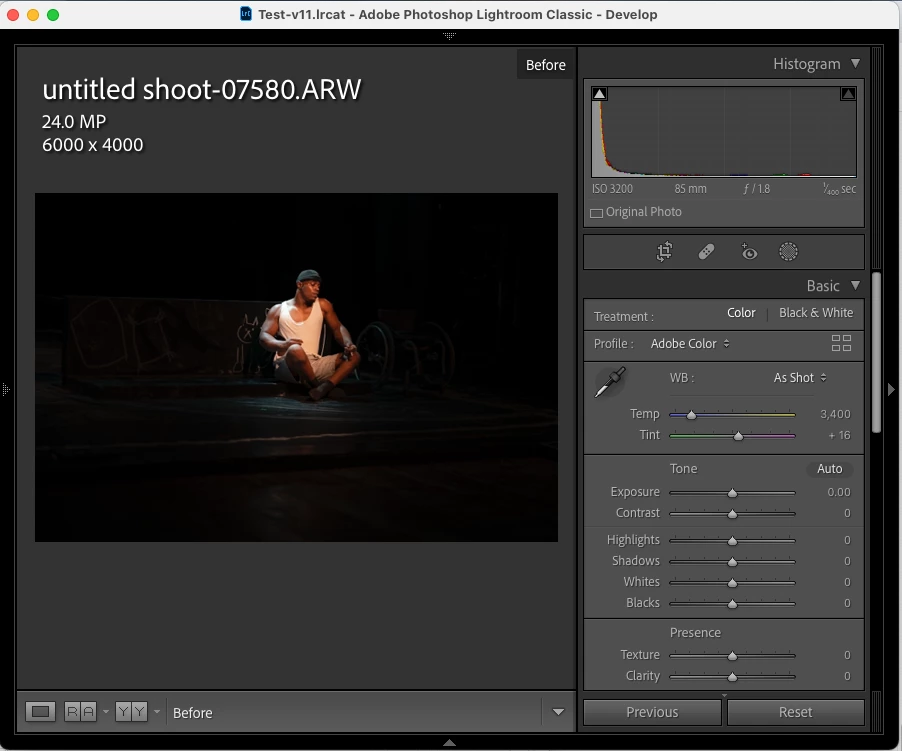
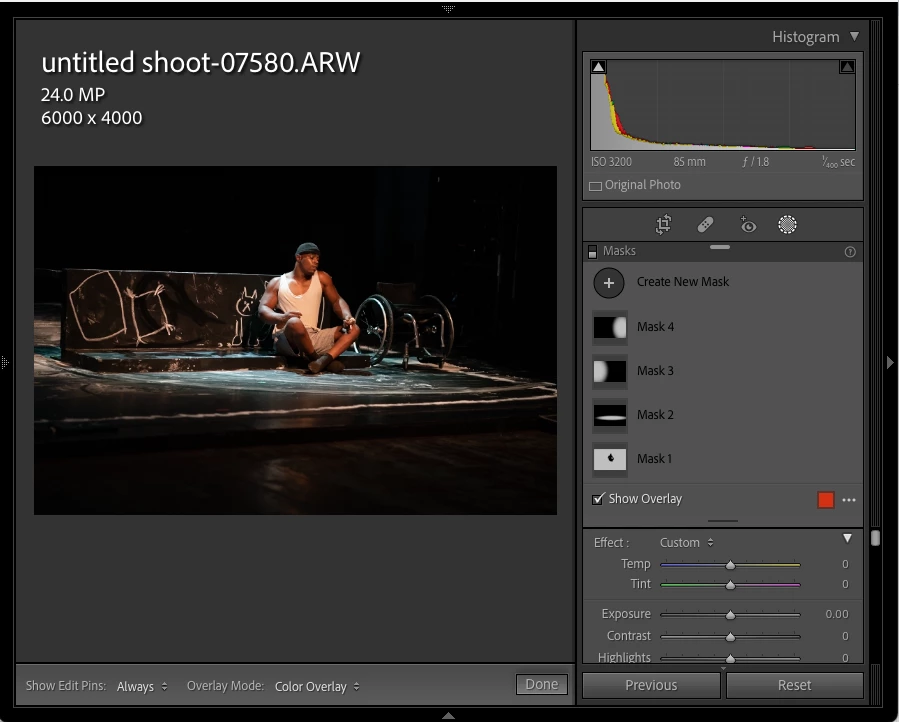
View > Before/After doesn't work on this photo with multiple masks.  Before shows the same edited image as After, but toggling off the Masks panel shows the original image.


Edited image:
 

Before:
 

Masks panel toggled off:
 

Screen recording is attached.


Download the raw and it's .xmp sidecar with edits from here:

https://www.dropbox.com/s/i5t0bw97eeoa8gm/before-after-bug.2021.11.20.zip?dl=0


Tested on LR 11.0.1 / Mac OS 11.6.

This topic has been closed for replies.
Correct answer Rikk Flohr_Photography

Setting status to acknowledged and adding bug information

3 replies

Rikk Flohr_Photography
Community Manager
December 6, 2021

Additional information from engineering:


"The previous settings for an image are set by default to be same as the settings at import time. In the case where an image is imported along with a sidecar, the settings in the sidecar are applied during import only. So before settings are also set to be same as the settings present in sidecar. Hence before/after will be referring to same settings." 

Rikk Flohr: Adobe Photography Org
johnrellis
Legend
December 6, 2021

Thanks much, that explains the behavior -- I import photos with .xmp sidecars all the time and never noticed that before.  


Rikk Flohr_Photography
Community Manager
November 21, 2021

Setting status to acknowledged and adding bug information

Rikk Flohr: Adobe Photography Org
GoldingD
Legend
November 20, 2021

On my MACBookPro 15 inch Retina 2015, LrC v11.0.1, MACOS v12.0.1


Step 1, download photo and xmp to download folder. 


Step 2, copy the photo and xmp to the folder my test catalog is in


Test 1, Import (Add). 

Result 1, Before/After look the same, yes I can select masks and see them, look at them. But before./after fails


Strp 3, Remove (delete) photo from catalog. Delete xmp from catalog


Step 4, copy just the photo to folder with test catslog


Test 2, Import (Add) without xmp, accomplish some edits

Result 2.  I go and add some masks, In this case before.after works.