
P: Detail Panel adjustments preview differently at 200% between Momentary and Panel Switch
Hello Adobe…
One of my go to workflows in LRC is broken. It was broken in 12.4 and still appears to be broken in 13.1 as I updated today.
To get some dramatic skies on landscapes, I usually go the Dehaze adjustment and crank it up a bit. This typically adds a bit of grain noise in to nice smooth blue skys. One way to combat that was to use the masking tool, and use a linier, sky, or paintbrush to mask over the sky and cloud areas, then in that mask turn up the “Noise” setting which appeared to be a noise reduction setting for the mask controls. This used to work great and punched up some drama in the sky with Dehaze, then Mask + noise reduction turned the sky back into a smooth blue sky without grain noise.
Now something as changed and is behaving illogically in LRC
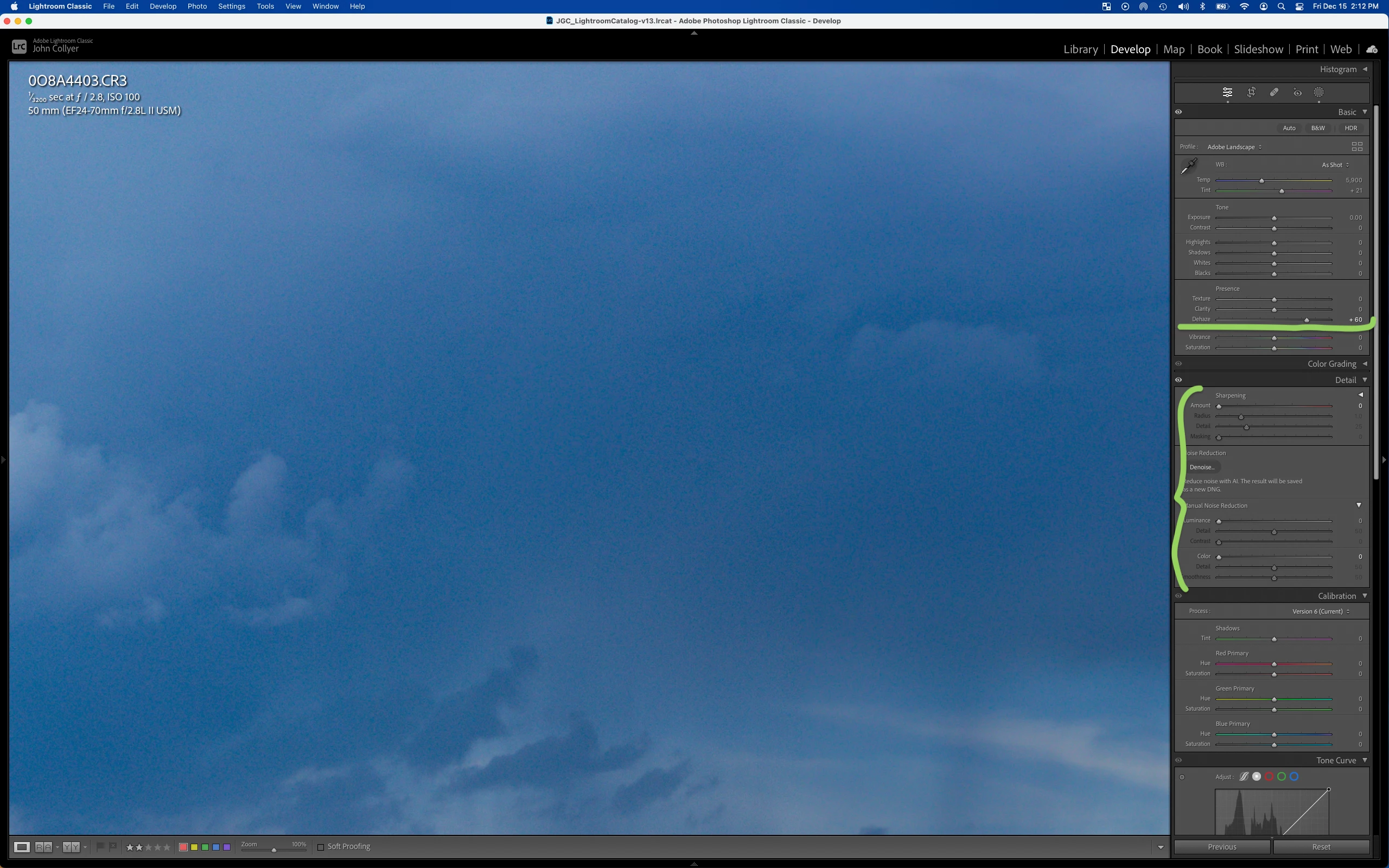
Here is my default develop windows with base processing cranking up the Dehaze setting. Please note the “Details” setting on the base process, all the slider are set to 0.
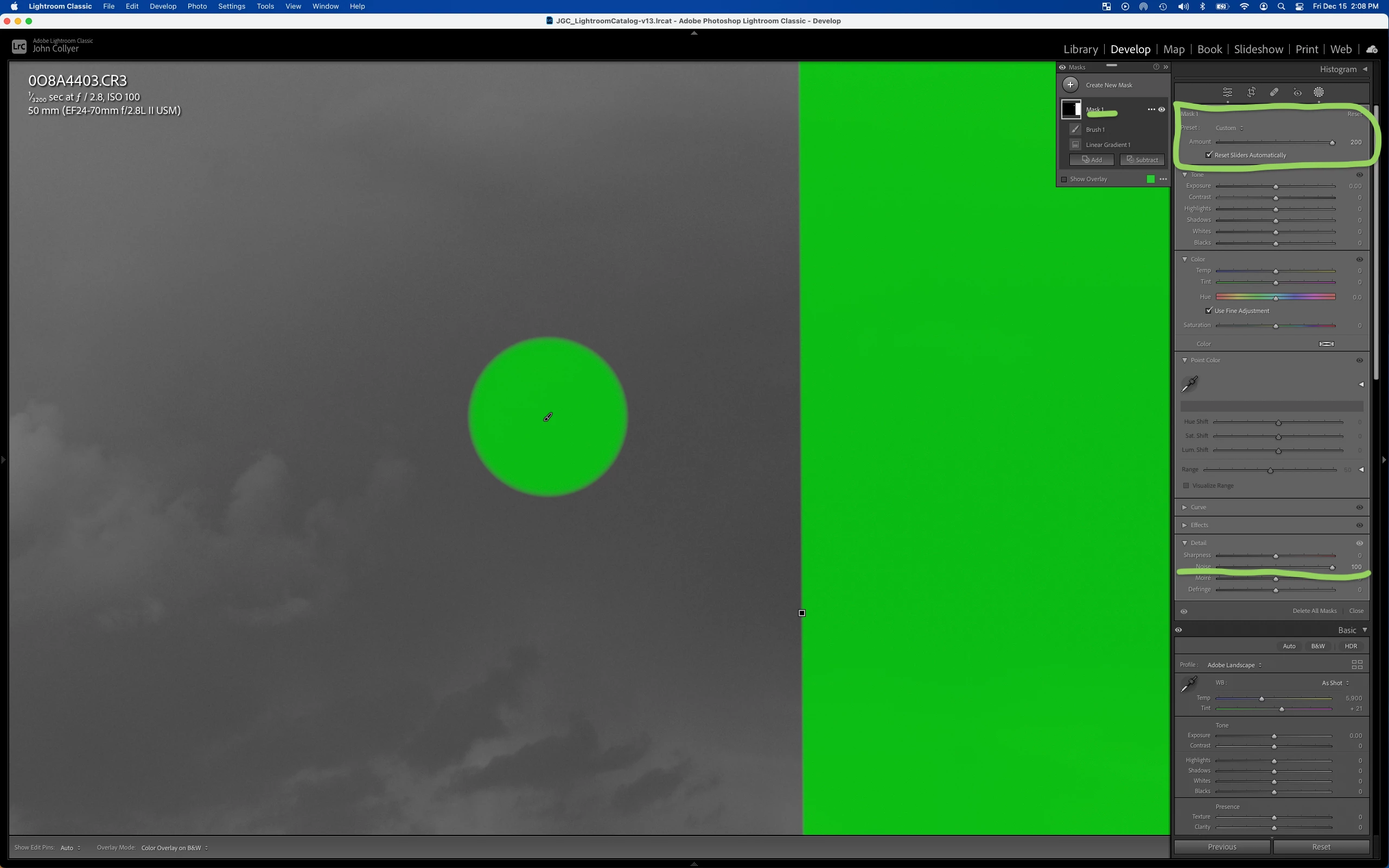
Here is the masked area I want to apply mask noise reduction on
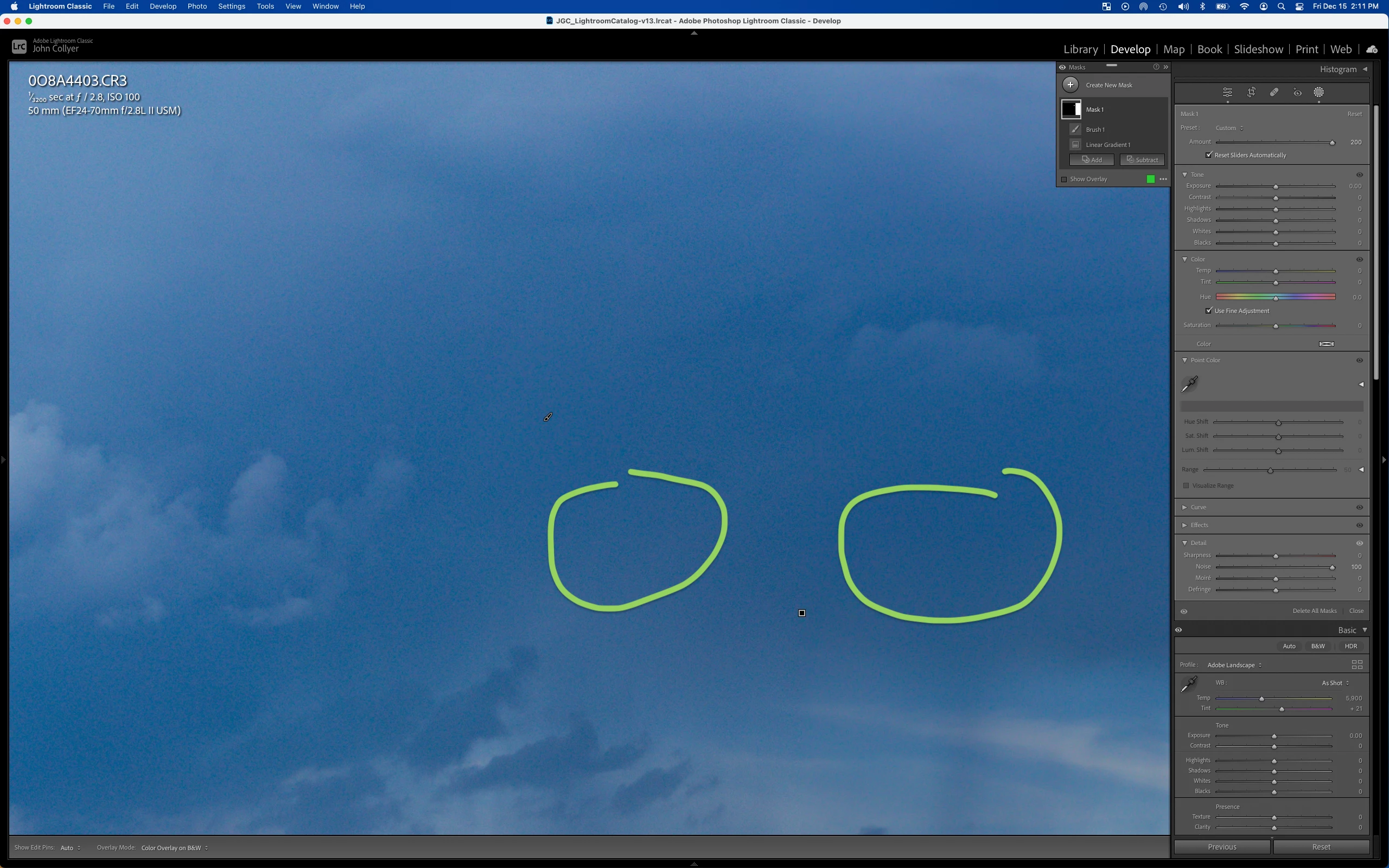
This is the masked results, it’s a very minor visible improvement, not as good as it used to be, and my masking layer noise reduction is set way too high not to see a smoother image. See the results circled here in green. The left circle is no layer mask NR, the right circle is inside the layer mask with NR
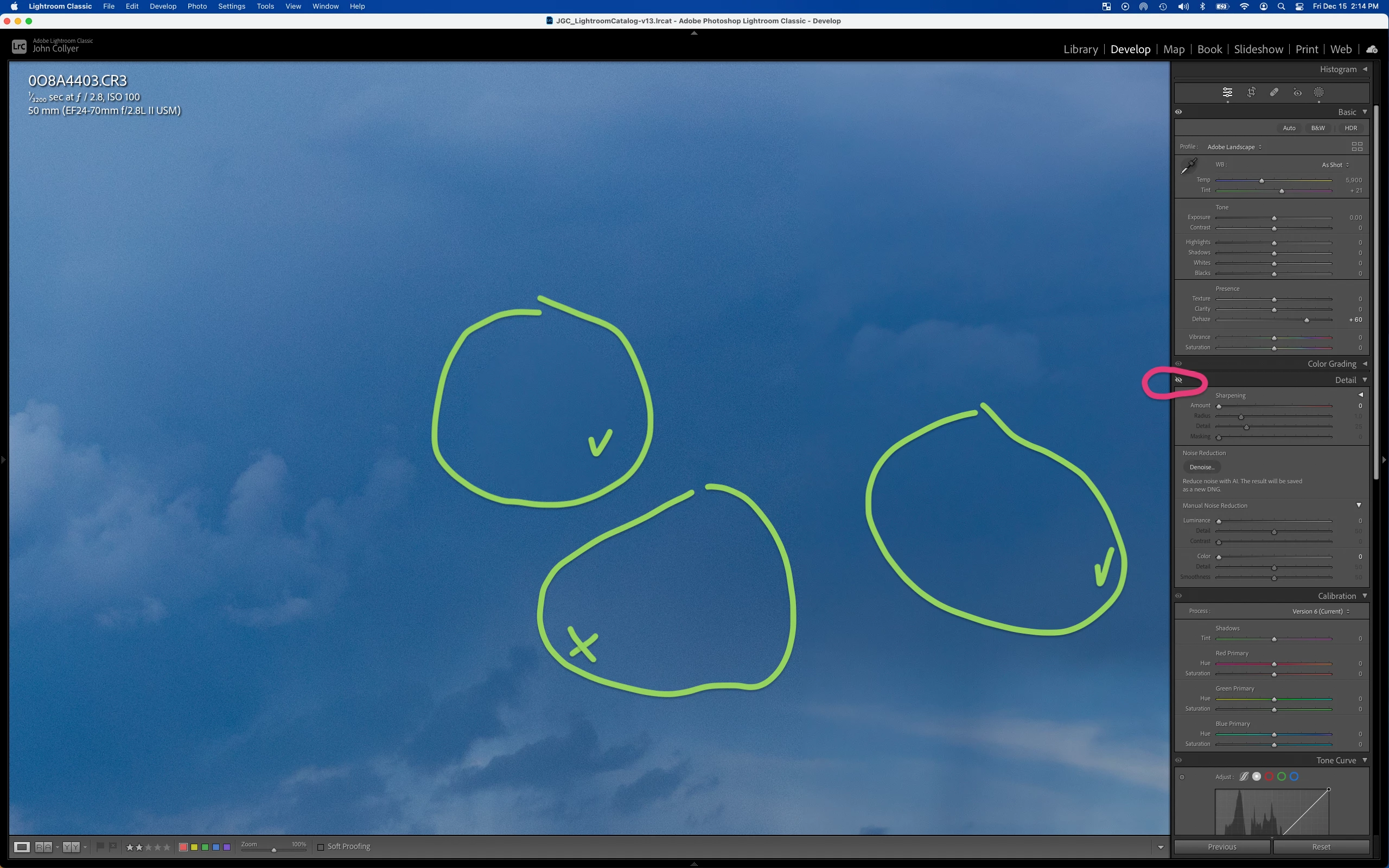
If I use the Eye icon (red circle) and toggle off the Details section, the marked areas with NR get many times better results from NR, here almost too much. In the Right circle, nice and smooth. In the left top circle, also part of the mask with NR, nice and smooth, the bottom center circle not part of the Mask you can see the original noisy base processing from the Dehaze.
Please note the “Details” setting on the base process, all the sliders are set to 0.
If I Option+Left Click on the on/off toggle (red circle) for the Details in the base processing, I expected to get the same smooth results as above, but it does nothing, the masking with NR are still not as good as when the Details section is momentary toggled off using the Eye button.
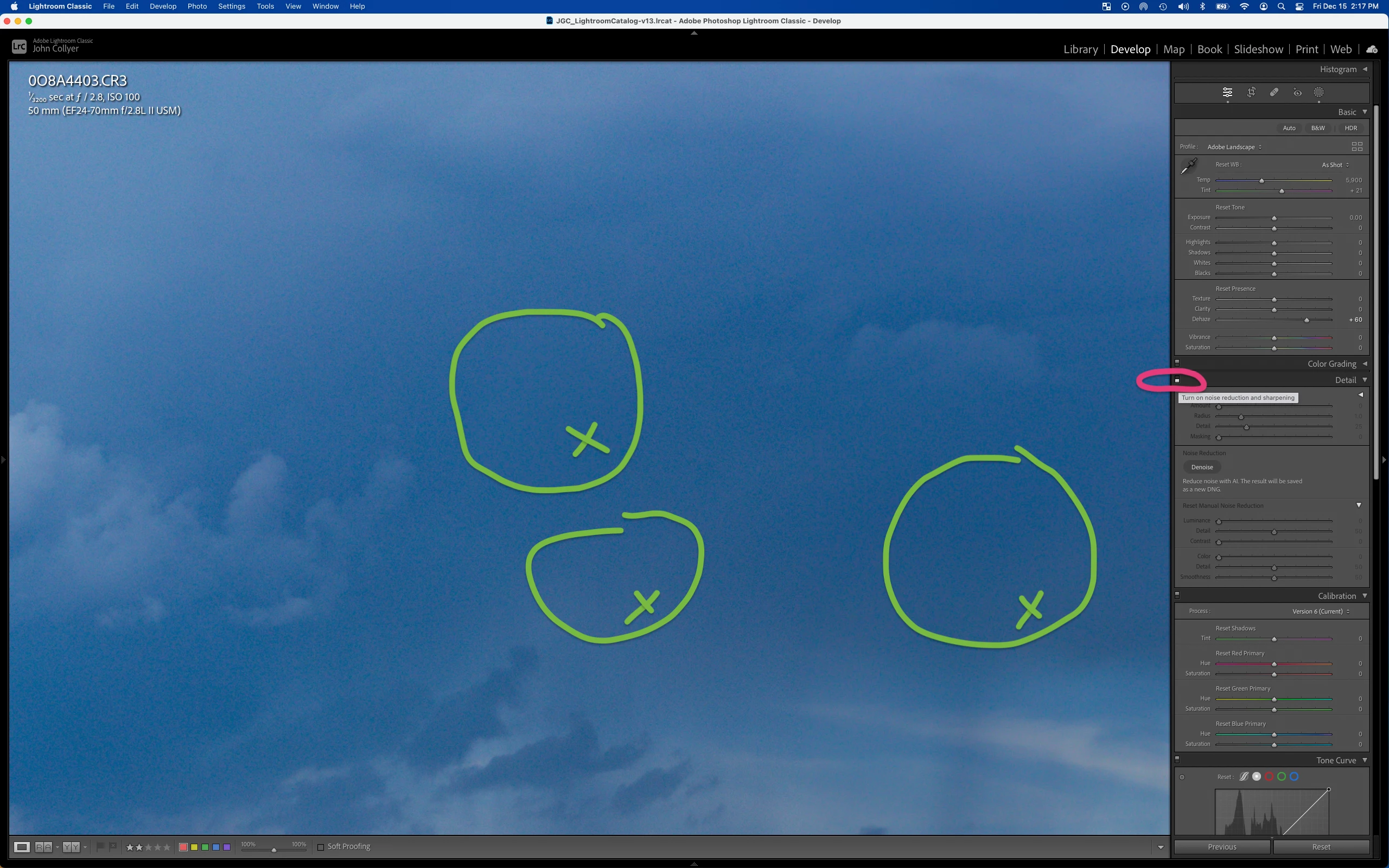
What the heck is going on? Can the these noisy details still be seen in the uploaded images to this fourm?
I have tried this with both graphics card acceleration on/off and got the same results.
Here is my computer configuration:
Model Name: MacBook Pro
Model Identifier: MacBookPro16,2
Processor Name: Quad-Core Intel Core i7
Processor Speed: 2.3 GHz
Number of Processors: 1
Total Number of Cores: 4
L2 Cache (per Core): 512 KB
L3 Cache: 8 MB
Hyper-Threading Technology: Enabled
Memory: 32 GB
System Firmware Version: 2020.41.1.0.0 (iBridge: 21.16.1069.0.0,0)
OS Loader Version: 577.140.2~15

 AdChoices