Participating Frequently
December 27, 2024
Question

P: Import of certain HEVC videos into Classic fails on Mac

  • December 27, 2024
  • 2 replies
  • 400 views

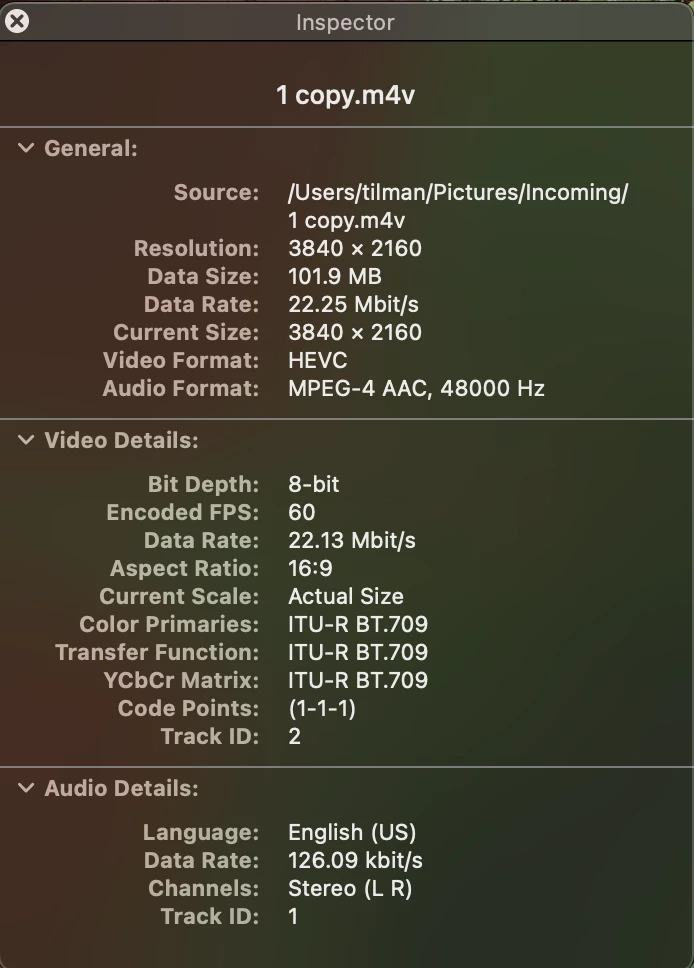
I have HEVC .m4v video files created with Apple Final Cut + Compressor which work fine in Lightroom CC, Lightroom Mobile, and Lightroom Cloud, but cannot be read by Lightroom CC

  • Lightroom Classic 14.1.1, Mac OSX Sequoia 15.2, Apple M2 
  • Trying to import HEVC .m4v files fails with "An unknown error occurred while reading the video file."
  • The clip imports fine into Lightroom CC on the same computer, as well as Lightroom Mobile on an iPad, and syncs through Lightroom Cloud.
  • These clips also don't sync down into Lightroom Classic from Lightroom Cloud
  • The clips were created using Final Cut Pro and Apple Compressor, Apple 4K HEVC Profile.
  • All clips generated with Apple Composer and HEVC profile have this problem
  • Sample clip in Google Drive 

2 replies

Participating Frequently
December 27, 2024

Thank you. 


P.S. I just noticed an embarrassing mistake in my first line summary: "I have HEVC .m4v video files created with Apple Final Cut + Compressor which work fine in Lightroom CC, Lightroom Mobile, and Lightroom Cloud, but cannot be read by Lightroom Classic"

brianmatiash
Community Manager
December 27, 2024

Thank you for reporting this. I'm able to reproduce your inability to import the provided video file into an LrC catalog, and am waiting for additional information internally to determine whether there is a known limitation or if a bug needs to be filed. Thanks for your patience while we look into this.

Software Quality Engineer, Lightroom
Participating Frequently
March 15, 2025

Brian, any findings? Getting these video clips to work with LrC would really help with my workflows.

brianmatiash
Community Manager
March 17, 2025

Hi there. I heard from the dev, and can confirm that this is working as-designed and the behavior is as expected.

Software Quality Engineer, Lightroom