
Participating Frequently
June 20, 2026
Answered

P: Lightroom Denoise suddenly stopped working

  • June 20, 2026
  • 117 replies
  • 1515 views

Hi everyone,

I'm having an issue with the latest version of Lightroom CC on a MacBook M5 Pro running macOS Tahoe 26.5.1. (I was experiencing the same problem on 26.5 and decided to update hoping it would fix it, but unfortunately it didn't.)

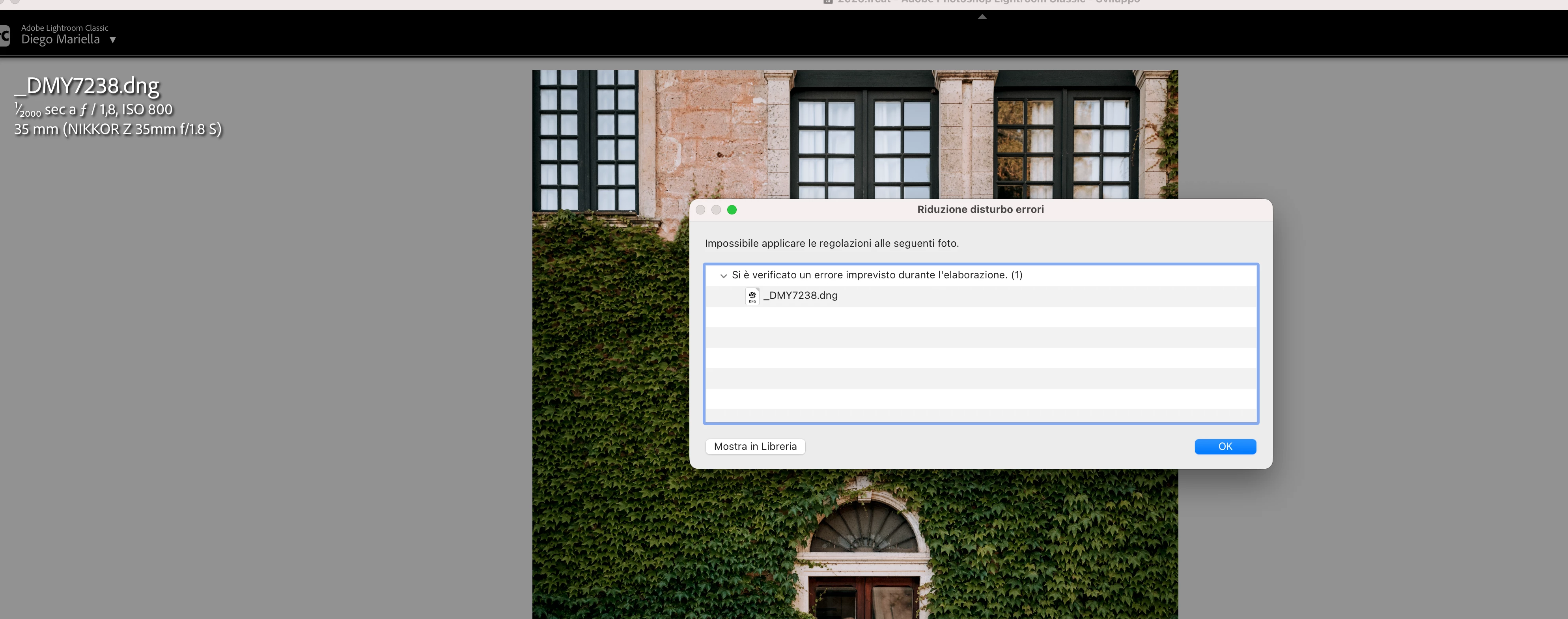
Since this morning, it's been impossible to to use Noise Reduction, even though my internet connection is working perfectly. I've already updated both Lightroom CC and macOS, cleared the cache, and optimized the catalog, but I keep getting this error screen whenever I try to use Noise Reduction.

Has anyone experienced the same issue or knows how to fix it? Any help would be greatly appreciated. Thanks! 🙏
 

    Correct answer Sameer K

    Hi All! Lightroom Classic v15.4.1 is now available for downlaod via the Creative Cloud desktop app with the following critical bug fiixes for the issue reported in this thread and the other: 


    Thanks!
    Sameer K

    117 replies

    Peter_zana
    Participant
    June 23, 2026

    Grazie, fortunatamente ieri Adobe ha rilasciato aggiornamento 15.4.1 che ha opportunamente corretto la problematica. Avevo provato ad installare anche la 15.2 ma anche cancellando la cartella CameraRaw il problema persisteva.

    grazie molte del riscontro comunque 

    Participating Frequently
    June 22, 2026

    This popped up suddenly on my MacBook.  I upgraded to LR 15.4.1 and it went away.

    Participant
    June 22, 2026

    can i still tether from my Z8 if i upgraded?


    marleybobphotography
    Participant
    June 22, 2026

    I HAVE TRIED EVERYTHING TO FIX THIS. not working when applying the denoise preset

    marleybobphotography
    Participant
    June 22, 2026

    This is the issue when trying to do the denoise in app

    Pascal38443240xg5c
    Participant
    June 22, 2026

    Solved with update 14.4.1

    dj_paige
    Legend
    June 22, 2026

    Solved with update 14.4.1


    I think you mean 15.4.1

    Michel+Paradinas
    Participant
    June 22, 2026

    Bonjour pareil pour moi ;-)

    Pascal+STINFLIN
    Participant
    June 22, 2026

    La méthode donnée par Ian Lyons a parfaitement fonctionné. Tout refonctionne bien après l’avoir suivie !

    Michel+Paradinas
    Participant
    June 22, 2026

    Bonjour, Pareil pour moi !

    MarcoBabyshambles
    Participant
    June 22, 2026

    I have the same problem and i still dont know how to solve it

    Sameer K
    Community Manager
    Sameer KCommunity ManagerCorrect answer
    Community Manager
    June 22, 2026

    Hi All! Lightroom Classic v15.4.1 is now available for downlaod via the Creative Cloud desktop app with the following critical bug fiixes for the issue reported in this thread and the other: 


    Thanks!
    Sameer K

    photophilljk
    Participant
    June 22, 2026

    No update available for me yet

    Known Participant
    June 23, 2026

    After updating to LrC V15.4.1 Denoise still fails with this message:

    I suspect the error is caused by custom camera profiles that, after a clean install, were added to the macOS folder '/Users/addieleman/Library/Application Support/Adobe/CameraRaw/CameraProfiles'.

    Immediately after the clean install Denoise did not fail.

    Anyway, everything is reverted now back to LrC V15.3.1 including the manual install of Camera Raw 18.3.