
P: Moire slider makes grey moire unless colors are orange-blue
I expect that the moire correction (slide to 100%) in the masking module will provide a smooth result, with the color removed and no residual gray moire pattern.
This is what I've found on different cameras, when correcting the color moire in Lightroom:
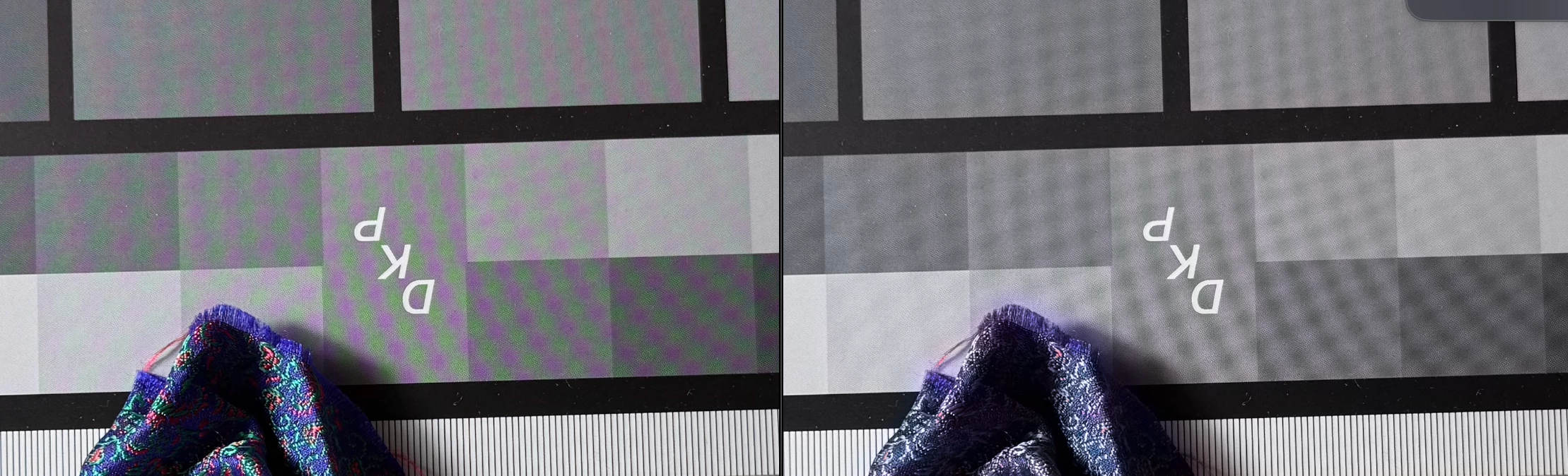
- green-magenta moire. iPhone 16 Pro and iPhone SE2. Gray moire results from correction.
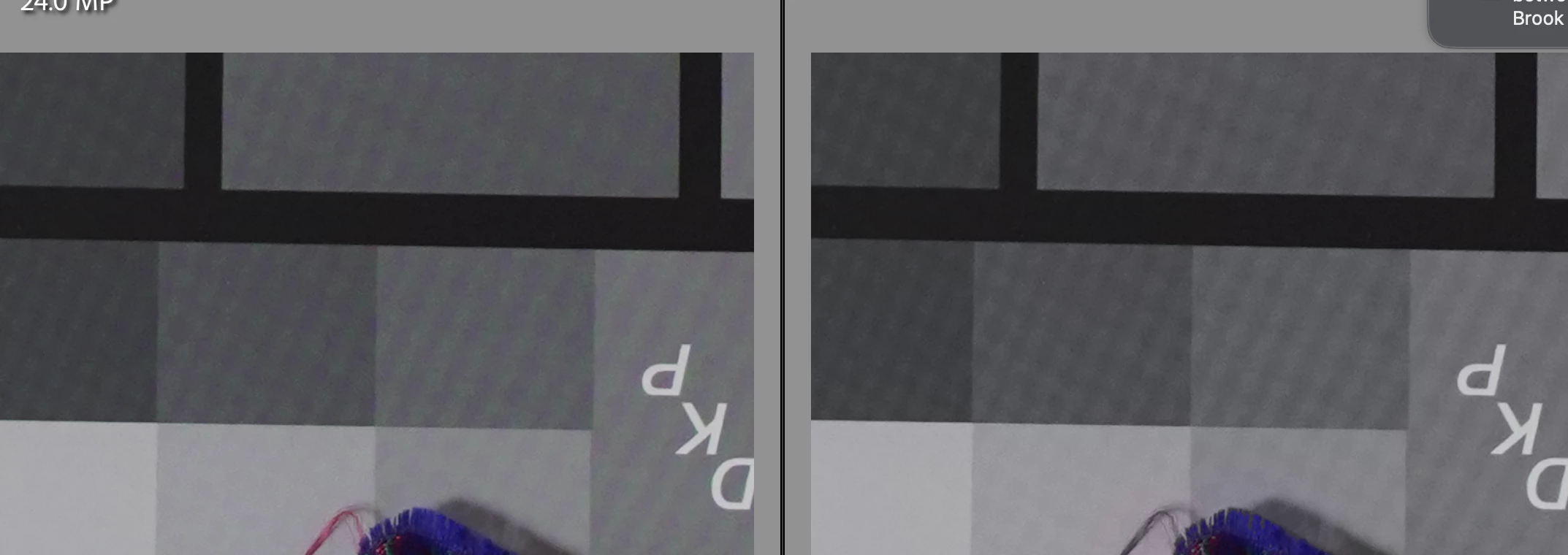
- purple-aqua moire. Sony Alpha 7III (one anti-alias filter not two). Gray moire results from correction.
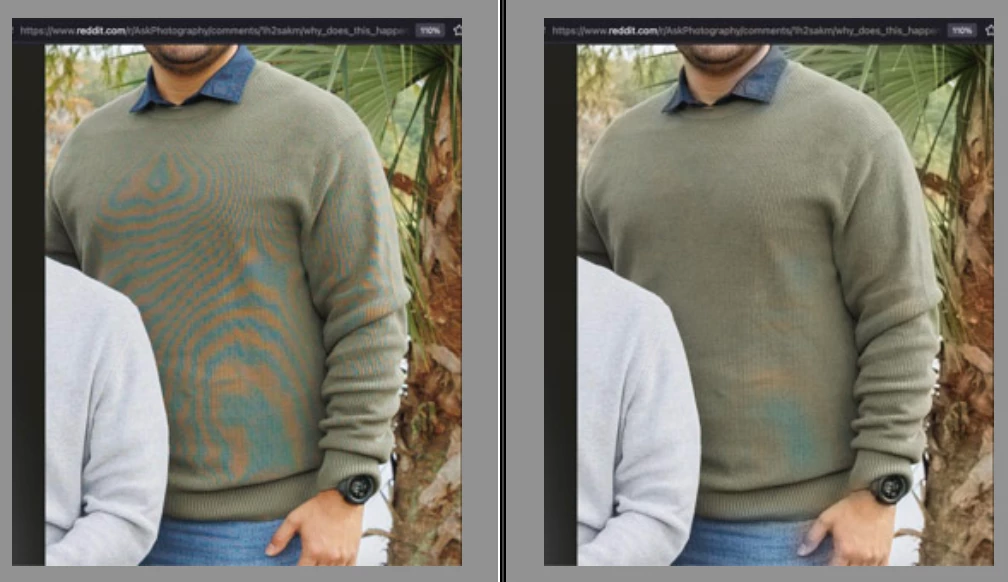
- blue-orange moire. Canon R6 photo from Reddit. Almost perfect moire correction - no resulting gray moire. This is the expected behavior. (All the demo videos I found online demonstrate this color combination.)
https://www.reddit.com/r/AskPhotography/comments/1h2sakm/why_does_this_happen_and_how_to_avoid_it_in_the/
The calibration card shown has very fine dithering from the printing of the card. The sweater has a texture.
I would like Lightroom's color moire correction not to produce a gray moire, for all color combinations from different styles of sensors. Lightroom Classic and Lightroom mobile on the iPad have the same behavior. I have not tried Camera Raw in Photoshop.
iPhone 16 Pro, cropped
Sony Alpha 7III, cropped
Canon R6, from Reddit
Lightroom Classic v 14.2. Camera Raw 17.2
Lightroom on iPad v10.2.2.


 AdChoices