

P: Reset of a denoised DNG doesn't always make the it look like when the DNG was imported
Normally, the Reset button brings a photo back to what it looked like when it was first imported. But the Reset button doesn't always work as expected with Denoised DNGs. There's an as-coded explanation for what LR is doing (see if you can guess it -- I couldn't), but I think a fair number of users will eventually trip over this likely unanticipated (i.e. undesigned) behavior and be mystified.
To reproduce:
1. Set Preferences > Presets > Global to Camera Settings.
2. Import this raw:
https://www.dropbox.com/s/6sew7rh7j08lsfv/DSC_1260.NEF?dl=0
3. Do Enhance > Denoise.
4. Edit the DNG in Develop and change exposure to +5.
5. Click Reset.
6. Observe that the reset denoised DNG (on the right) looks quite a bit different than when it was imported (on the left):
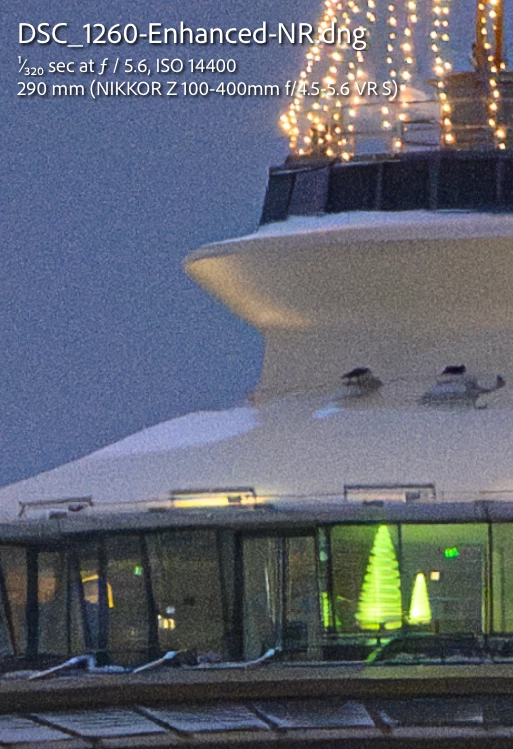
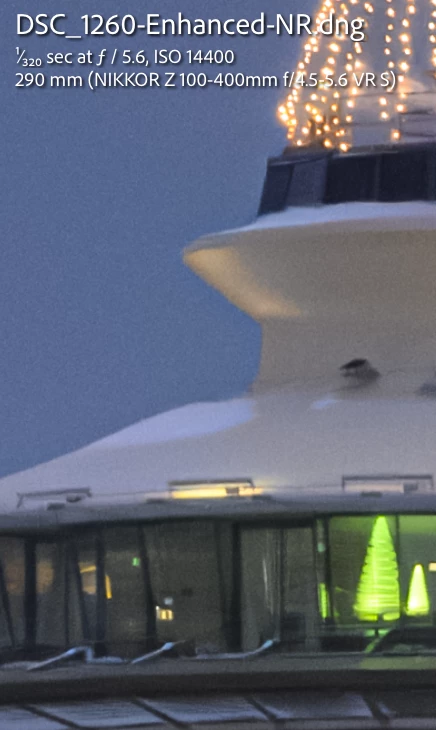
Tested on LR 12.3 / Mac OS 13.3.
 AdChoices