
P: SDK: photo:applyDevelopSettings() can't apply a rectangular-selection Object mask
photo:applyDevelopSettings() can't apply a rectangular-selection Object mask, though it can apply a brush-selection Object mask. This prevents my Copy Settings plugin from correctly copying rectangular Object masks.
Tested in LR 12.0.1 / Mac OS 12.6.1.
To reproduce the bug:
1. Download the attached "object-bug.lua.txt", rename it to "object-bug.lua", and place it in the Scripts subfolder of the Lightroom settings folder. Restart LR.
2. Import the attached photo "a.jpg".
3. Import the attached preset Object Mask.xmp. (The script "object-bug.lua" applies the same Develop settings as in the preset Object Mask.)
4. Edit "a.jpg" and apply the preset Object Mask. It should look like:
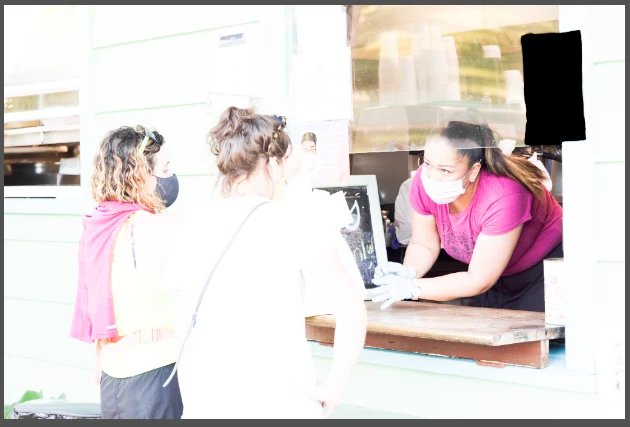
The rectangular Object mask is the black object in the upper-right corner.
5. Reset the photo's settings.
6. Do the menu command Scripts > object-bug. The photo should look like:
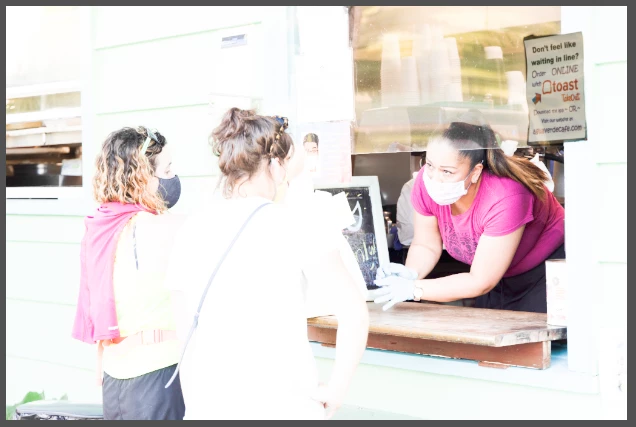
7. Do Settings > Update AI Settings.
8. In the Masking panel, observe the error message:
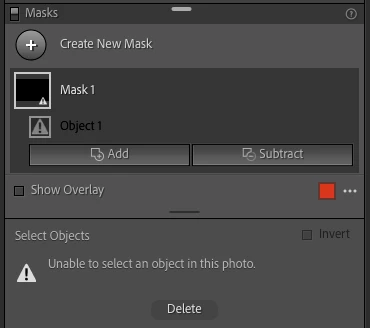
 AdChoices